Client Kickoff Presentation
Slides + PowerPoint10 slides
Free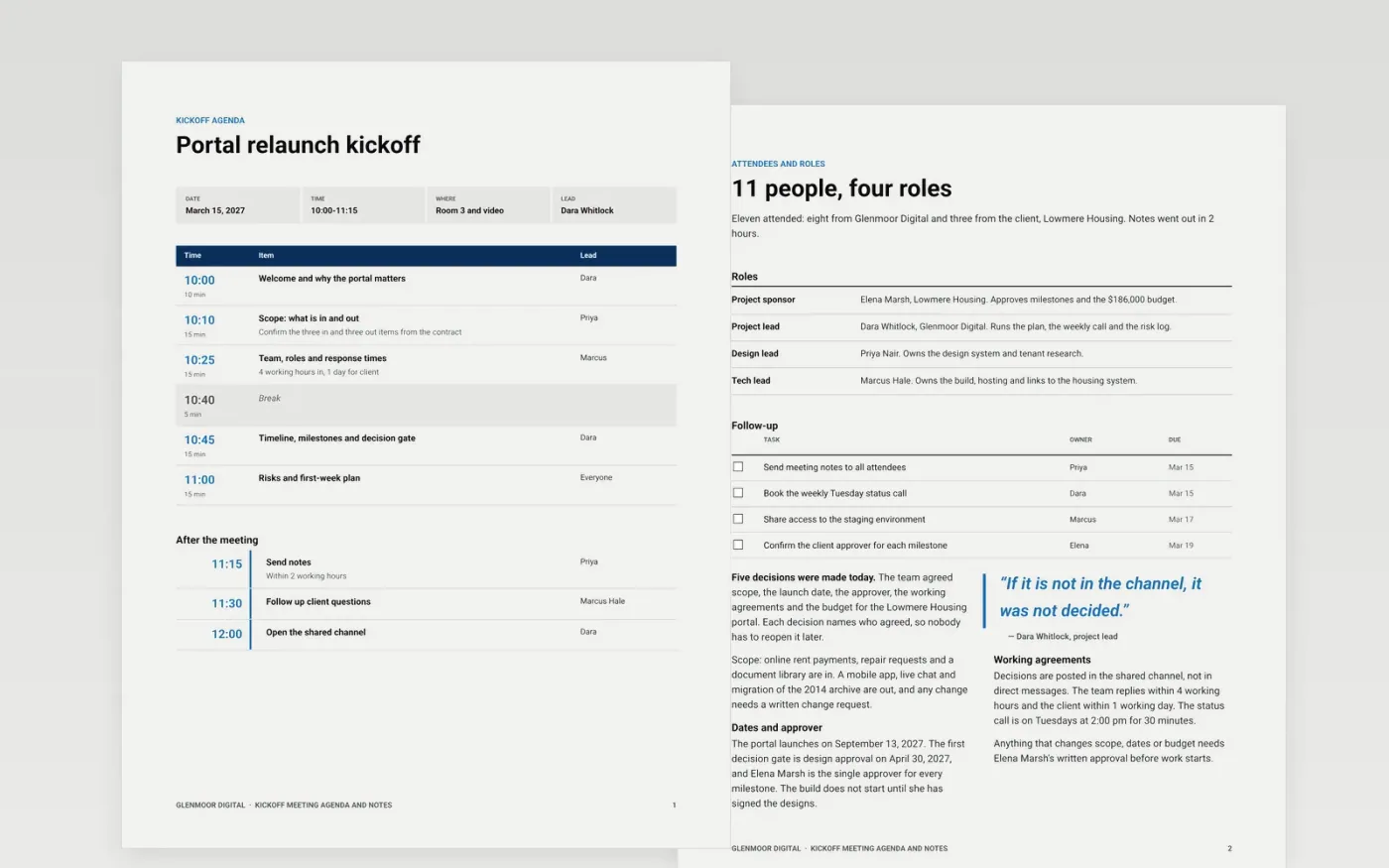
Projects go wrong early when people leave the kickoff with different ideas about scope, approvals and who does what. This kickoff meeting template gives team leads one document for the whole meeting: a timed agenda, attendees and roles, a record of the decisions made, actions with owners and dates, and a list of open questions with someone responsible for each.
The sample is the kickoff for a customer portal relaunch that Glenmoor Digital is building for a housing association: 11 people, a 75-minute agenda, five decisions, a $186,000 budget and a launch on September 13, 2027. Replace the project, people, decisions, actions and questions with your own, and send the notes within two hours.
Click Make a copy in Google Docs, then confirm on the Google page. The copy is saved to your own Google Drive.
Replace the project name, date, attendees and sponsor quote, then set the agenda times to fit your meeting length.
Write the decisions as they are made, naming who agreed, and give every action one owner and a date.
List the open questions with an owner and a deadline, then send the notes to everyone within two hours.
Delete the Make it yours guide page, then share the document with the team.
Yes. Make a copy in Google Docs and use it for any project. You only need a Google account to edit and share it with your team.
No. Glenmoor Digital, the housing association, the people and every date and figure are fictional and exist only to show a complete kickoff document.
No. Share the plan beforehand and use the meeting for why the project matters, scope, roles and questions. The agenda here leaves time for each.
Slides + PowerPoint10 slides
Free
Docs + Word5 pages
Free
Docs + Word9 pages
Free
Slides + PowerPoint10 slides
Free
Slides + PowerPoint12 slides
Free
Docs + Word7 pages
Free
Slides + PowerPoint10 slides
Free










