Project Kickoff Deck
Slides + PowerPoint10 slides
Free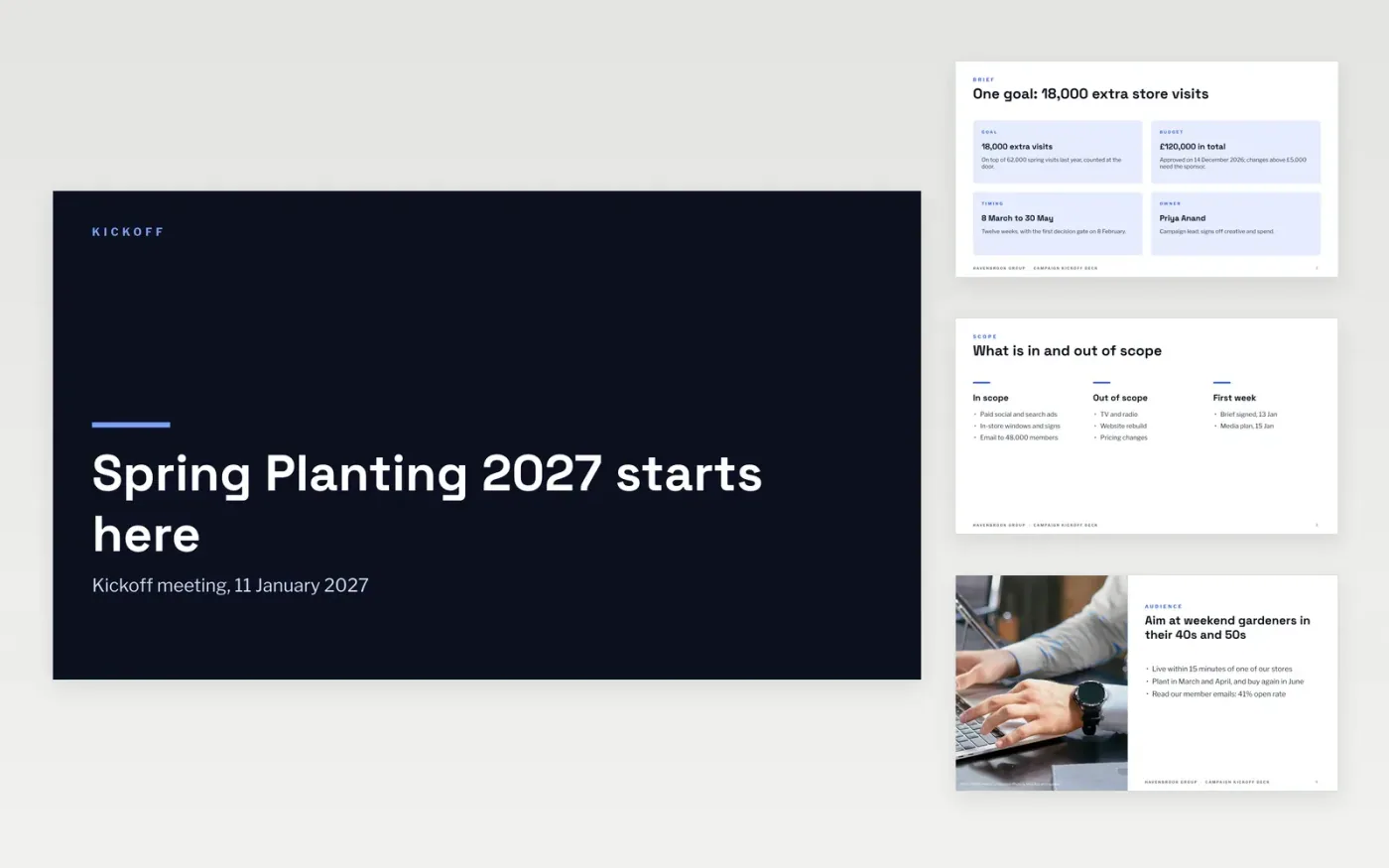
Campaigns lose their first weeks to different ideas of the goal, the budget and who approves what. This ten-slide kickoff deck gives the team one script: the brief, scope boundaries, audience, message, creative direction, channel budget, dates and decision gates, with first-week owners and contacts.
The sample kicks off a fictional 12-week spring planting campaign for Havenbrook Group with a £120,000 budget and a goal of 18,000 extra store visits. Replace the campaign name, goal, budget split, audience, dates and owners with your own, and agree the first-week actions in the room.
Click Make a copy in Google Slides, then confirm on the Google page. The copy is saved to your own Google Drive.
Replace the campaign name, goal, budget and sponsor on the cover and brief slides, and write the goal as a number with a baseline and date.
Rewrite the scope, audience and message slides with what the team has already agreed, and fill the channel cards so the shares add to 100%.
Swap in your own dates, gate decisions and first-week actions, each with an owner and a date.
Delete the guide slide, then present the deck and leave time for questions.
Between 45 and 90 minutes for 6 to 15 people. Use the slides to build shared understanding rather than reading them aloud, and leave time to agree first-week owners.
No. Havenbrook Group, the spring planting campaign, its people and every figure are fictional sample content. Replace all of it with your own campaign facts.
Cover why the campaign matters, scope in and out, audience, message, creative direction, channels and budget, dates and decision gates, risks, and who does what in the first week.
More Google Slides templatesMore project management templates
Slides + PowerPoint10 slides
Free
Slides + PowerPoint10 slides
Free
Docs + Word5 pages
Free
Slides + PowerPoint12 slides
Free
Docs + Word7 pages
Free
Docs + Word7 pages
Free










