
Internal Project Proposal
Docs + Word9 pages
Free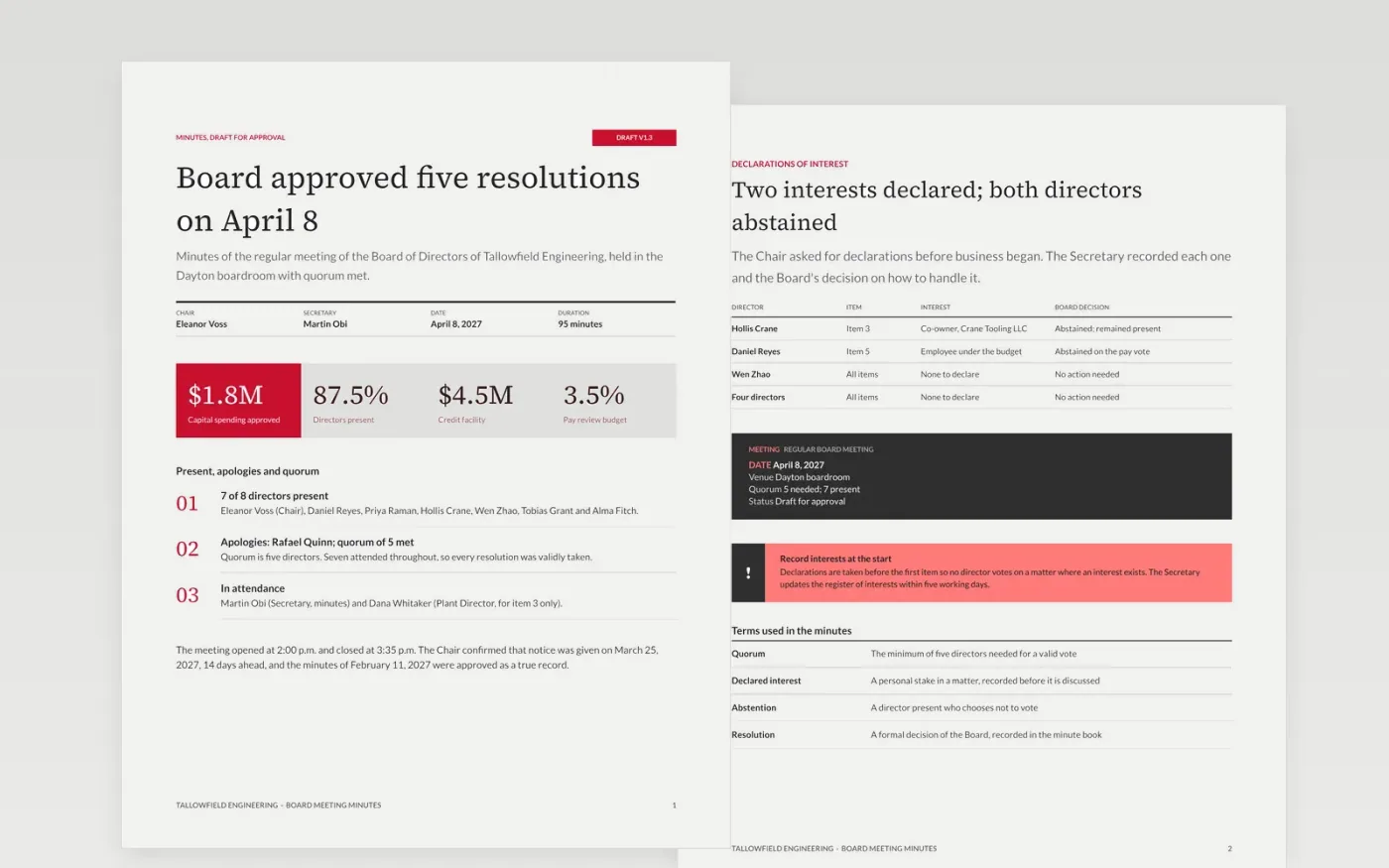
Board minutes need to be accurate, neutral and fast to approve. They record what was decided and who acts next, not a transcript. This template moves in the order a secretary works: who was present and whether there was a quorum, declarations of interest, resolutions, recorded votes, actions and a certified signature page.
The sample is a fictional regular meeting of Tallowfield Engineering on April 8, 2027, with seven directors present, five numbered resolutions, votes recorded as for, against and abstentions, and actions with one owner and a date each. Replace the names, dates, wording and results with your own, and mark the minutes draft until approved.
Click Make a copy in Google Docs, then confirm on the Google page. The copy is saved to your own Google Drive.
Fill in the date, venue, chair, secretary and attendance, and note whether the quorum was met.
Reduce each agenda item to two or three lines, then list the exact wording of each resolution and its vote as for, against and abstentions.
Give every action one owner and a due date within one to four weeks, and add the date of the next meeting.
Delete the guide page, mark the minutes draft until approved, then share them for approval at the next meeting.
Record decisions, votes, declarations and actions, not who said what. Keep each item to two or three lines and leave confidential discussion out of the record.
No. Rules on quorum, notice and records vary by company and jurisdiction, so check your articles, bylaws and local law, and ask counsel if you are unsure.
No. Tallowfield Engineering, every person, email address, vote and figure in the sample are fictional. Replace them with your own before use.
Docs + Word9 pages
Free
Docs + Word5 pages
Free
Slides + PowerPoint11 slides
Free
Docs + Word7 pages
Free
Docs + Word7 pages
Free
Docs + Word8 pages
Free
Docs + Word7 pages
Free









