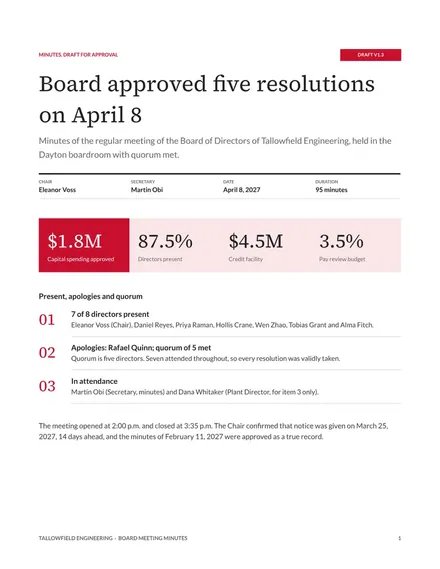
Board Meeting Minutes
Docs + Word8 pages
Free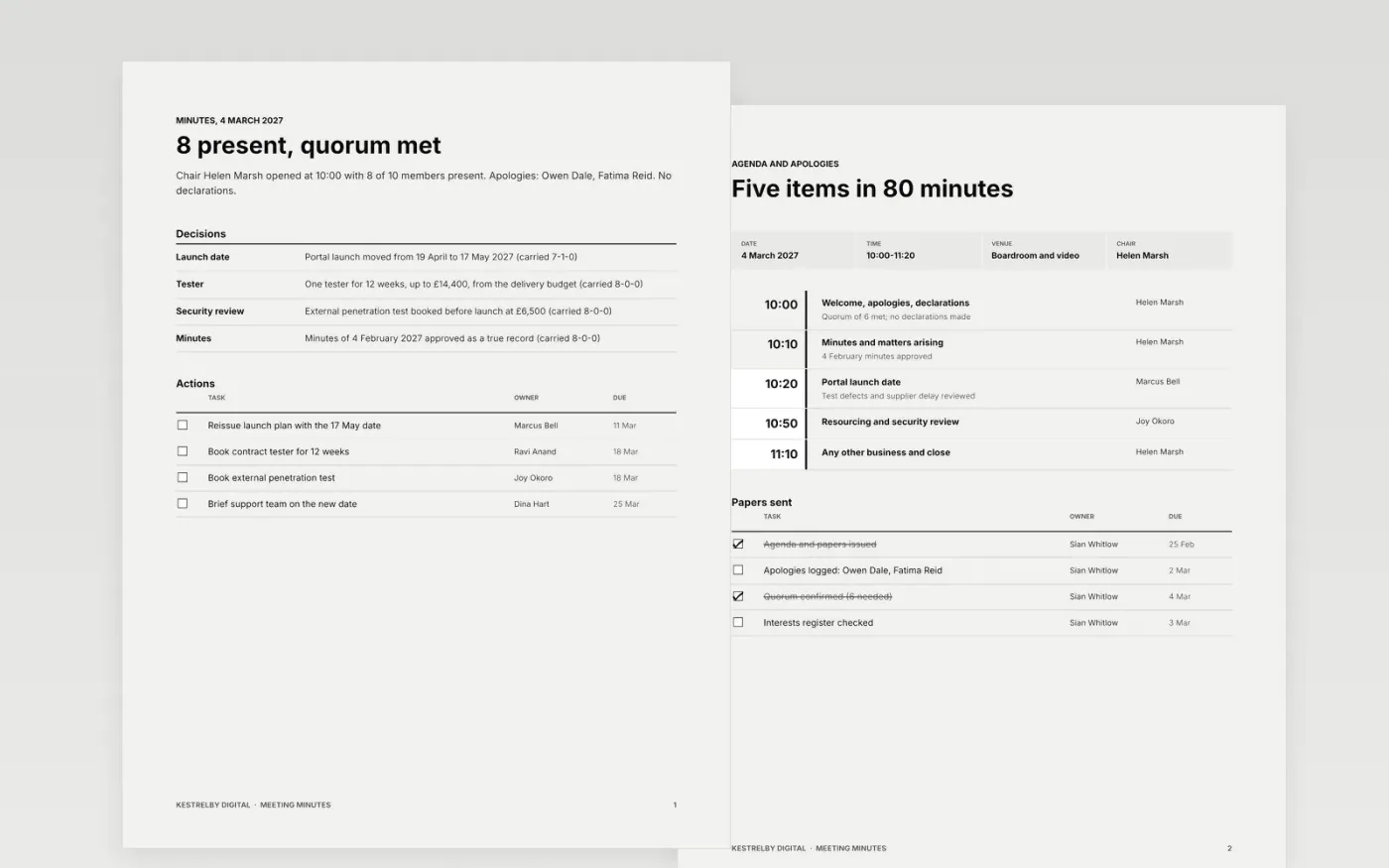
Minutes fail when they read like a transcript or leave actions without owners. This meeting minutes template gives secretaries and team leads a formal record: who was present and who sent apologies, the agenda as it ran, items discussed, decisions with votes, an action log with owners and dates, and the date of the next meeting.
The sample records a steering group at Kestrelby Digital on 4 March 2027: 8 of 10 members present, quorum met, a portal launch moved to 17 May by 7 votes to 1, and six actions with dates within four weeks. Replace the date, chair and attendees first, cut each item to two or three lines, and mark the minutes draft until they are approved.
Click Make a copy in Google Docs, then confirm on the Google page. The copy is saved to your own Google Drive.
Fill in the date, venue, chair and minute taker, list who was present and who sent apologies, and note whether quorum was met.
Reduce each agenda item to two or three lines and move every outcome into the decisions list with the vote recorded as for, against and abstentions.
Give every action one owner and a due date, then add the date of the next meeting and mark the minutes draft until approved.
Delete the Make it yours page, then share the minutes with attendees and absentees.
Yes. Keep the quorum line, declarations of interest and recorded votes, and add any wording your governing document requires. Mark the minutes draft until approved at the next meeting.
No. Kestrelby Digital, every person, date and figure are fictional sample data. Replace them with your own meeting details before you circulate the minutes.
Record outcomes, not a transcript: two or three lines per item, the decision, the vote and the actions. Leave out confidential discussion and state only that it took place.
Docs + Word8 pages
Free
Docs + Word5 pages
Free
Docs + Word9 pages
Free
Docs + Word7 pages
Free
Docs + Word7 pages
Free
Docs + Word8 pages
Free










