
Project Proposal
Docs + Word5 pages
Free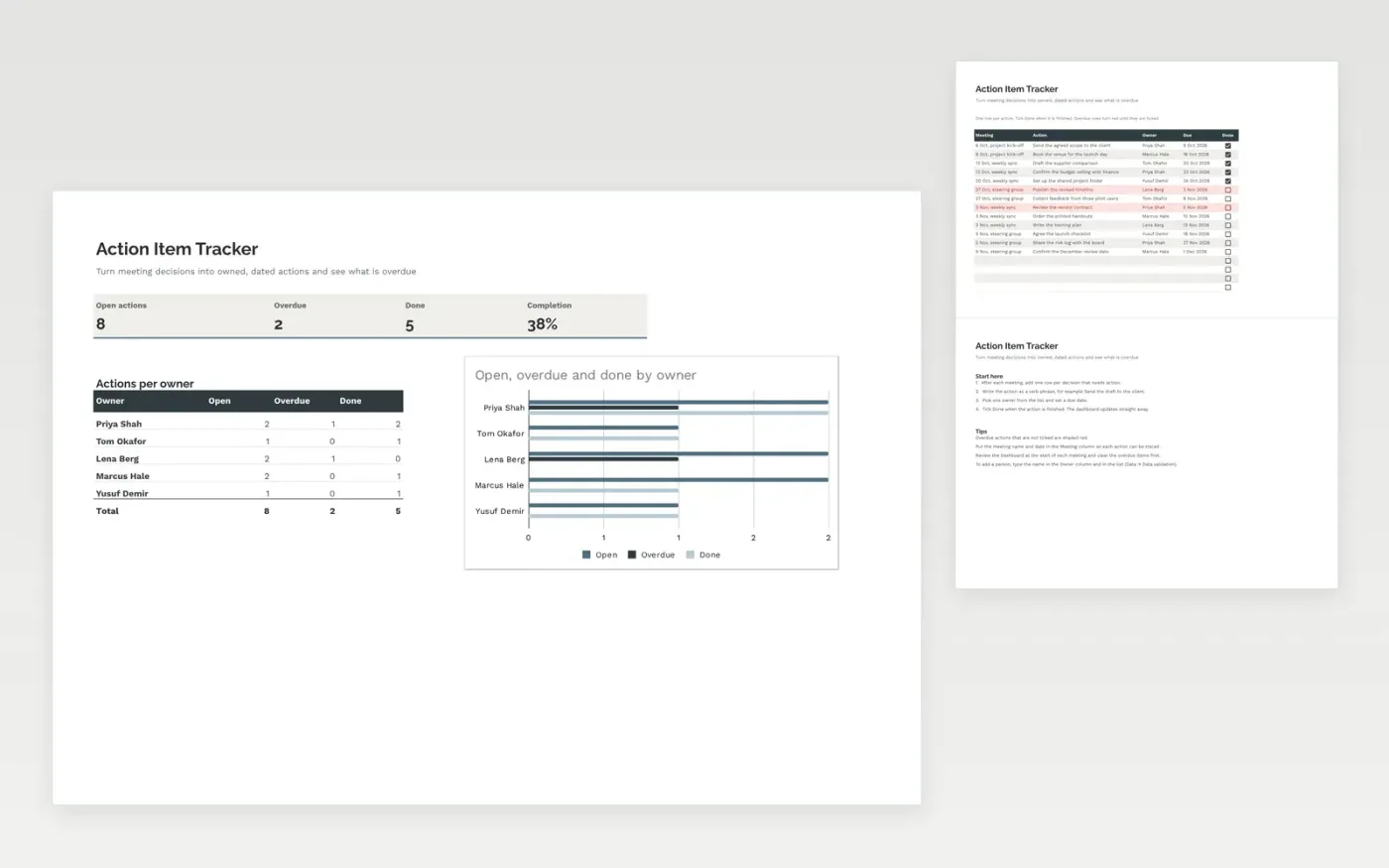
The Action Item Tracker keeps the actions agreed in meetings in one list. Each row shows the meeting, the action, its owner, the due date and a Done tick box. Rows that are past due and not ticked turn red. The Dashboard counts open, overdue and finished actions for each owner, so follow-up is simple to review.
It comes with sample data from a set of project meetings. Make a copy and replace the sample rows. The formulas, dropdowns and charts update on their own.
Click Make a copy in Google Sheets, then confirm on the Google page. The copy is saved to your own Google Drive.
Start on the Actions tab: replace the sample rows with your own.
Keep the formula columns as they are; they fill in as you type.
Read the How to use tab for tips. For Excel, download the .xlsx file instead.
Yes. Make a copy in Google Sheets or download the .xlsx file for Excel. There is no charge for the template.
Yes. Download the .xlsx file and open it in Excel. The formulas, dropdowns, tick boxes and charts work there as well as in Google Sheets.
An action is overdue when its due date has passed and its Done box is not ticked. The row turns red and the Dashboard counts it as overdue until it is ticked.
More Google Sheets templatesMore project management templates
Docs + Word5 pages
Free
Slides + PowerPoint11 slides
Free
Docs + Word6 pages
Free
Sheets + Excel3 slides
Free
Sheets + Excel3 slides
Free
Sheets + Excel5 slides
Free
Sheets + Excel3 slides
Free









