
Project Proposal
Docs + Word5 pages
Free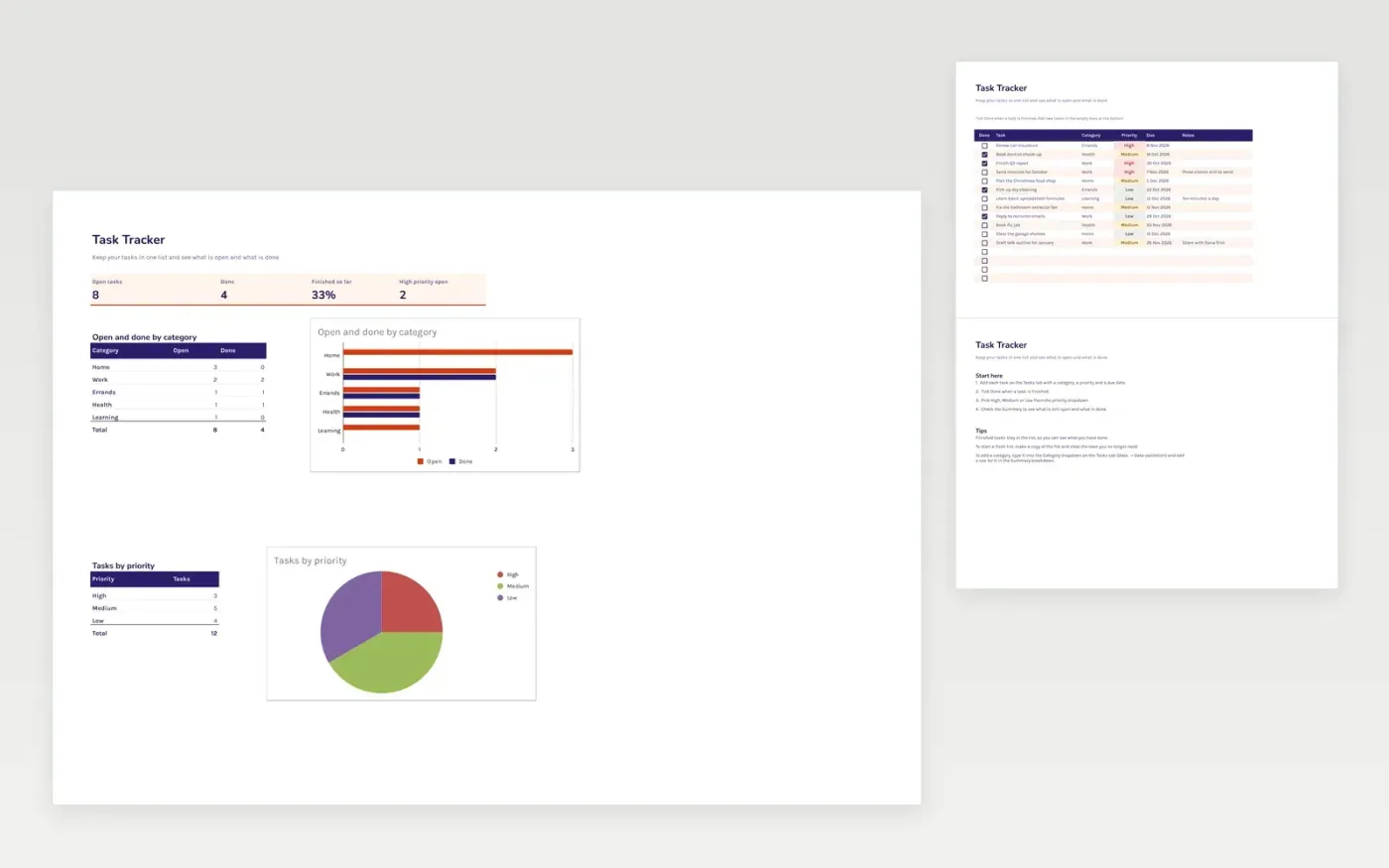
This task tracker gives you one list for personal or team tasks. Each task has a done tick box, a category, a priority and a due date. The Tasks tab is where you add tasks and tick them off, and the Summary tab shows open and done tasks by category, plus the high-priority items still open.
It comes with sample data for a home and work to-do list. Make a copy, replace the sample rows with your own, and the counts and charts update on their own as you tick tasks off.
Click Make a copy in Google Sheets, then confirm on the Google page. The copy is saved to your own Google Drive.
Start on the Tasks tab: replace the sample rows with your own.
Keep the formula columns as they are; they fill in as you type.
Read the How to use tab for tips. For Excel, download the .xlsx file instead.
Yes. The Task Tracker template is free to download and use. Make a copy in Google Sheets or download the Excel file.
Yes. Download the .xlsx file and open it in Excel, Google Sheets or another compatible spreadsheet app. The tick boxes and summary work in both.
Yes. Add the new category to the Category dropdown on the Tasks tab (Data → Data validation), then add a row for it in the Summary breakdown so its totals show.
More Google Sheets templatesMore project management templates
Docs + Word5 pages
Free
Slides + PowerPoint11 slides
Free
Docs + Word6 pages
Free
Sheets + Excel3 slides
Free
Sheets + Excel3 slides
Free
Sheets + Excel3 slides
Free
Sheets + Excel5 slides
Free









