
Admin Training Deck
Slides + PowerPoint11 slides
Free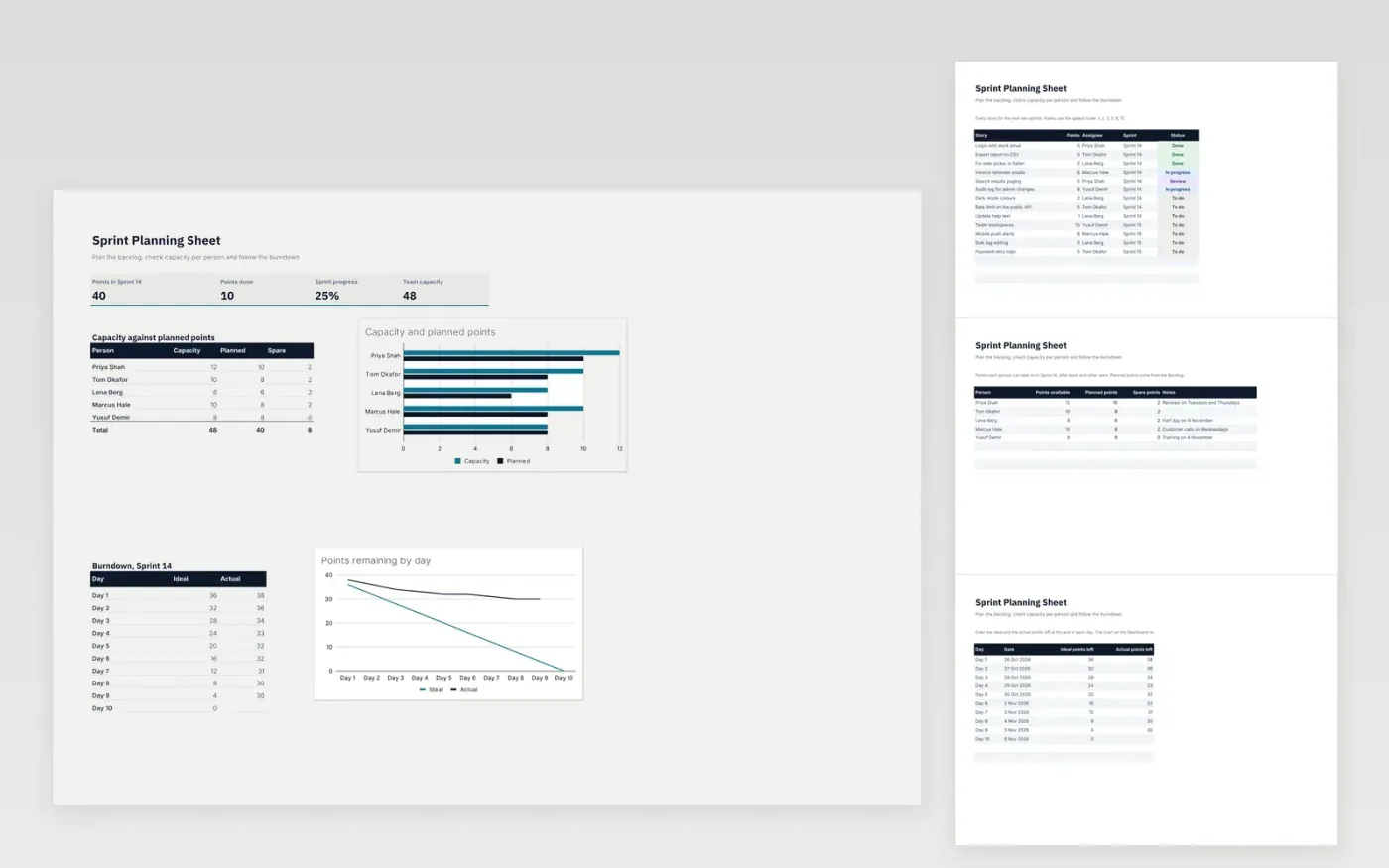
The Sprint Planning Sheet helps a development team choose what goes into a sprint and check that it fits. The Backlog tab lists each story with its points, assignee, sprint and status. The Capacity tab shows the points each person can take on, and the Burndown tab records the points left each day. The Dashboard brings these together with progress and charts.
It comes with sample data for two sprints. Make a copy and replace the sample rows. The formulas, dropdowns and charts update on their own.
Click Make a copy in Google Sheets, then confirm on the Google page. The copy is saved to your own Google Drive.
Start on the Backlog tab: replace the sample rows with your own.
Keep the formula columns as they are; they fill in as you type.
Read the How to use tab for tips. For Excel, download the .xlsx file instead.
Yes. Make a copy in Google Sheets or download the .xlsx file for Excel. There is no charge for the template.
Yes. Download the .xlsx file and open it in Excel. The formulas, dropdowns and charts work there as well as in Google Sheets.
Change the sprint name in the Sprint column of the Backlog and in the Capacity and Dashboard formulas, for example from Sprint 14 to Sprint 15. The totals then follow that sprint.
More Google Sheets templatesMore developer workflows templates
Slides + PowerPoint11 slides
Free
Docs + Word7 pages
Free
Docs + Word7 pages
Free
Sheets + Excel3 slides
Free
Sheets + Excel3 slides
Free
Sheets + Excel3 slides
Free
Sheets + Excel3 slides
Free









