Project Proposal
Docs + Word5 pages
FeaturedFree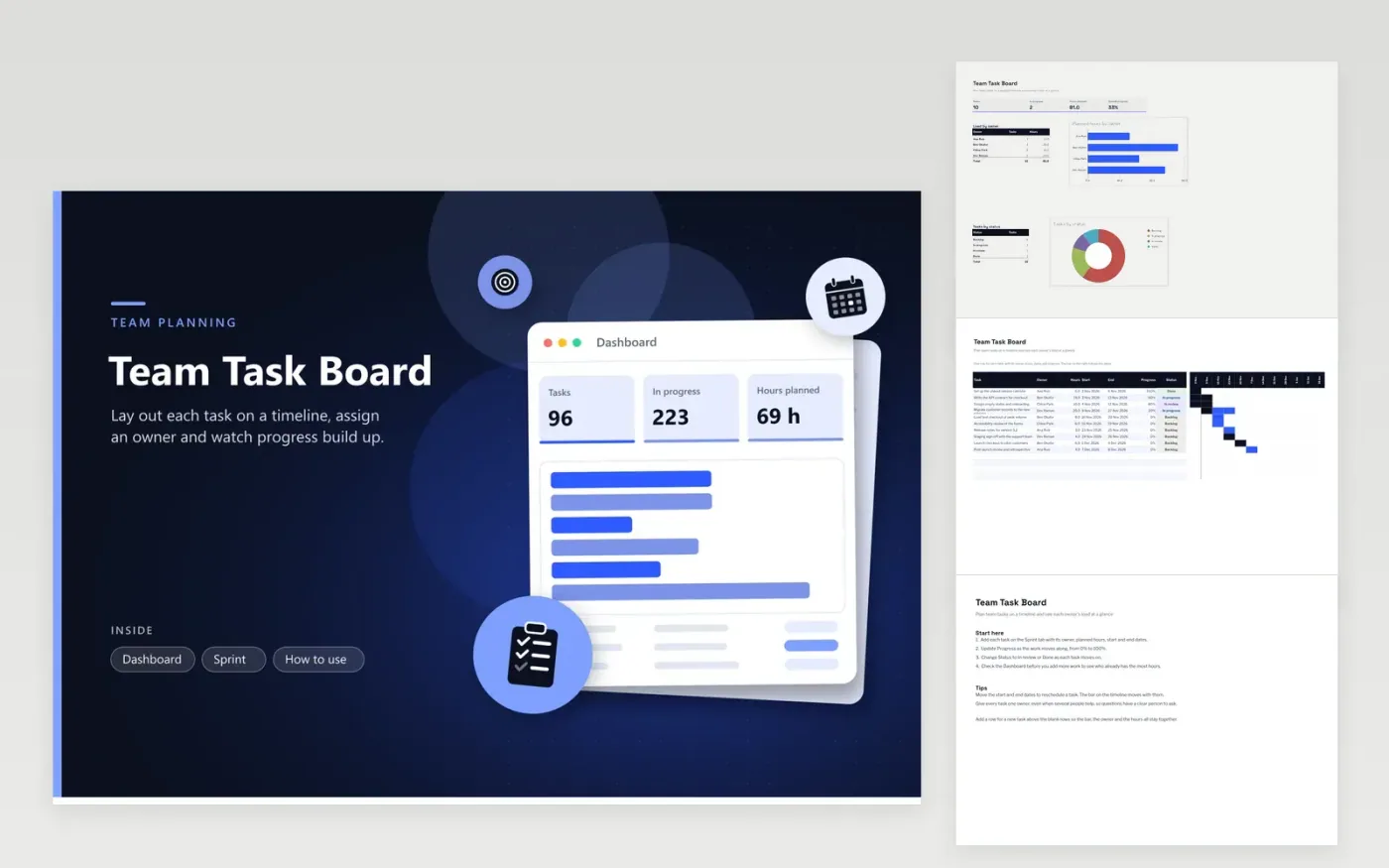
The Team Task Board suits product, delivery and operations teams that plan work in sprints or short projects. The Sprint tab is a gantt chart: each task row has an owner, planned hours, a start date, an end date, progress and status, with a bar on a twelve-week timeline. The Dashboard shows the task count, tasks in progress, planned hours and overall progress, plus planned hours by owner and tasks by status.
The sample sprint has ten tasks for four people, running from early November into December, with a few already in review or done. Check the owner breakdown before you add work, so no one carries far more hours than the rest of the team. Update progress as each task moves forward, and set the status to In review when someone needs a check. Keep owner names identical on every row.
Click Make a copy in Google Sheets, then confirm on the Google page. The copy is saved to your own Google Drive.
Start on the Sprint tab: replace the sample rows with your own.
Keep the formula columns as they are; they fill in as you type.
Read the How to use tab for tips. For Excel, download the .xlsx file instead.
Each task has a progress percentage, and the overall figure weights each task by its planned hours. A large task at half progress counts for more than a small one that is finished. Set progress to 100% and status to Done when a task is complete.
The Owner column takes one name, so each hour counts once. If two people share a task, name the lead owner in that column and split the planned hours into two rows, one for each person.
Copy the file, clear the task rows and enter the new tasks with their dates. The twelve-week bar chart begins on the earliest start date, so the first task sets the scale. Keep the same owners and statuses so the Dashboard still works.
More Google Sheets templatesMore project management templates
Docs + Word5 pages
FeaturedFree
Docs + Word1 page
Free
Docs + Word11 pages
Free
Sheets + Excel4 tabs
Free
Sheets + Excel5 tabs
Free
Sheets + Excel3 tabs
Free
Sheets + Excel3 tabs
Free
Sheets + Excel3 tabs
Free
Sheets + Excel5 tabs
Free
Sheets + Excel3 tabs
Free









