Buyer Persona Slides
Slides + PowerPoint12 slides
Free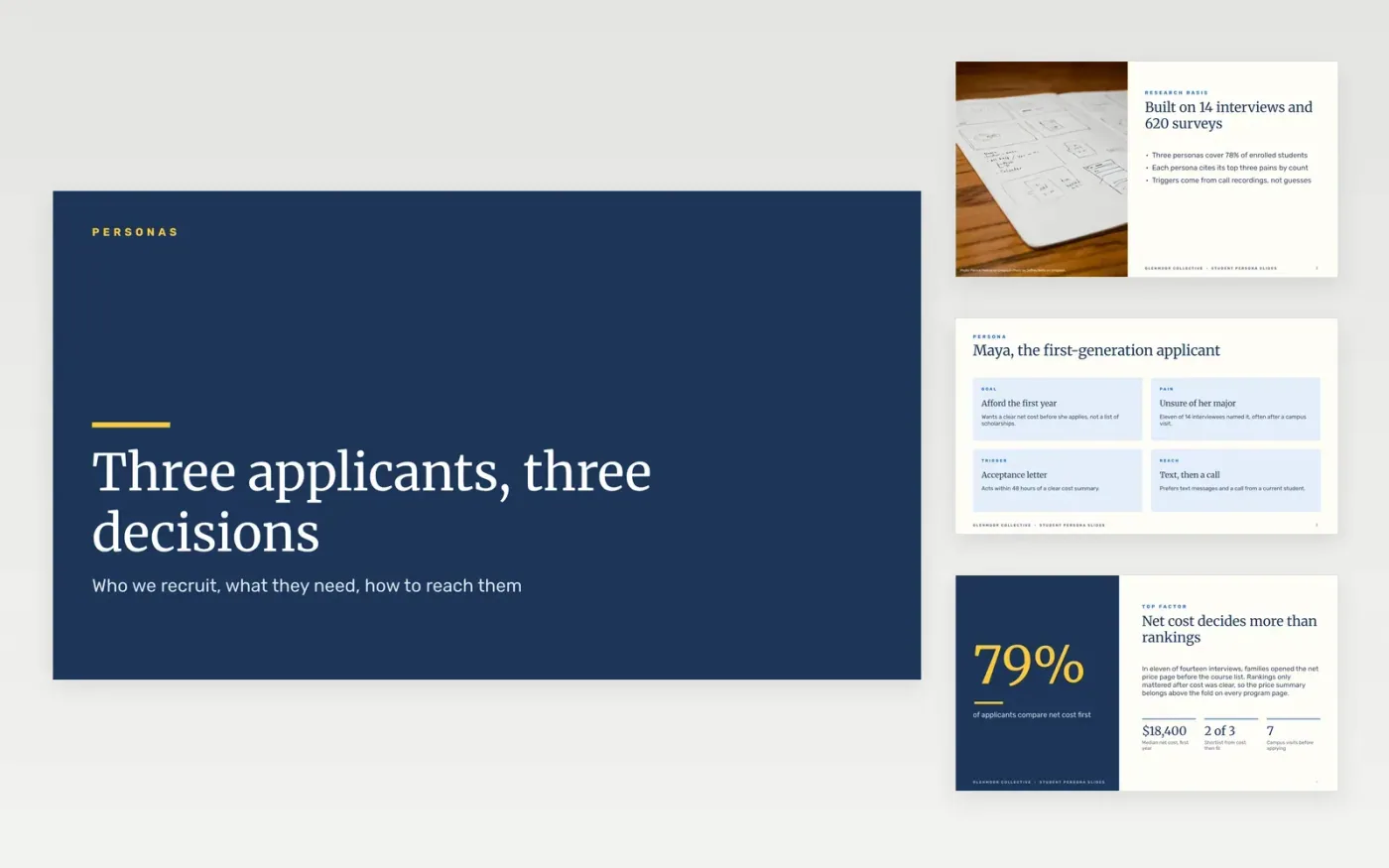
Recruitment teams often write for the applicant they imagine rather than the one who calls. This buyer persona template turns research into three personas for prospective students, each with a goal, pains, buying triggers, preferred channels and the message that works. The same structure serves as an ideal customer profile template or an empathy map template for other teams, and it can run as a persona workshop slides session.
The sample is for Glenmoor Collective, a fictional group of colleges whose figures tie across the slides: 14 interviews, 620 survey responses, 79% of applicants comparing net cost first, and three personas covering 78% of enrolled students. To use it, replace the research basis with your own counts, rename the personas by situation, and rewrite each trigger in the words from your call recordings.
Click Make a copy in Google Slides, then confirm on the Google page. The copy is saved to your own Google Drive.
Replace the research basis with the number of interviews and surveys you actually ran.
Rename each persona by role and situation, and use a real quote from your research.
Keep only the personas that account for most of your enrolled students or your pipeline.
Delete the guide slide, then share the deck with the team or present it at the planning meeting.
No. Glenmoor Collective, the applicants named in the personas, the people on the closing slide and every figure are fictional sample data, shown so you can see a finished persona set.
Three is the usual limit. Past four, most people stop remembering the differences, and messages drift back toward a general applicant that nobody really is.
Review them each intake cycle using new call notes and survey results. Retire a persona when its share of enrollments falls, and add one only when a new group shows a clear trigger.
Slides + PowerPoint12 slides
Free
Slides + PowerPoint10 slides
Free
Slides + PowerPoint10 slides
Free
Docs + Word6 pages
Free
Docs + Word7 pages
Free
Slides + PowerPoint11 slides
Free
Docs + Word8 pages
Free
Docs + Word7 pages
Free