Customer Onboarding Webinar Slides
Slides + PowerPoint11 slides
Free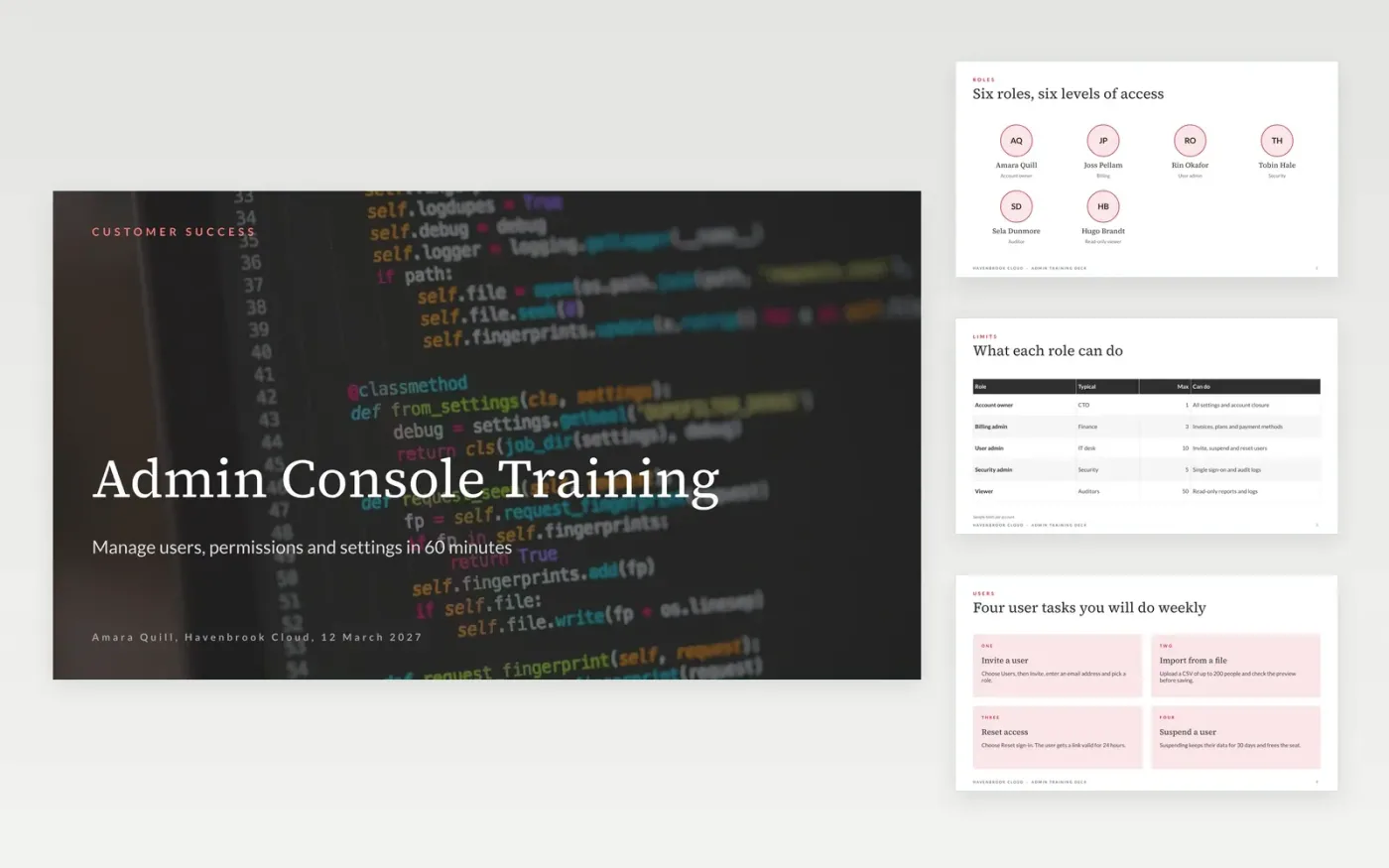
New administrators learn fastest when training follows the tasks they will actually do. This deck starts with the six roles, then covers inviting and removing users, a four-step permission request, the settings that matter first, integrations and where to get help, in about 60 minutes.
The sample is a fictional session from Havenbrook Cloud customer success for a new customer account. Replace the role names, limits, settings and support times with those of your product, and retake any screens you add so they match the current release.
Click Make a copy in Google Slides, then confirm on the Google page. The copy is saved to your own Google Drive.
Replace the cover title, the presenter and the date with your own session details.
Update the roles slide and table with your product's real role names, limits and permissions.
Rewrite the user, settings and integration slides with your top five support tickets, and retake screenshots from the current release.
Delete the Make it yours guide slide, then share the deck or present it.
About 60 minutes: 15 minutes on roles and users, 20 on permissions and settings, 15 on integrations and support, and 10 for questions. Trim a slide for a 45-minute call.
No. Havenbrook Cloud, the people, the email address and every figure are fictional sample content. Replace them with your own product, roles and support details.
Yes. The split-image slide and the cards slide are easy places to put a cropped screenshot. Retake each one from the current release so it matches what administrators see.
More Google Slides templatesMore developer workflows templates
Slides + PowerPoint11 slides
Free
Docs + Word7 pages
Free
Docs + Word7 pages
Free
Docs + Word8 pages
Free
Docs + Word8 pages
Free
Docs + Word8 pages
Free










