Business Continuity Plan
Docs + Word8 pages
Free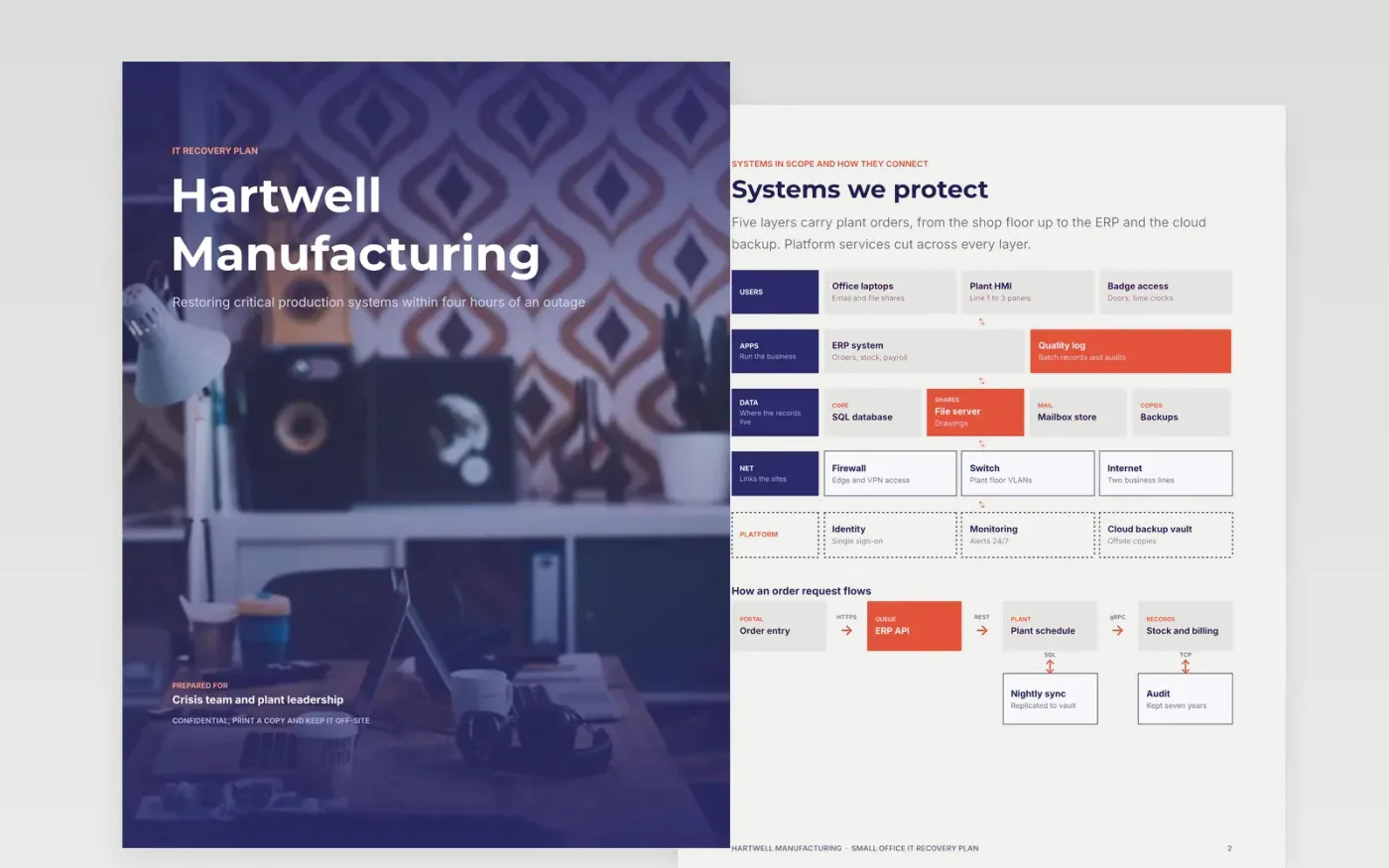
When systems fail, staff lose hours deciding what to restore first, and the contact list turns out to be stored on the server that is down. This plan sets the recovery order, the time and data targets for each system, the backup routine and the restore steps. It is written to be read in a crisis, with short lines, named roles and a checklist for the test that proves it works.
The sample belongs to Hartwell Manufacturing, a fictional plant with an ERP, a plant schedule and a backup vault that must restore within four hours. Its tabletop test found a missing contact list and a late backup check, and both now have owners. Replace the systems, objectives and roles with your own, then run a timed restore before you rely on any target.
Click Make a copy in Google Docs, then confirm on the Google page. The copy is saved to your own Google Drive.
Name the critical activities and agree each one's maximum downtime with the function heads.
Replace the crisis-team roles and deputies with named people and personal phone numbers.
Set the recovery objectives for each system with IT, then run a timed restore to check them.
Delete the guide page, then share the plan with the crisis team or present it at the review.
No. Hartwell Manufacturing, its people, its systems and every recovery time in the sample are fictional. Replace them with your own inventory and tested targets before the plan is used.
The sample includes a tabletop scenario built around ransomware. Use it to practice isolation, restore order and communications, and add your own cyber insurance and forensic contacts.
Test twice a year and after every real incident. A tabletop checks decisions and roles, while a timed restore checks whether the backups meet the recovery targets.
More Google Docs templatesMore business operations templates
Docs + Word8 pages
Free
Docs + Word7 pages
Free
Docs + Word7 pages
Free
Slides + PowerPoint10 slides
Free
Slides + PowerPoint10 slides
Free
Docs + Word7 pages
Free
Slides + PowerPoint10 slides
Free










