Pandemic Response Plan
Docs + Word7 pages
Free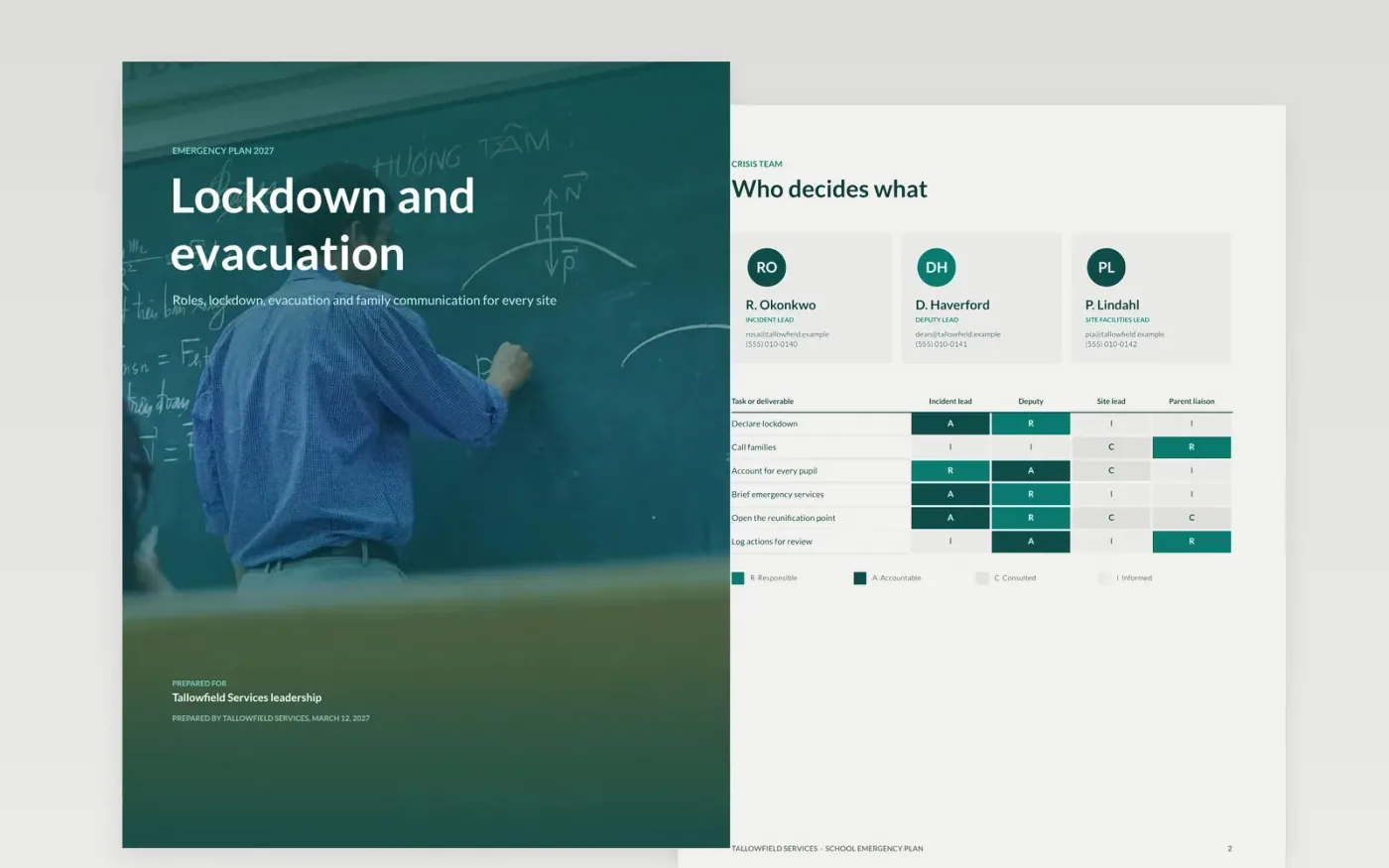
When a threat or fire hits, staff have minutes to act, and a plan that is long, vague or untested will fail at the first real use. This emergency plan puts activation rules, named roles and short imperative steps where a crisis team can find them quickly. It is ordered for the first hour: who decides, the lockdown procedure, evacuation routes, the family message, and finally recovery, with a drill review to test every line.
The sample is a fictional Tallowfield Services plan for a school site, with an incident lead, a deputy and a site facilities lead, an evacuation risk register, and a drill review showing a 14-minute evacuation against a 10-minute target. Replace the names, phone numbers and routes with your own, rehearse each scenario with the people who will act on it, and store a printed copy off-site.
Click Make a copy in Google Docs, then confirm on the Google page. The copy is saved to your own Google Drive.
Enter named people, deputies and personal phone numbers on the roles page.
Replace the lockdown steps and evacuation routes with your site's own signals and routes.
Rehearse each scenario with the staff who will act on it, then record the gaps you find.
Delete the guide page, then share the plan with staff and governors, or present it at a briefing.
No. Tallowfield Services, its staff, its phone numbers, its drill results and every figure are fictional sample content, written to show what a finished emergency plan looks like.
Test lockdown and evacuation at least once a term, and run a full tabletop exercise twice a year. After every drill or real incident, record the gaps, give each one an owner and a date, and update the plan.
No. Keep a printed copy off-site with the keyholders and the incident lead, because the systems that hold a digital copy may be the first to fail in a serious incident.
More Google Docs templatesMore business operations templates
Docs + Word7 pages
Free
Docs + Word7 pages
Free
Docs + Word8 pages
Free
Slides + PowerPoint10 slides
Free
Slides + PowerPoint10 slides
Free
Docs + Word7 pages
Free
Slides + PowerPoint10 slides
Free










