
New Hire Orientation Deck
Slides + PowerPoint16 slides
Free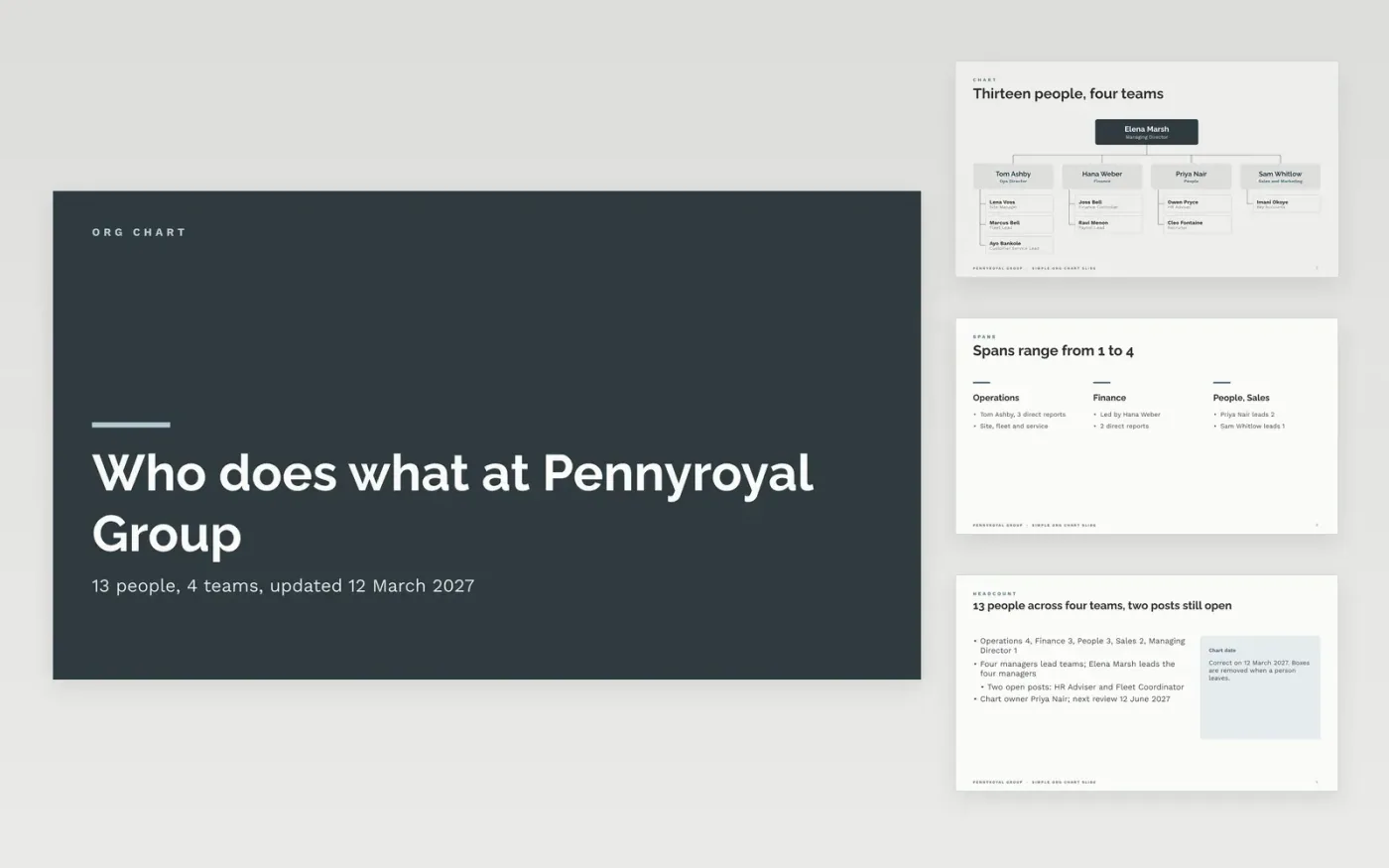
Most org charts go out of date within weeks because nobody owns them and nothing shows when they were last checked. This template puts the chart on one readable slide, with a head, four managers and up to four people under each, then backs it up with spans of control, headcount by team, vacancies, planned changes and key contacts.
The sample is the structure of a fictional company, Pennyroyal Group, with 13 people in four teams, two open posts and four dated changes for 2027. Replace the top boxes with your leadership team, confirm titles with each person, delete boxes you cannot keep current and print the review date on the slide.
Click Make a copy in Google Slides, then confirm on the Google page. The copy is saved to your own Google Drive.
Replace the top-level boxes with your leadership team and confirm each title with the person.
Fill in the team members below each manager, delete boxes you cannot keep current and print the date on the slide.
Update vacancies, planned changes and contacts, and name an owner and review date for the chart.
Delete the guide slide, then share or present the chart.
Yes. Make a copy in Google Slides at no cost and edit the boxes, names and titles in your own Drive.
No. Pennyroyal Group, its people and every figure are fictional sample content. Replace them with your own details before sharing.
You can, but check your duty to inform and consult staff representatives first. Show proposed structures to a wide audience only after that consultation has taken place.
Slides + PowerPoint16 slides
Free
Docs + Word21 pages
Free
Notion
Free
Slides + PowerPoint11 slides
Free
Slides + PowerPoint10 slides
Free
Slides + PowerPoint11 slides
Free
Slides + PowerPoint12 slides
Free








