
Annual Report
Docs + Word6 pages
FeaturedFree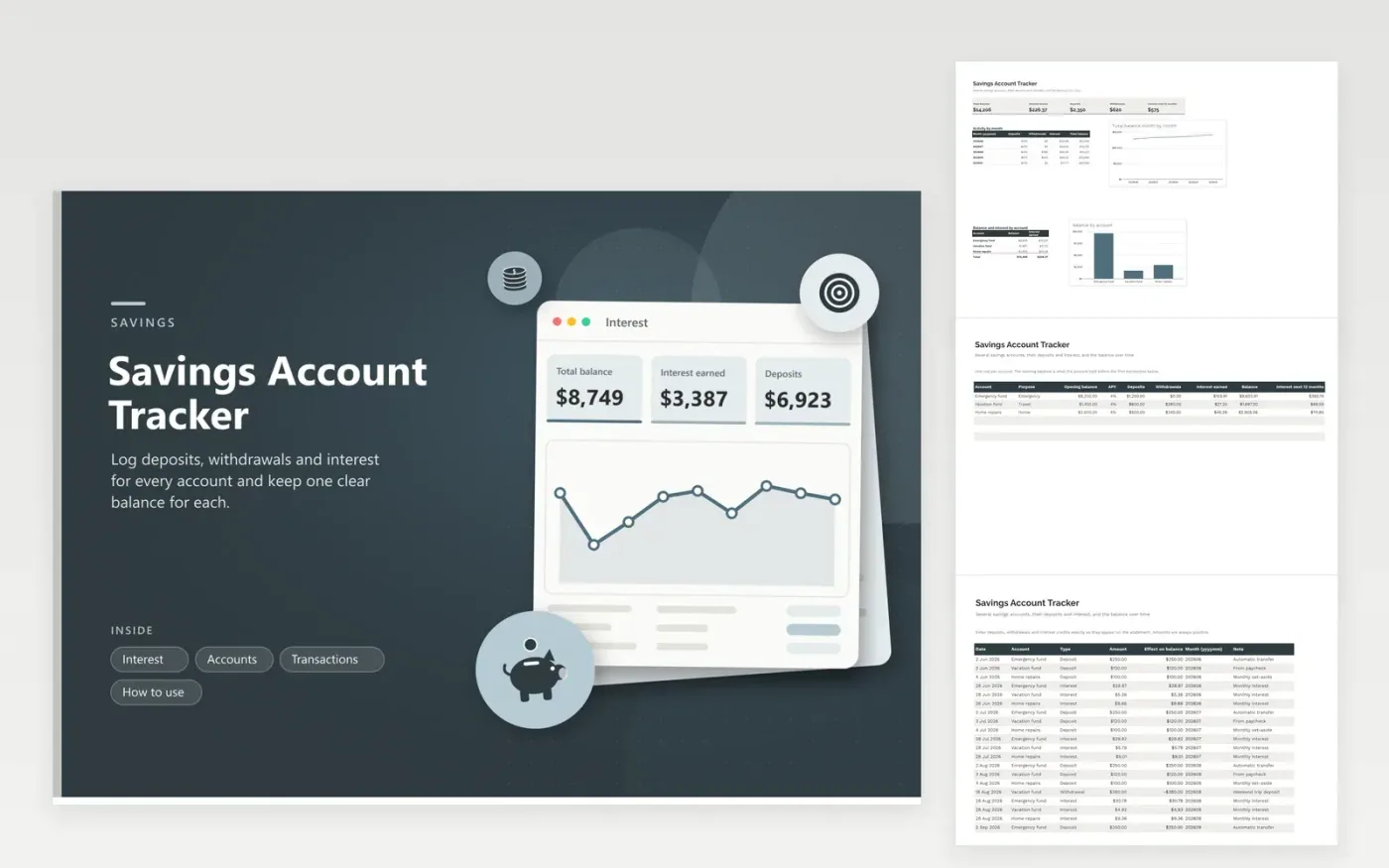
Most households keep money in more than one savings account: an emergency fund here, a vacation fund there, a home repair fund somewhere else. This tracker lists each account with its purpose, opening balance and APY, then builds every balance from the transactions you enter. Deposits, withdrawals and interest credits sit in one log, and the type decides whether an amount adds to or takes from the balance.
The Interest tab shows what the accounts hold in total, how much interest has been credited and an estimate of the interest for the next twelve months at today's balance and rates. A line chart tracks the combined balance month by month, and a column chart compares the accounts. The sample data covers five months and three accounts, including a vacation withdrawal and a repair that dipped into the home fund.
Click Make a copy in Google Sheets, then confirm on the Google page. The copy is saved to your own Google Drive.
Start on the Accounts tab: replace the sample rows with your own.
Keep the formula columns as they are; they fill in as you type.
Read the How to use tab for tips. For Excel, download the .xlsx file instead.
Add one row per account on the Accounts tab, then log each transaction with the account name chosen from the dropdown. Balances are calculated from the log.
Add a transaction with the type Interest and the amount credited on the statement. It adds to the balance and to the interest earned total.
Check the opening balance and look for a missing deposit, withdrawal or interest credit. Pending transactions that the bank has not posted also cause small differences.
Docs + Word6 pages
FeaturedFree
Excel
FeaturedFree
Sheets + Excel5 tabs
Free
Sheets + Excel5 tabs
Free
Sheets + Excel5 tabs
Free
Sheets + Excel5 tabs
Free
Sheets + Excel4 tabs
Free
Sheets + Excel5 tabs
Free
Sheets + Excel5 tabs
Free
Sheets + Excel23 tabs
Free
Sheets + Excel8 tabs
Free
Sheets + Excel6 tabs
Free
Sheets + Excel7 tabs
Free
Sheets + Excel9 tabs
Free
Sheets + Excel6 tabs
Free








