
Annual Report
Docs + Word6 pages
FeaturedFree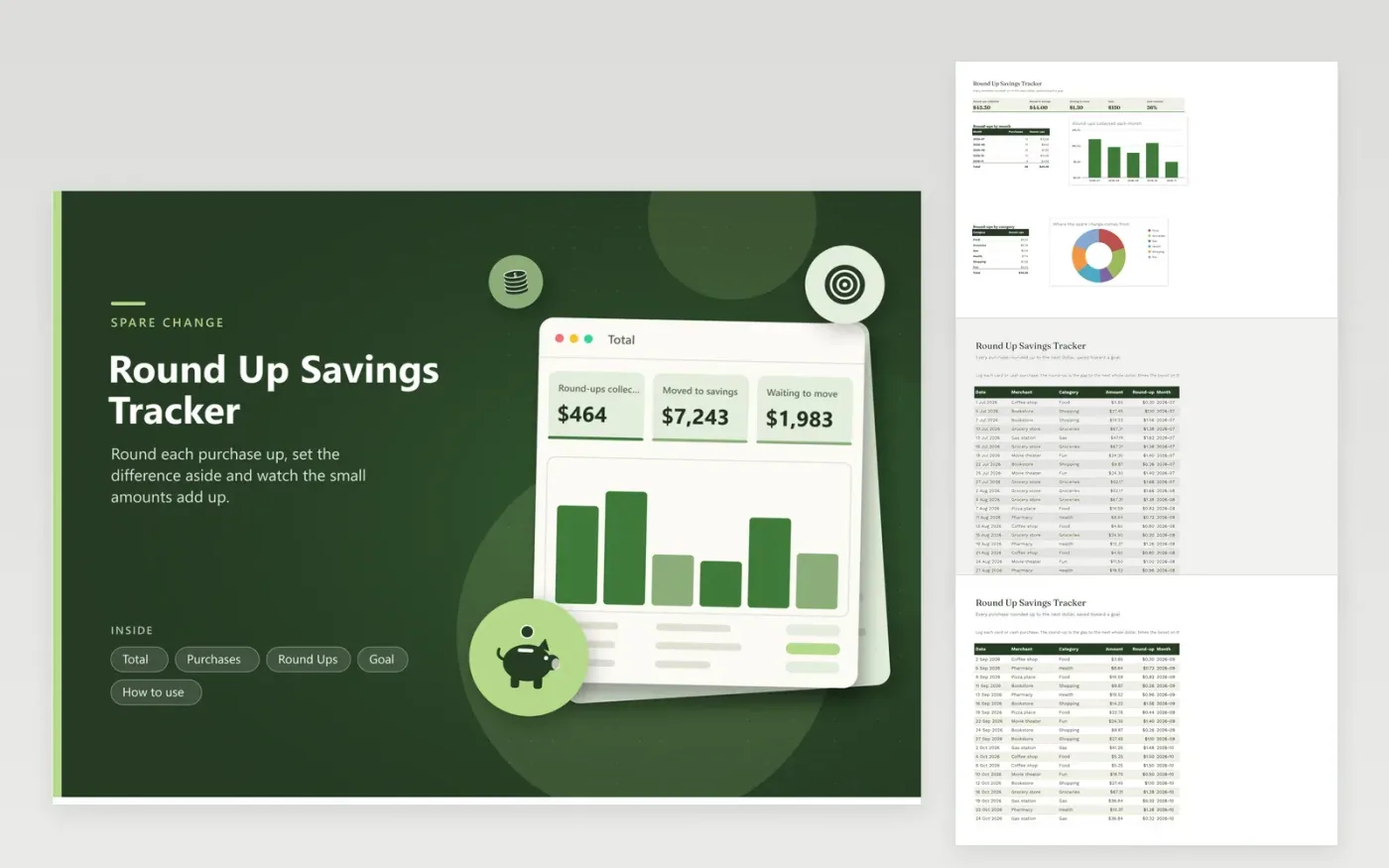
Round-up saving works because the amounts are too small to miss: a $4.15 coffee leaves $0.85, a $38.42 grocery trip leaves $0.58. This tracker does that rounding for every purchase you log, multiplies it by a boost if you want to double or triple the habit, and keeps a running total of the change that is waiting to be moved.
Purchases, the transfers you make and the goal live on separate tabs, so you can see what was collected, what you actually moved and how far the fund has come. The Total tab breaks the round-ups down by month and by category, which shows where your spare change comes from. The sample goal is a concert fund, but any target works.
Click Make a copy in Google Sheets, then confirm on the Google page. The copy is saved to your own Google Drive.
Start on the Purchases tab: replace the sample rows with your own.
Keep the formula columns as they are; they fill in as you type.
Read the How to use tab for tips. For Excel, download the .xlsx file instead.
Each purchase is rounded up to the next whole dollar and the difference is set aside. A $4.15 coffee adds $0.85 to your savings.
Yes. Set the boost on the Goal tab to 2 or 3 and every round-up is multiplied by that number.
No. You move the collected change yourself and record each transfer on the Round Ups tab. The sheet only keeps count.
Docs + Word6 pages
FeaturedFree
Excel
FeaturedFree
Sheets + Excel5 tabs
Free
Sheets + Excel5 tabs
Free
Sheets + Excel5 tabs
Free
Sheets + Excel5 tabs
Free
Sheets + Excel4 tabs
Free
Sheets + Excel5 tabs
Free
Sheets + Excel5 tabs
Free
Sheets + Excel23 tabs
Free
Sheets + Excel6 tabs
Free
Sheets + Excel6 tabs
Free
Sheets + Excel7 tabs
Free
Sheets + Excel9 tabs
Free
Sheets + Excel6 tabs
Free








