
Annual Report
Docs + Word6 pages
FeaturedFree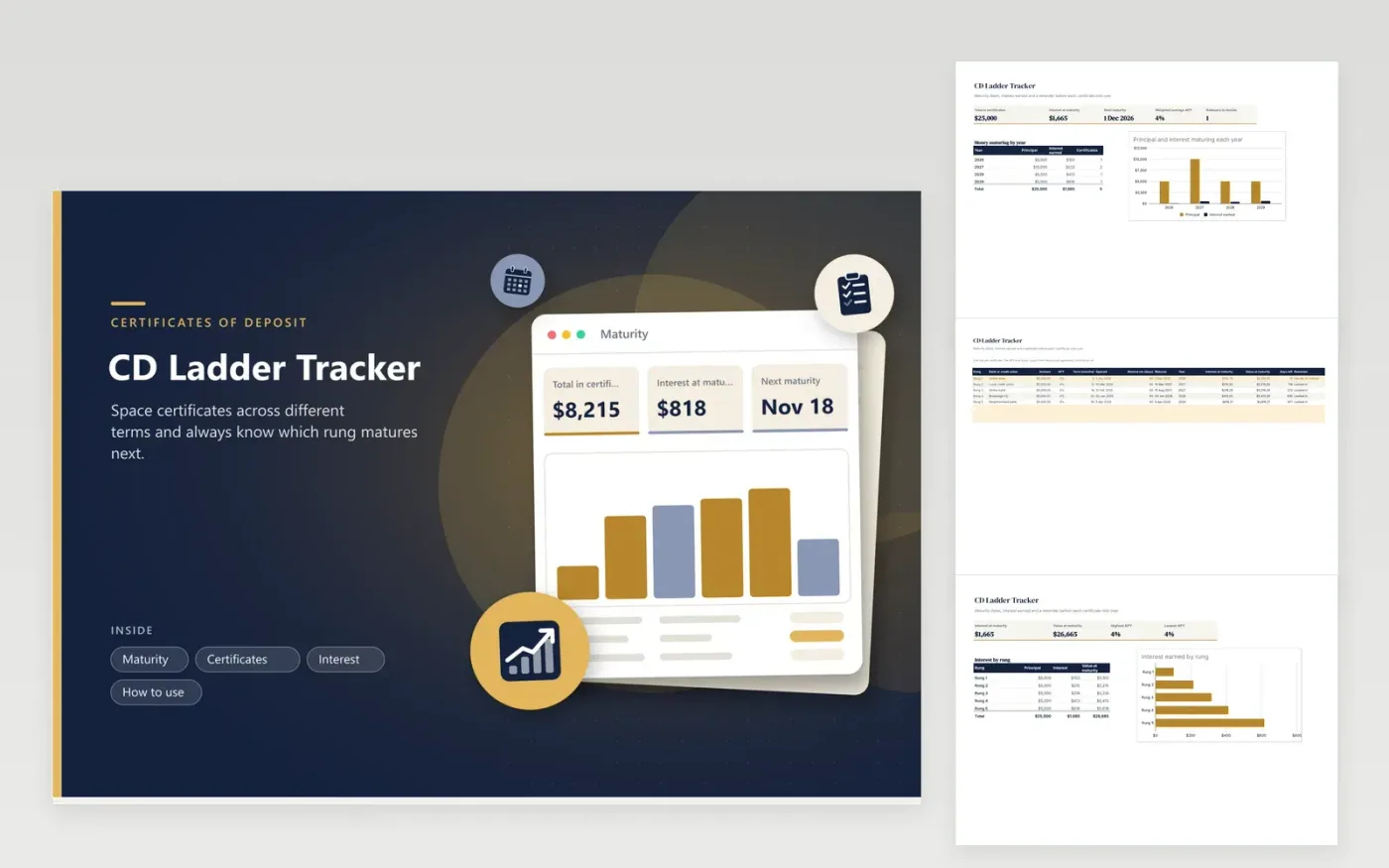
A CD ladder spreads money across certificates with different terms, so something matures every few months instead of everything at once. Tracking the rungs is where most people lose the thread. This tracker gives each rung a row with the bank, the amount, the APY, the term and the open date, then calculates the maturity date, the interest at maturity and the days left.
You choose how many days of warning you want. When a certificate enters that window its row turns amber and the reminder reads Decide on rollover, and the Maturity tab counts how many are waiting. Charts show how much principal and interest comes due each year and which rung earns the most. The sample ladder holds $25,000 across terms from 6 to 36 months; type your own certificates over it.
Click Make a copy in Google Sheets, then confirm on the Google page. The copy is saved to your own Google Drive.
Start on the Certificates tab: replace the sample rows with your own.
Keep the formula columns as they are; they fill in as you type.
Read the How to use tab for tips. For Excel, download the .xlsx file instead.
It is a set of certificates of deposit with different terms, such as 6, 12, 18, 24 and 36 months, so one matures regularly and the money can be reinvested or used.
The sheet applies the APY over the term in years to the amount. Type the APY from your agreement; it assumes you leave the money in until the maturity date.
Set the number of days on each row. Once the days left drop below it, the row turns amber and the reminder column says Decide on rollover.
Docs + Word6 pages
FeaturedFree
Excel
FeaturedFree
Sheets + Excel5 tabs
Free
Sheets + Excel5 tabs
Free
Sheets + Excel5 tabs
Free
Sheets + Excel4 tabs
Free
Sheets + Excel5 tabs
Free
Sheets + Excel5 tabs
Free
Sheets + Excel23 tabs
Free
Sheets + Excel8 tabs
Free
Sheets + Excel6 tabs
Free
Sheets + Excel6 tabs
Free
Sheets + Excel7 tabs
Free
Sheets + Excel9 tabs
Free
Sheets + Excel6 tabs
Free








