
Annual Report
Docs + Word6 pages
FeaturedFree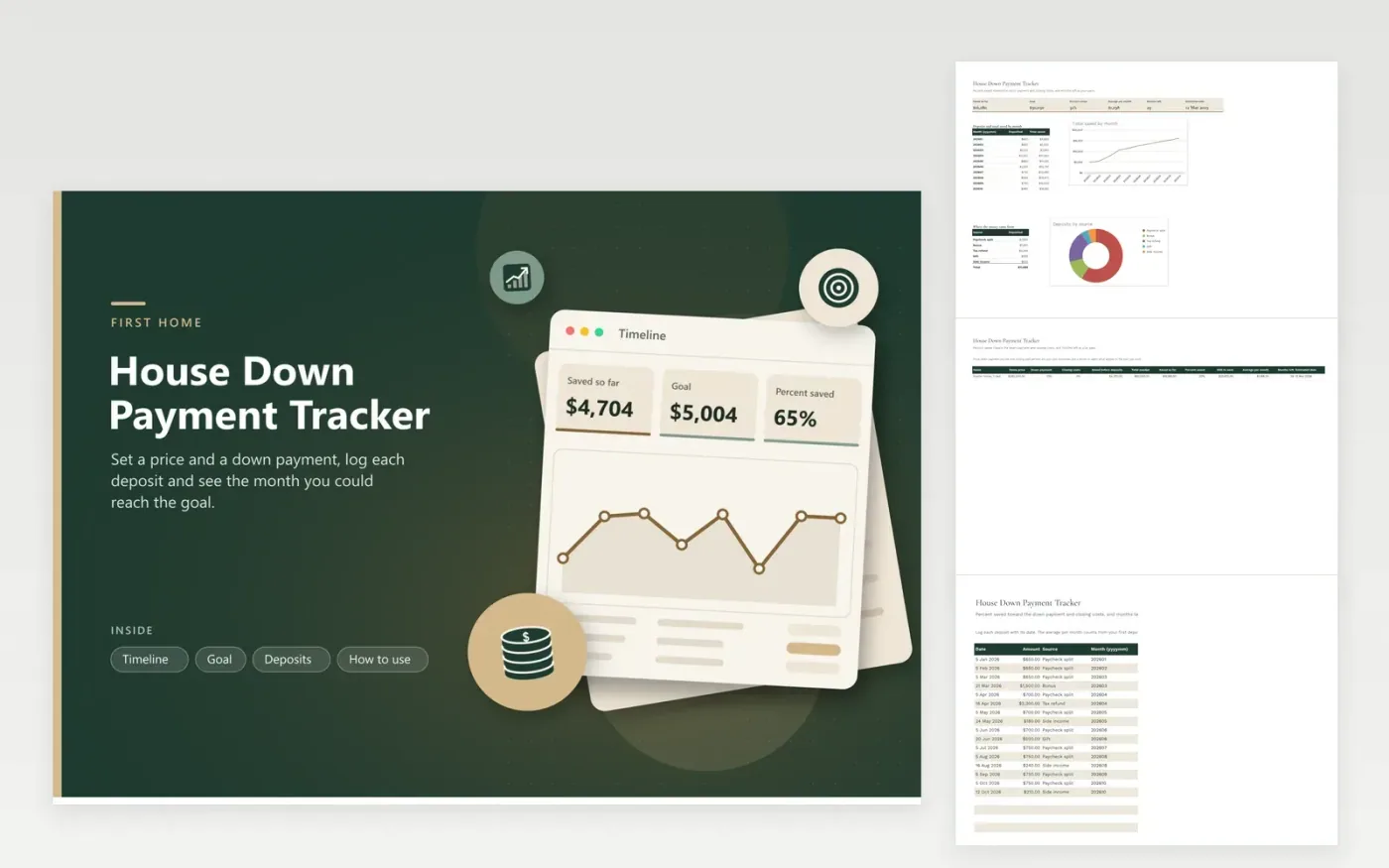
Saving for a first home is a long project, and a plain account balance does not say how far along you are. Here you enter the price you are aiming for, the down payment percent and an estimate for closing costs, and the sheet turns them into a single dollar goal. Each deposit you log then moves a percent-saved figure up.
The Goal tab also works out your average deposit per month from the first date to the latest and turns it into an estimate of the months remaining and the month you could reach the target. The Timeline tab charts the total saved month by month and shows where the money came from: paychecks, bonuses, refunds, gifts or side income. Change the percents to compare a smaller down payment with a bigger one.
Click Make a copy in Google Sheets, then confirm on the Google page. The copy is saved to your own Google Drive.
Start on the Goal tab: replace the sample rows with your own.
Keep the formula columns as they are; they fill in as you type.
Read the How to use tab for tips. For Excel, download the .xlsx file instead.
It depends on the loan, the lender and the home price. Type the percent your lender quotes on the Goal tab, and the sheet turns it and the closing costs into a dollar goal.
The sheet divides what you still need by your average monthly deposit, counted from your first deposit to your latest, and rounds up.
They are separate from the down payment but are due when you close, so the sheet adds them to the goal. Set the percent to zero if you want to track the down payment alone.
Docs + Word6 pages
FeaturedFree
Excel
FeaturedFree
Sheets + Excel5 tabs
Free
Sheets + Excel5 tabs
Free
Sheets + Excel5 tabs
Free
Sheets + Excel5 tabs
Free
Sheets + Excel4 tabs
Free
Sheets + Excel5 tabs
Free
Sheets + Excel23 tabs
Free
Sheets + Excel8 tabs
Free
Sheets + Excel6 tabs
Free
Sheets + Excel6 tabs
Free
Sheets + Excel7 tabs
Free
Sheets + Excel9 tabs
Free
Sheets + Excel6 tabs
Free








