
Acceptable Use Policy
Docs + Word7 pages
Free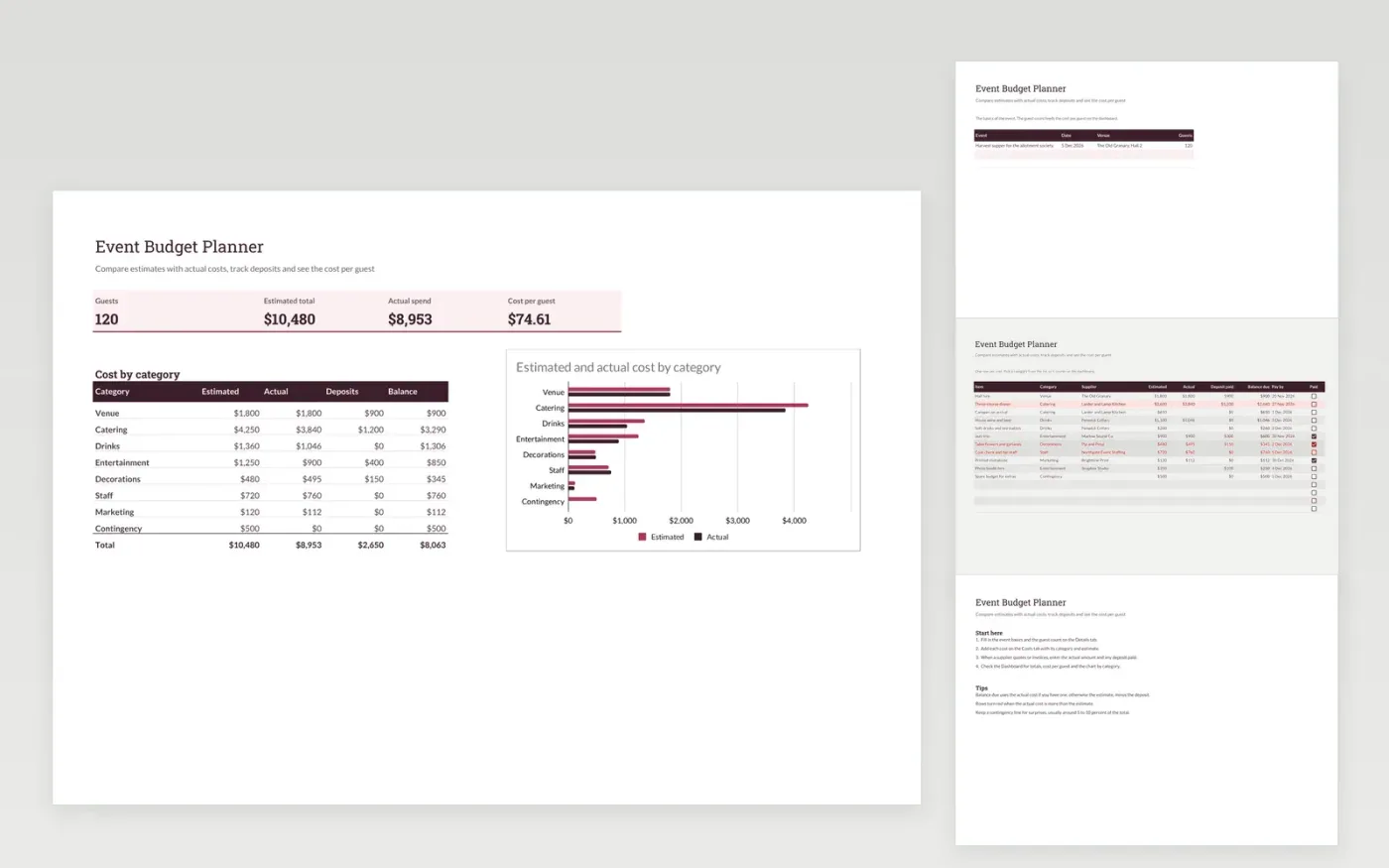
A budget planner for event organisers, club committees and venue teams. The Details tab holds the event basics and guest count. The Costs tab lists each cost by category with its estimate, actual amount, deposit and balance due. The Dashboard shows the totals, cost per guest and a chart comparing estimated and actual cost by category.
The template comes with sample costs for a supper for 120 guests. Make a copy, then replace the sample rows with your own. Formulas, the balance column, the dashboard and the chart update on their own as you add rows.
Click Make a copy in Google Sheets, then confirm on the Google page. The copy is saved to your own Google Drive.
Start on the Details tab: replace the sample rows with your own.
Keep the formula columns as they are; they fill in as you type.
Read the How to use tab for tips. For Excel, download the .xlsx file instead.
Yes. Download the template and make a copy for your own use at no cost.
Yes. Download the .xlsx file from this page and open it in Microsoft Excel. The tabs, formulas, dropdowns and charts all work there.
The balance is the actual cost, or the estimate if no actual cost is entered yet, minus the deposit already paid.
More Google Sheets templatesMore business operations templates
Docs + Word7 pages
Free
Docs + Word8 pages
Free
n8n
Free
Sheets + Excel4 slides
Free
Sheets + Excel5 slides
Free
Sheets + Excel4 slides
Free
Sheets + Excel4 slides
Free
Sheets + Excel5 slides
Free
Sheets + Excel5 slides
Free









