
Annual Report
Docs + Word6 pages
Free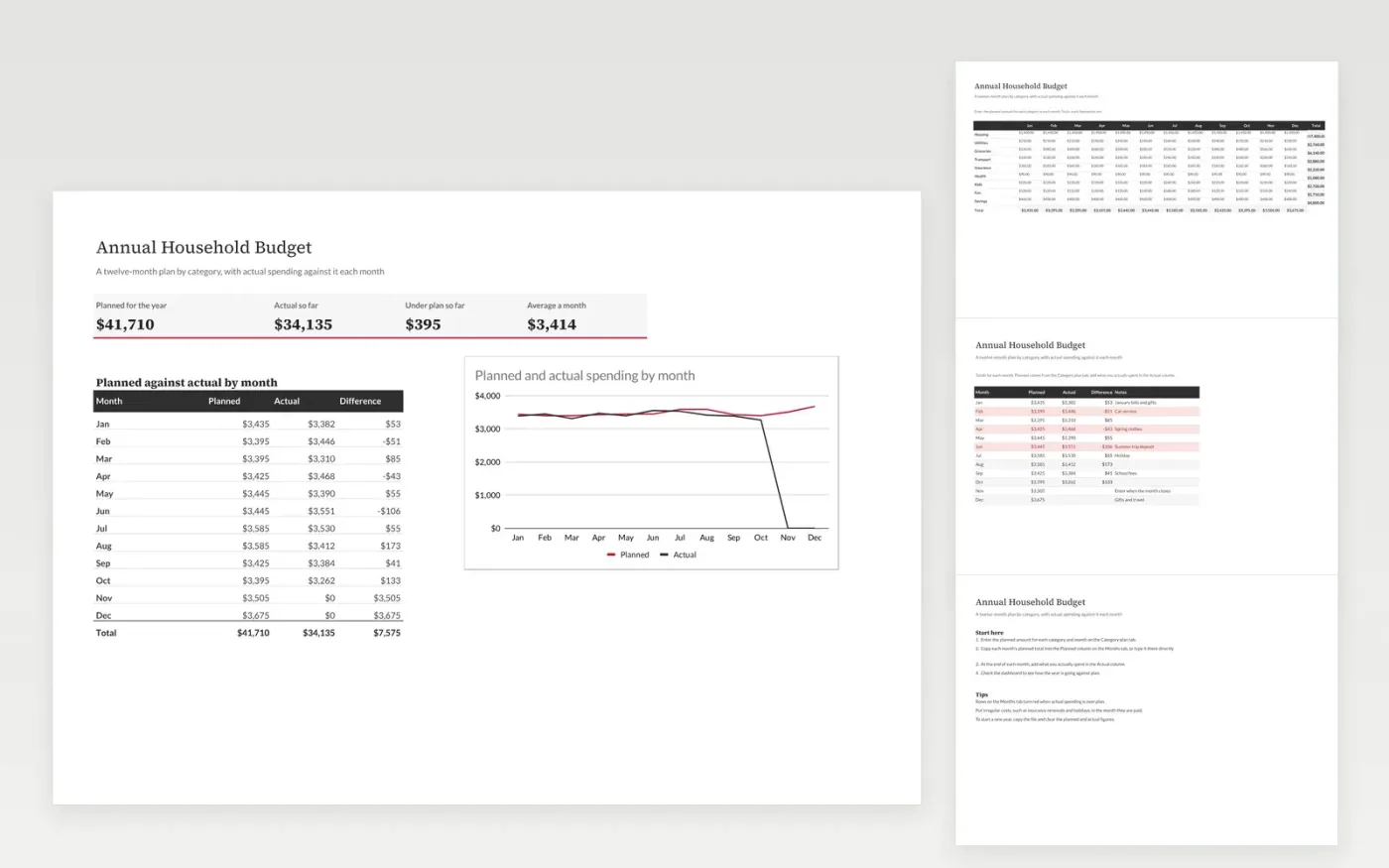
The Annual Household Budget template is for planning a whole year at once. The Category plan tab is a grid of planned amounts for each category and month, the Months tab tracks actual spending against the planned total, and the dashboard shows the year so far with a line chart.
It comes with sample data. Make a copy, replace the sample figures with your own, and the formulas, dropdowns and charts update on their own.
Click Make a copy in Google Sheets, then confirm on the Google page. The copy is saved to your own Google Drive.
Start on the Category plan tab: replace the sample rows with your own.
Keep the formula columns as they are; they fill in as you type.
Read the How to use tab for tips. For Excel, download the .xlsx file instead.
Yes. The template is free to copy. Make a copy in Google Sheets, or download the Excel file and use it as you like.
Yes. Download the .xlsx file from this page and open it in Excel. The formulas, dropdowns and chart work the same way as in Google Sheets.
No. Leave future months blank. The dashboard totals only the actual figures you have entered.
Docs + Word6 pages
Free
Excel
Free
Sheets + Excel4 slides
Free
Sheets + Excel4 slides
Free
Sheets + Excel5 slides
Free
Sheets + Excel4 slides
Free
Sheets + Excel4 slides
Free
Sheets + Excel5 slides
Free
Sheets + Excel5 slides
Free







