
Annual Report
Docs + Word6 pages
Free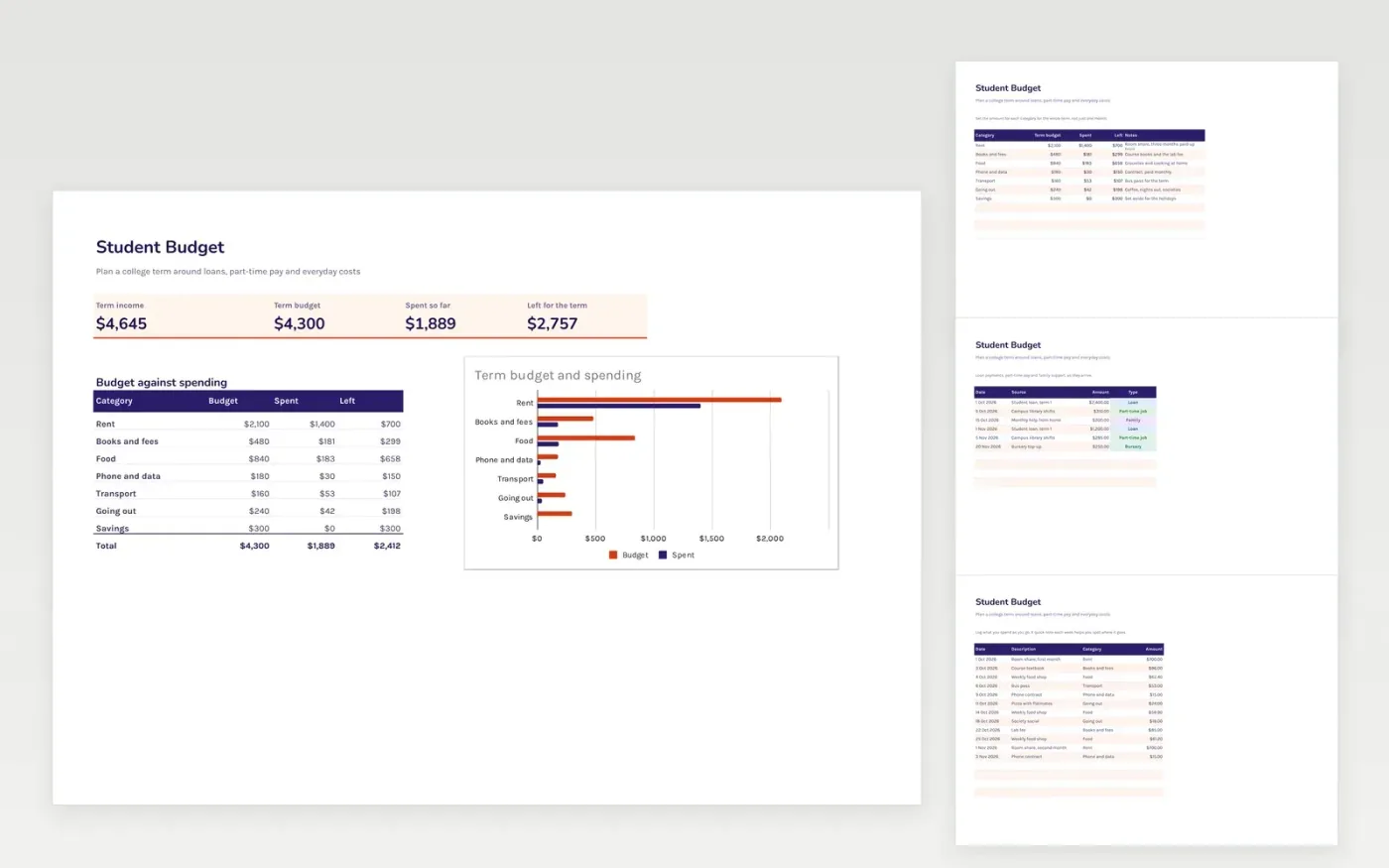
The Student Budget template is for college students planning a whole term. The Budget tab sets an amount for each cost over the term, the Income tab records loans, part-time pay and family support, and the Spending tab is a log of everyday purchases. The dashboard shows what is left for the term.
It comes with sample data. Make a copy, replace the sample rows with your own, and the formulas, dropdowns and charts update on their own.
Click Make a copy in Google Sheets, then confirm on the Google page. The copy is saved to your own Google Drive.
Start on the Budget tab: replace the sample rows with your own.
Keep the formula columns as they are; they fill in as you type.
Read the How to use tab for tips. For Excel, download the .xlsx file instead.
Yes. The template is free to copy. Make a copy in Google Sheets, or download the Excel file and use it as you like.
Yes. Download the .xlsx file from this page and open it in Excel. The formulas, dropdowns and chart work the same way as in Google Sheets.
Yes. The sample rows are dated October and November 2026, but you can change the dates and amounts to suit your own term.
Docs + Word6 pages
Free
Excel
Free
Sheets + Excel4 slides
Free
Sheets + Excel4 slides
Free
Sheets + Excel4 slides
Free
Sheets + Excel5 slides
Free
Sheets + Excel4 slides
Free
Sheets + Excel4 slides
Free
Sheets + Excel5 slides
Free







