
C4 Model Diagram
Slides + PowerPoint5 slides
Free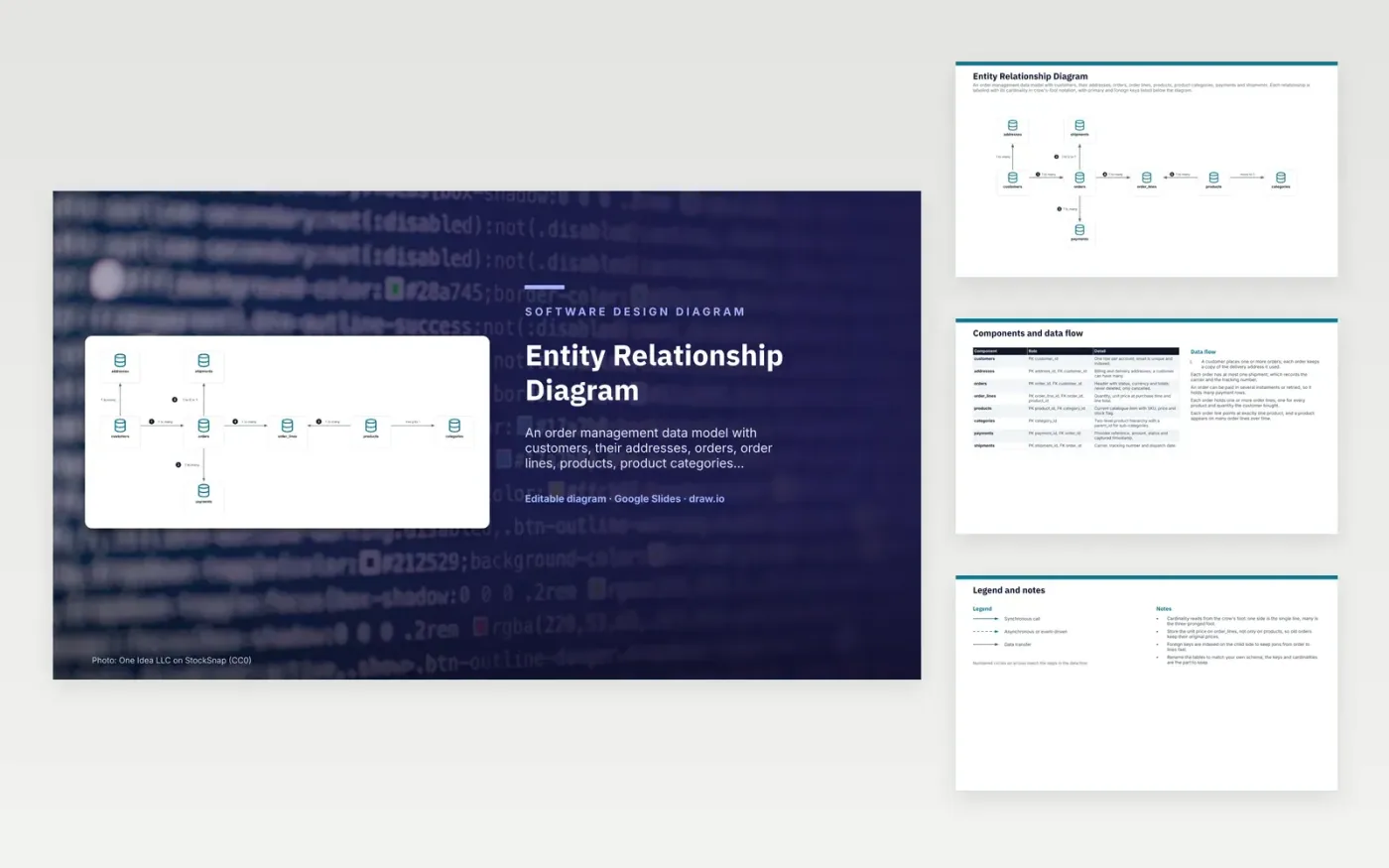
A customer places orders, and each order keeps a copy of the delivery address it used. Each order holds one or more order lines, and each line points to exactly one product. A product belongs to a category, and categories can nest through a parent key. Payments hang off the order rather than the customer, because one order can have several instalments or retries. Each order has at most one shipment, which records the carrier and tracking number.
The model keeps history accurate. The unit price is stored on each order line, not only on the product, so an old order still shows what the customer paid. Orders are cancelled rather than deleted, which keeps payments and shipments linked to a real record. Foreign keys are indexed on the child side, so moving from an order to its lines stays fast. A catalogue with variants would add a variant table, and the table names would change to match the team's own schema.
Click Make a copy in Google Slides, then confirm on the Google page. The copy is saved to your own Google Drive.
Rename addresses, customers, orders and the other boxes to your own components, and delete the ones your system does not have.
Rewrite the 5-step data flow and the 8-row components table so they match the arrows you keep.
For the draw.io version, download entity-relationship-diagram.drawio and open it at app.diagrams.net.
Crow's-foot notation draws a line between two tables and marks each end. A single bar means one, and a three-pronged foot means many. A circle means zero is allowed. Together the marks show how many rows on each side can relate.
A product price changes over time, but an order must show what was agreed at purchase. Storing the unit price on each order line keeps totals correct for old orders. The current price stays on the product for new sales.
A primary key uniquely identifies each row in its own table. A foreign key holds a primary key value from another table, which links the two rows. Here, order_lines holds an order_id that points to a row in orders.
More Google Slides templatesMore developer workflows templates
Slides + PowerPoint5 slides
Free
Slides + PowerPoint5 slides
Free
Slides + PowerPoint5 slides
Free










