
Employee Handbook
Docs + Word21 pages
Free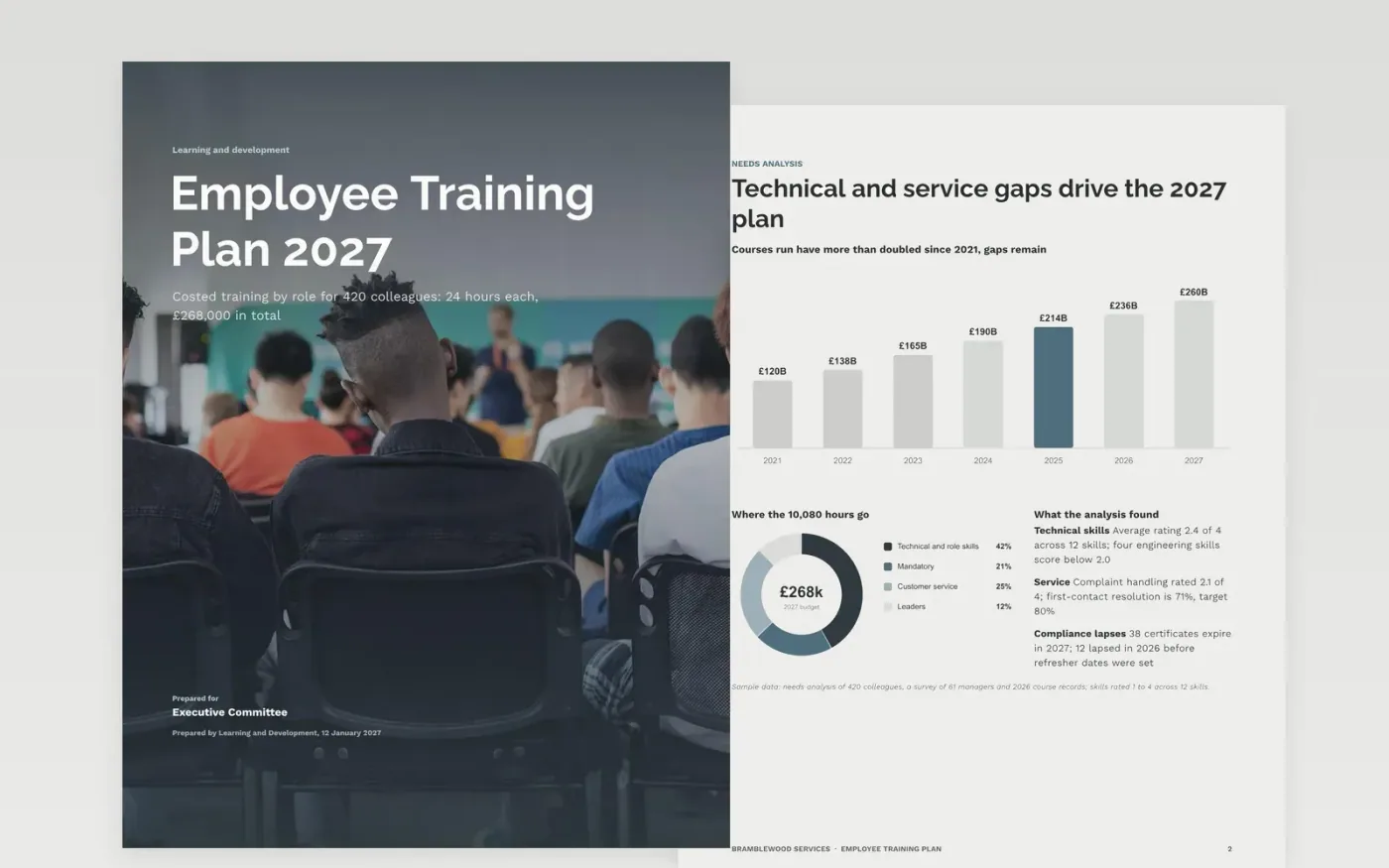
Training plans fail when they are built from what people ask for, show course fees but not cover or travel, and measure nothing beyond satisfaction. This template starts with a needs analysis, assigns training by role, sets out the learning methods, schedules delivery around trading peaks, costs every line and ends with a scorecard.
The sample is a 2027 plan for Bramblewood Services: 420 colleagues, 24 hours each and a £268,000 budget, with figures that agree on every page. Replace the skills ratings, roles, providers, dates, budget lines and targets with your own, then delete the guide page before you share the plan.
Click Make a copy in Google Docs, then confirm on the Google page. The copy is saved to your own Google Drive.
Replace the headcount, skills findings and priorities on the needs analysis page with your own top needs.
Edit the roles, courses, hours and providers, then update the schedule with dates that avoid your trading peaks.
Replace the budget lines with real quotes including cover and travel, and choose two measures per programme with check dates.
Delete the Make it yours page, then share the plan or present it to your leadership team.
Start from hours per head and cost per head, then add cover and travel. The sample uses 2% of payroll, which is £638 per head and 24 hours each.
No. Bramblewood Services, its people, providers and every figure are fictional and exist only to show a well-built training plan.
Yes. The methods page shows a refresher flow that starts 90 days before expiry, and the schedule and budget have lines for compliance courses.
Docs + Word21 pages
Free
Docs + Word7 pages
Free
Word
Free
Slides + PowerPoint10 slides
Free
Docs + Word7 pages
Free
Sheets + Excel4 slides
Free









