
Capability Presentation
Slides + PowerPoint10 slides
Free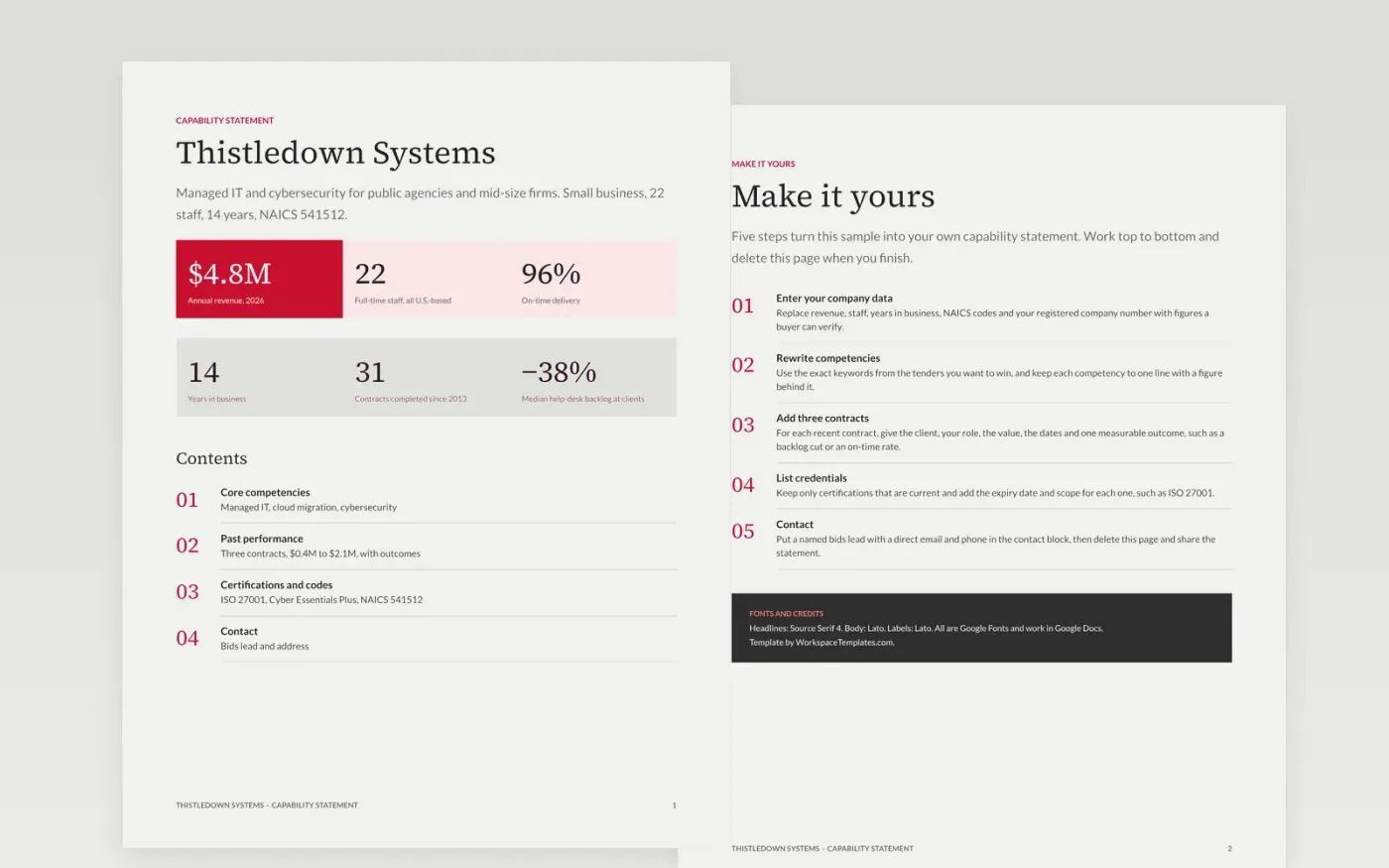
Procurement officers and prime contractors shortlist suppliers fast, and they search for codes, certifications and past contracts before they read anything else. This capability statement puts those facts first: headline figures, competencies, contract history and a named contact, all within a page or two.
The sample describes Thistledown Systems, a fictional 22-person IT services firm with $4.8M in annual revenue, 14 years in business and a 96% on-time delivery rate. Replace the figures, NAICS code, certifications and contracts with your registered data, and name your bids lead.
Click Make a copy in Google Docs, then confirm on the Google page. The copy is saved to your own Google Drive.
Replace the company name, revenue, staff count and years in business with your registered figures.
Rewrite the contents list with the competencies and keywords used in the tenders you want to win.
Add three recent contracts with client, value, date and one measurable outcome, plus current certifications.
Delete the Make it yours guide page, then share the statement as a PDF or present it.
Yes. It is a free Google Docs template. Make a copy to your own Drive and edit the text and figures to match your business.
No. The organization, the people, the contracts and every figure are fictional. They show what a good statement looks like, so replace them with your own facts.
One page is the standard, and this template stays within two. Lead with codes, certifications and past performance, since evaluators scan for those first.
Slides + PowerPoint10 slides
Free
Docs + Word3 pages
Free
Slides + PowerPoint14 slides
Free
Docs + Word5 pages
Free
Slides + PowerPoint10 slides
Free
Slides + PowerPoint12 slides
Free
Docs + Word7 pages
Free










