
Capability Presentation
Slides + PowerPoint10 slides
Free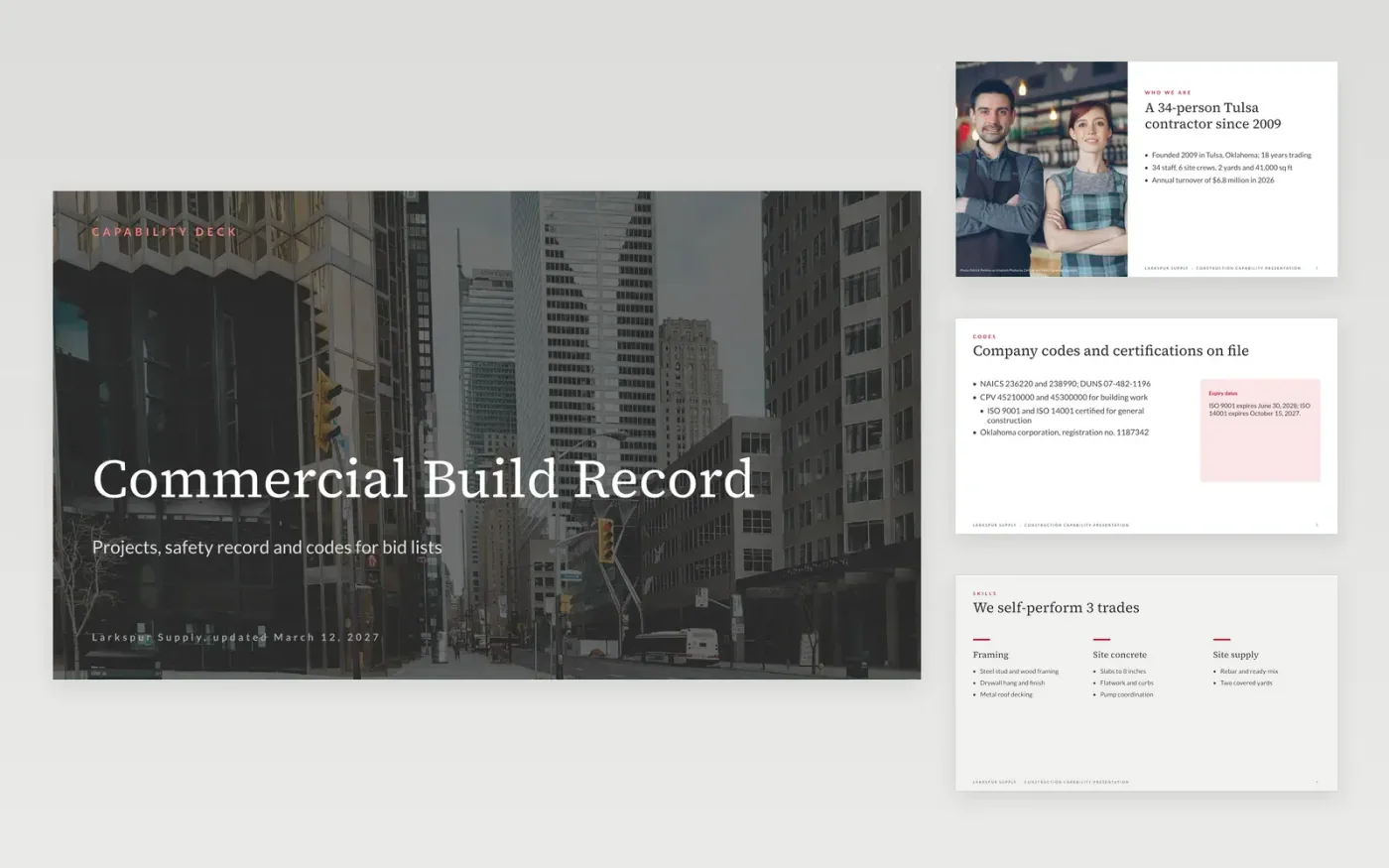
Procurement officers and primes shortlist suppliers from a capability statement, so a vague one costs bids. This capability statement template gives a contractor a 12-slide Google Slides deck covering the company, capabilities, projects, safety record and team. Each slide has a fixed layout and a headline that states the point, with slots for the codes, certifications and contract values that bid portals search on.
The sample shows Larkspur Supply, a fictional Tulsa contractor with 34 staff, $6.8 million turnover and three past contracts worth $4.1 million in total. Replace the company details, codes, turnover and staff figures with your registered data first. Then rewrite the capabilities with tender keywords, enter your recent contracts with client, value, date and outcome, and name a bids lead.
Click Make a copy in Google Slides, then confirm on the Google page. The copy is saved to your own Google Drive.
Replace the cover, company details and codes on slides 1 to 3 with your registered data.
Rewrite the capabilities, and the three contracts on slide 7, with your own clients and values.
Update the team slide with a named bids lead, then check every date and expiry against your records.
Delete the guide slide, then share the deck as a link or present it from Google Slides.
Yes. Make a copy in Google Slides and it is yours to edit, with no sign-up on this page and no cost for the template.
Yes, as a starting point. Procurement portals search on codes, certifications and framework lot numbers, so add those exactly as your registration shows them.
No. Larkspur Supply, its people, codes, contracts and figures are fictional, written as an example. Replace every one of them with your own registered data before sharing.
Slides + PowerPoint10 slides
Free
Slides + PowerPoint10 slides
Free
Docs + Word7 pages
Free
Docs + Word5 pages
Free
Docs + Word2 pages
Free










