
Strategic Plan Presentation
Slides + PowerPoint14 slides
Free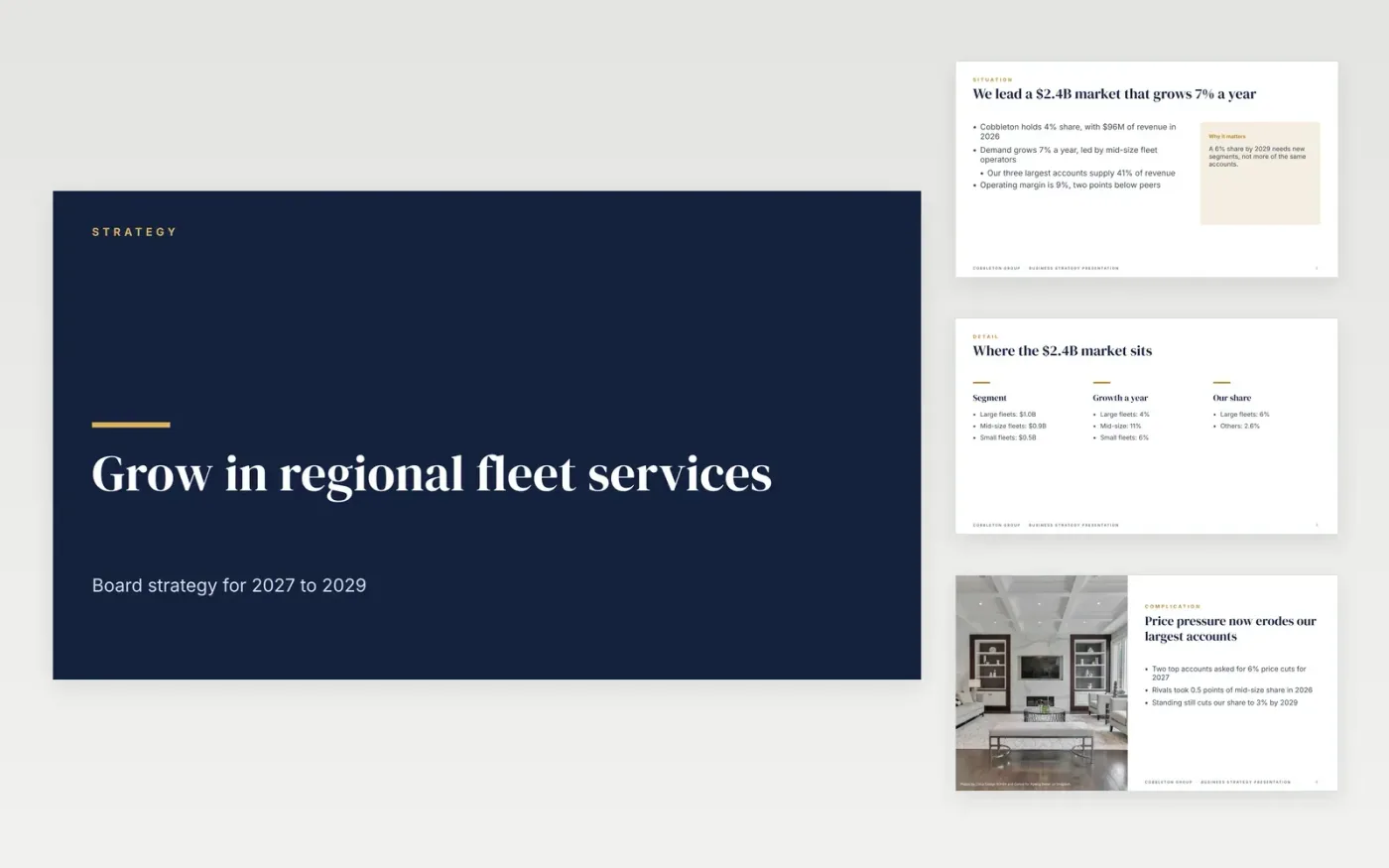
Most strategy decks list topics and leave the board to guess the point. This template follows the classic storyline instead: the situation, the complication, the choices on where to play, how to win, a three-wave plan and the measures that show whether it works. Every slide carries one claim and one exhibit.
The sample follows Cobbleton Group, a fictional fleet services company with $96M of revenue in a $2.4B market growing 7% a year. It shows a 6% share target, a $24M investment and one clear thing to stop doing. Replace the market sizes, shares and wave costs with your own sourced figures and finish with your decision.
Click Make a copy in Google Slides, then confirm on the Google page. The copy is saved to your own Google Drive.
Write your answer in one sentence and make it the title of slide 2.
Replace the market, share and growth figures with your own sources, and note the year.
Rebuild the roadmap as three waves with an owner and the investment for each wave.
Delete the guide slide, then share the deck or present it.
No. Cobbleton Group, its people and every figure in the deck are fictional sample data. Replace them with your own before sharing.
Ten slides: cover, situation, market detail, complication, where to play, a quote, the plan, measures, a guide slide and a closing slide.
Yes. Duplicate any content slide in Google Slides and keep the same layout. Add a risks slide after the plan if your board expects one.
More Google Slides templatesMore business operations templates
Slides + PowerPoint14 slides
Free
Docs + Word16 pages
Free
Docs + Word7 pages
Free
Slides + PowerPoint10 slides
Free
Slides + PowerPoint10 slides
Free
Slides + PowerPoint12 slides
Free
Slides + PowerPoint12 slides
Free










