Market Research Report
Docs + Word6 pages
Free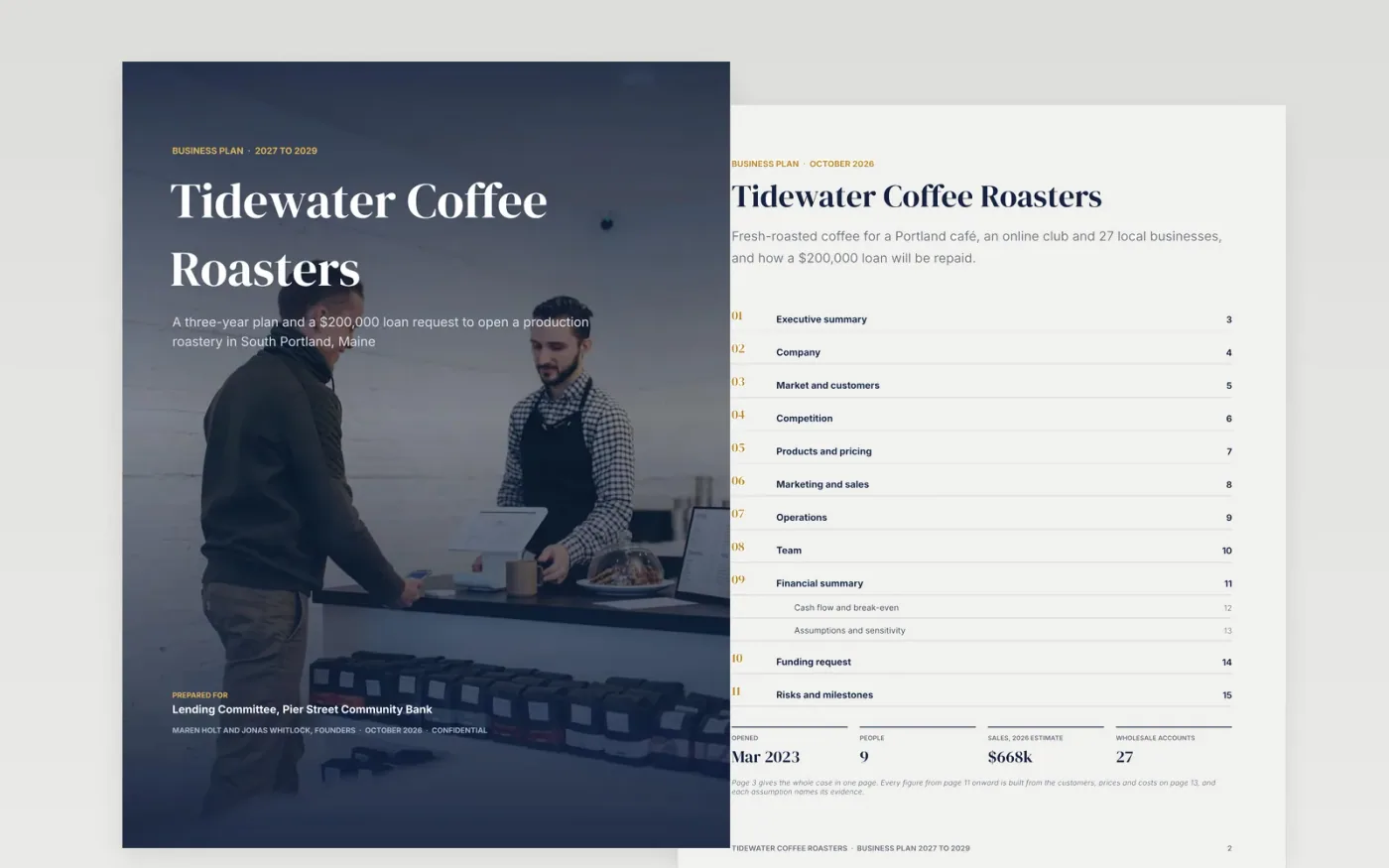
A lender or investor reads a business plan in a fixed order: the one-page summary, then the funding request and the cash flow, then the people behind the numbers. This template follows that order across 16 designed pages, from the photo cover and executive summary to company, market, competition, products, marketing, operations, team, financials and the funding request.
It comes complete with sample content for a fictional coffee roaster, Tidewater Coffee Roasters, so every page shows what good looks like: a forecast built from customers and prices rather than market share, a three-year profit and loss and cash flow, ten assumptions with their evidence, a downside table, and a use of funds that adds up. Replace the sample content with your own and delete the guide page.
Click Make a copy in Google Docs, then confirm on the Google page. The copy is saved to your own Google Drive.
Replace the business name, owners, legal form and dates on the cover, page 2 and the footer, and write the executive summary last.
Rebuild the market and customer pages from your own numbers: customers you can reach, the price each pays and the share you expect in year one.
Overwrite the financial tables on pages 11 to 13 with your forecast and check that cash at the end of every year stays above zero. Replace the sample charts with live ones using Insert → Chart → From Sheets.
Rewrite the funding request line by line, delete pages your reader does not need, update the contents page numbers, then share or use File → Download → PDF.
No. Tidewater Coffee Roasters, its people and every figure are fictional sample content. Replace them with your own numbers before you share the plan.
Yes. It is organised the way lenders read a plan: the request and repayment capacity up front, then the cash flow, the assumptions behind it and the security offered. Check with your lender whether it wants its own forms as well.
The tables are normal Google Docs tables. The sample charts are images so they look the same everywhere; replace them with charts linked to Google Sheets (Insert → Chart → From Sheets) so they update with your data.
Nathan Dumlao, Vitaly Gariev and Joshua Rodriguez on Unsplash, used under the Unsplash License and credited in the document.
More Google Docs templatesMore business operations templates
Docs + Word6 pages
Free
Docs + Word5 pages
Free
Docs + Word6 pages
Free
Docs + Word9 pages
Free
Docs + Word8 pages
Free
Docs + Word9 pages
Free
Slides + PowerPoint11 slides
Free
Docs + Word2 pages
Free