
Business Plan
Docs + Word16 pages
Free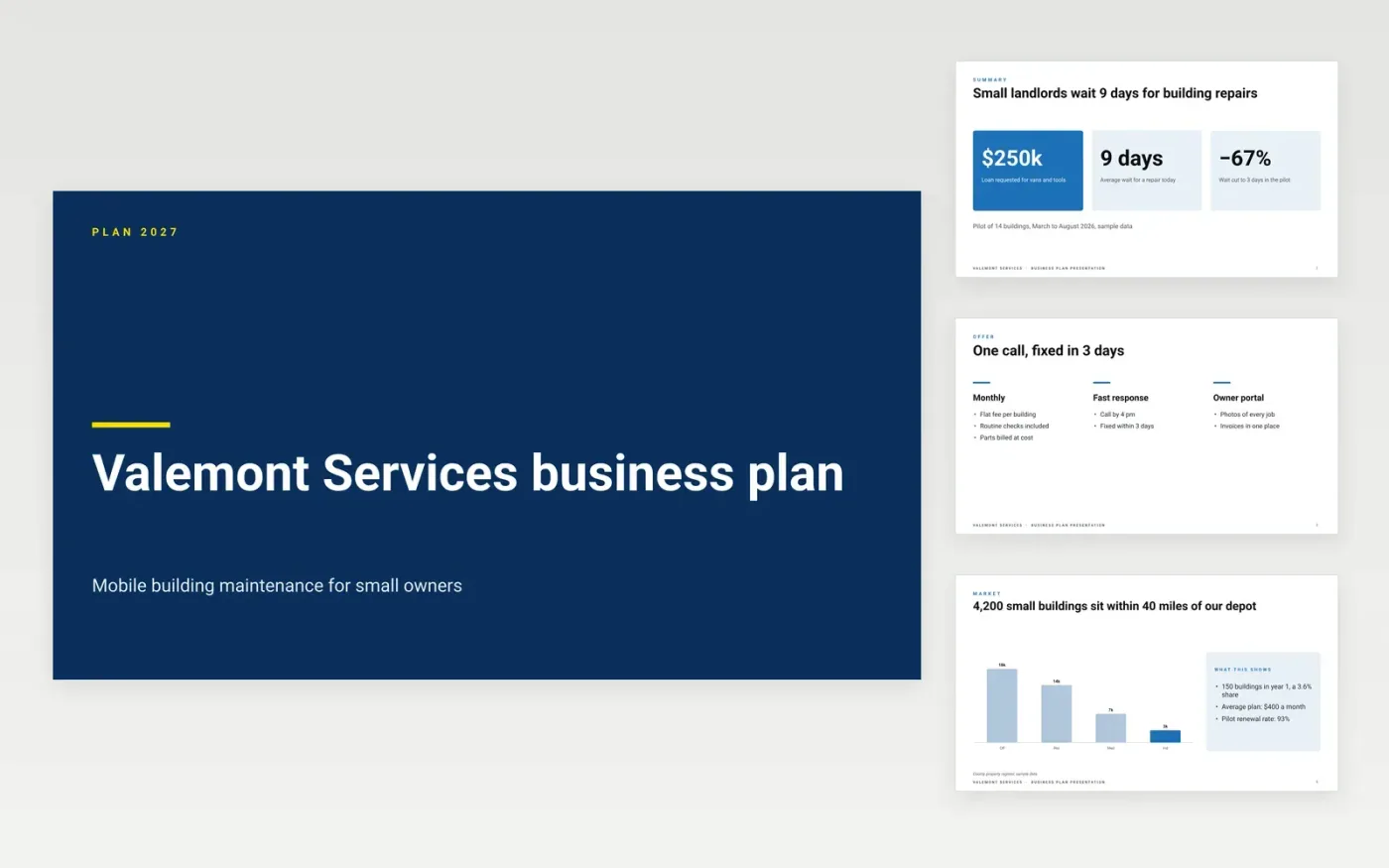
Lenders and partners decide quickly, and a long written plan rarely gets read in full. This deck puts the answer first: a summary with three headline numbers, then the problem, offer, market, competition, model, team and financials, ending on the funding ask and how it is repaid.
The sample follows Valemont Services, a fictional building-maintenance firm asking for a $250,000 loan. Figures agree across slides: $720k year-1 revenue, 42% gross margin, break-even in month 14 and 1.4x debt service cover. Replace the company, market counts, competitor table, team and financials with your own, and check that closing cash stays above zero.
Click Make a copy in Google Slides, then confirm on the Google page. The copy is saved to your own Google Drive.
Replace Valemont Services, the county and the dates with your own business details on every slide.
Rebuild the market chart and summary figures from your own customer count, price and expected share.
Overwrite the competition table and financials, then check that closing cash never goes negative.
Delete the guide slide, then share or present the deck.
No. Valemont Services, its people and every figure are fictional sample data. Replace them with your own before sending the deck to anyone.
Eleven: cover, summary, offer, market, competition, model, team, financials, ask, a make-it-yours guide and a closing slide. Delete any you do not need.
Yes. It ends on the amount, the use of funds and the repayment, which are the points a lending officer checks first. Add your own cash flow table as a backup slide.
More Google Slides templatesMore business operations templates
Docs + Word16 pages
Free
Slides + PowerPoint14 slides
Free
Docs + Word7 pages
Free
Docs + Word9 pages
Free
Docs + Word8 pages
Free
Docs + Word9 pages
Free
Docs + Word2 pages
Free