Meeting Notes
Docs + Word7 pages
Free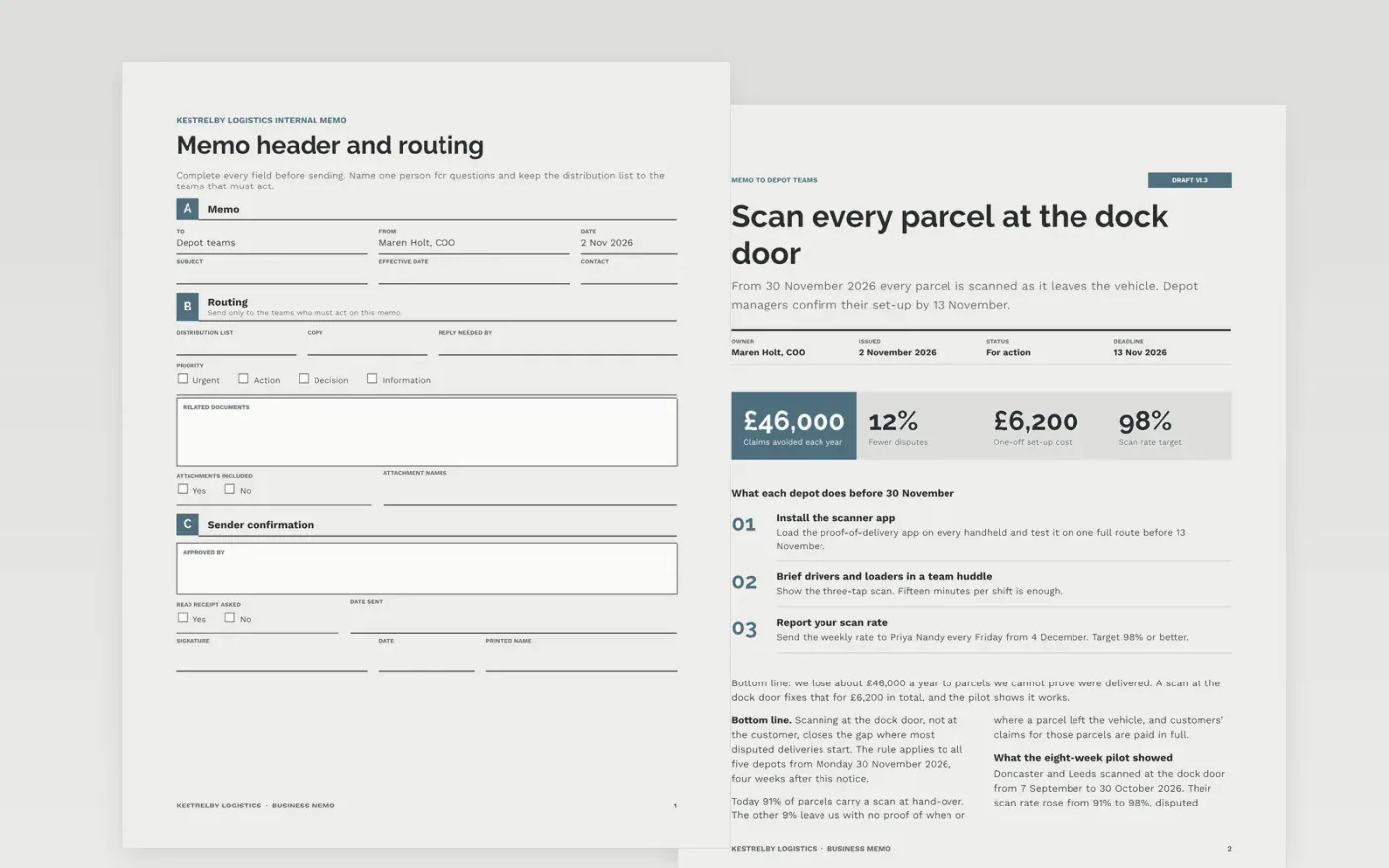
Most memos bury the request in the third paragraph. This template puts the header, the bottom line and the deadline first, then gives the background in two short columns, an action table ranked by impact and effort, and a named contact for questions. It runs to six pages and suits policy changes, new procedures and decisions that need a reply by a set date.
The sample is a memo from the chief operating officer of Kestrelby Logistics, asking depot teams to scan every parcel at the dock door from 30 November 2026. It shows a worked pilot result, a cost, four actions with owners and dates, and a short how-to. Replace the recipients, the figures, the effective date and the contact name first, then cut the background to the facts your reader needs.
Click Make a copy in Google Docs, then confirm on the Google page. The copy is saved to your own Google Drive.
Fill the header with the real recipient group, sender, date and a subject line that states the action.
Write the bottom line in two sentences on page two before you touch the background, then add the effective date and the single step staff must take.
Cut the details to the facts the reader needs to accept the change, and update the action table with your own owners and dates.
Delete the Make it yours page, then share the memo or export it as a PDF.
Most memos work at 250 to 600 words. This template spreads that over six pages with a form header and a table, so trim the sections you do not need before sending.
Yes. The sample is exactly that: it states the change, the effective date four weeks after notice, the one step staff must take and a named person for questions.
No. The organisation, the people, the email addresses and every figure are fictional sample content. Replace them with your own before you share the memo.
More Google Docs templatesMore business operations templates
Docs + Word7 pages
Free
Docs + Word16 pages
Free
Slides + PowerPoint14 slides
Free
Docs + Word6 pages
Free
Docs + Word3 pages
Free
Docs + Word8 pages
Free










