Business Memo
Docs + Word6 pages
Free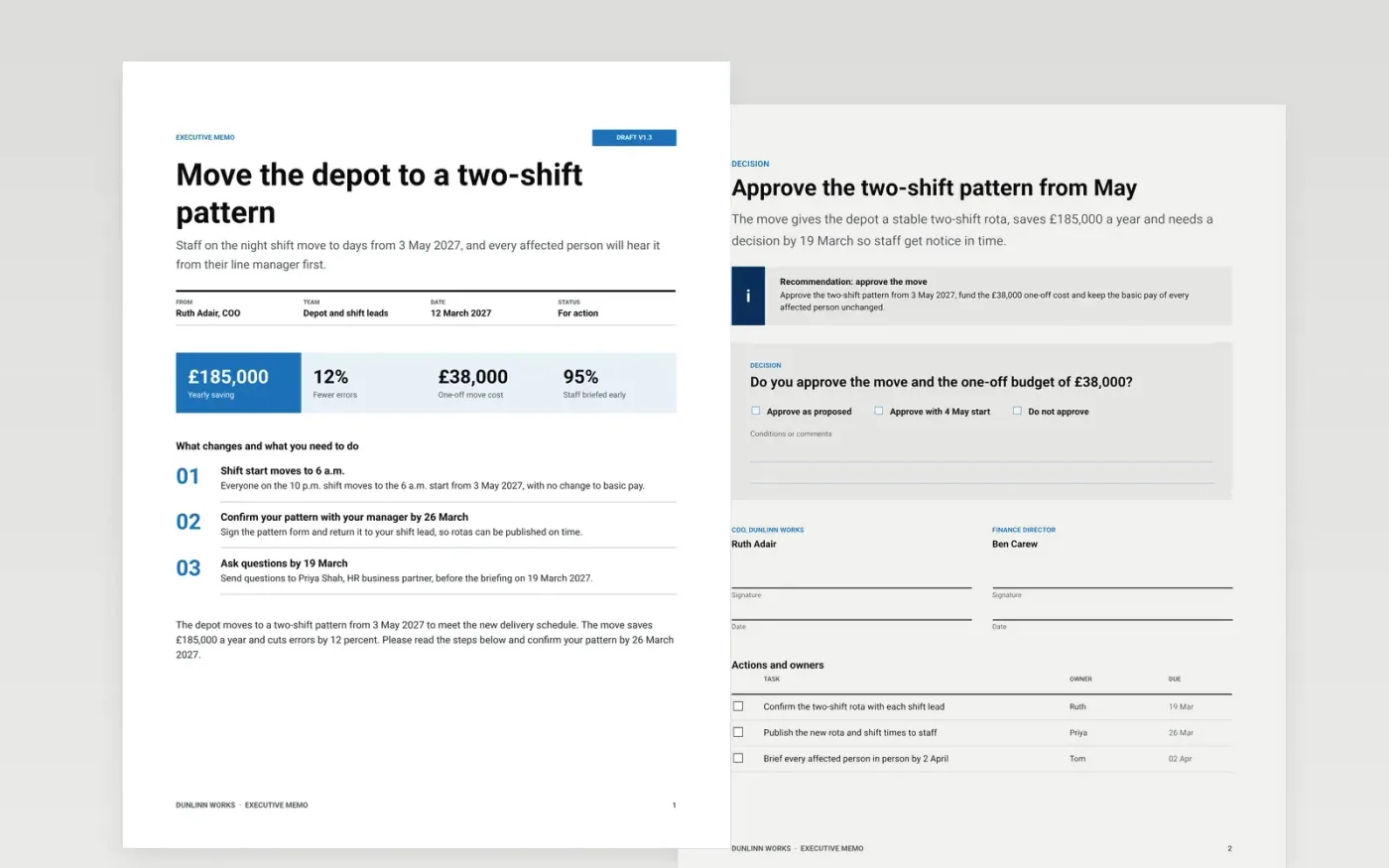
A memo fails when the reader has to hunt for the decision. Senior readers scan the subject line and the first paragraph, then decide whether to read on, so the conclusion has to come first. This template sets a memo out in three short pages: a header and bottom line, the background and analysis, then a recommendation with a sign-off box and a checklist of owners and dates. It suits policy notices, change announcements and funding requests.
The sample is for Dunlinn Works, moving its depot to a two-shift pattern from 3 May 2027. It saves £185,000 a year, carries a one-off cost of £38,000 and names an owner and a date for each step. Replace the names, dates and figures with your own, keep the bottom line to two sentences, and name one person for questions before you send the memo.
Click Make a copy in Google Docs, then confirm on the Google page. The copy is saved to your own Google Drive.
Replace the Dunlinn Works name, the sender, the recipient group and the date on the first page.
Rewrite the bottom line in two sentences, then replace the background and figures with your own.
Set the effective date and the action each person must take, with an owner and a deadline.
Delete the guide page, name one contact for questions, then send the memo to the people affected.
Yes. Click Make a copy in Google Docs and the file is saved to your own Google Drive, with no sign-up and no charge.
This template is built for a short memo of one to three pages. For a longer narrative, keep the bottom line at the top and add the tenets and questions as separate sections.
No. Dunlinn Works, its managers, the depot, the savings and every figure are fictional sample data. Replace them before you send the memo.
More Google Docs templatesMore business operations templates
Docs + Word6 pages
Free
Docs + Word8 pages
Free
Docs + Word7 pages
Free










