
Sales Strategy Presentation
Slides + PowerPoint12 slides
Free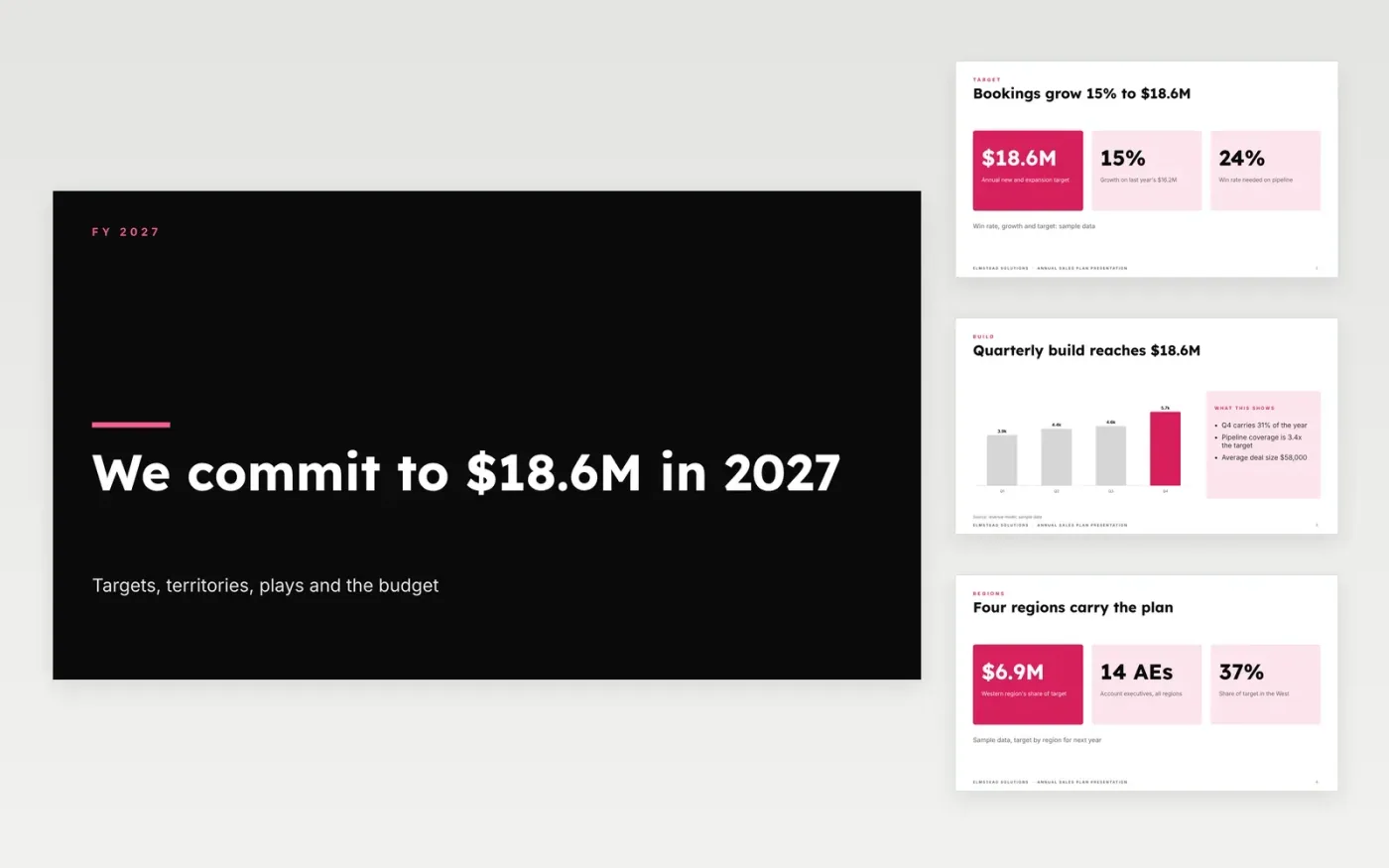
A sales plan that announces a number without a build is a wish, and reps notice quickly. This deck ties the target to its drivers: last year's result, the regions and their share, the quarterly build, the plays that will create pipeline, the weekly activity each rep must do, and the team that supports them. Each slide answers the question the one before it raised.
The sample is for Elmstead Solutions, which closed last year at $16.2M and commits to $18.6M in the coming year, growth of 15%. Every figure, region and name is fictional. Replace last year's bookings, the segments and the headcount with your CRM numbers, rebuild the quarterly build from your own coverage and win rate, and check the budget against the plan.
Click Make a copy in Google Slides, then confirm on the Google page. The copy is saved to your own Google Drive.
Enter last year's bookings by segment, then apply your own growth assumption on the target slide.
Rebuild the quarterly build from your coverage, win rate and deal size, so the total matches the target.
Set the headcount, ramp time and budget lines, and check the total against the plan slide.
Delete the guide slide, then present the deck at the kickoff or share it with the sales team.
Yes. Elmstead Solutions, its regions, its people and every figure and target in the deck are fictional. Replace them with your own numbers, and have finance check the revenue build before the kickoff.
A target with no build is a hope. The build shows the pipeline, win rate and deal size that together deliver the number, so managers can see which assumption to test first when a quarter slips.
New account executives take four to six months to reach full productivity. Count them at a lower quota in year one, rather than dividing the whole target evenly across every rep from the first day.
Slides + PowerPoint12 slides
Free
n8n
Free
Slides + PowerPoint12 slides
Free
Docs + Word9 pages
Free
Docs + Word6 pages
Free
Google Sheets
Free









