API Documentation
Docs + Word14 pages
Free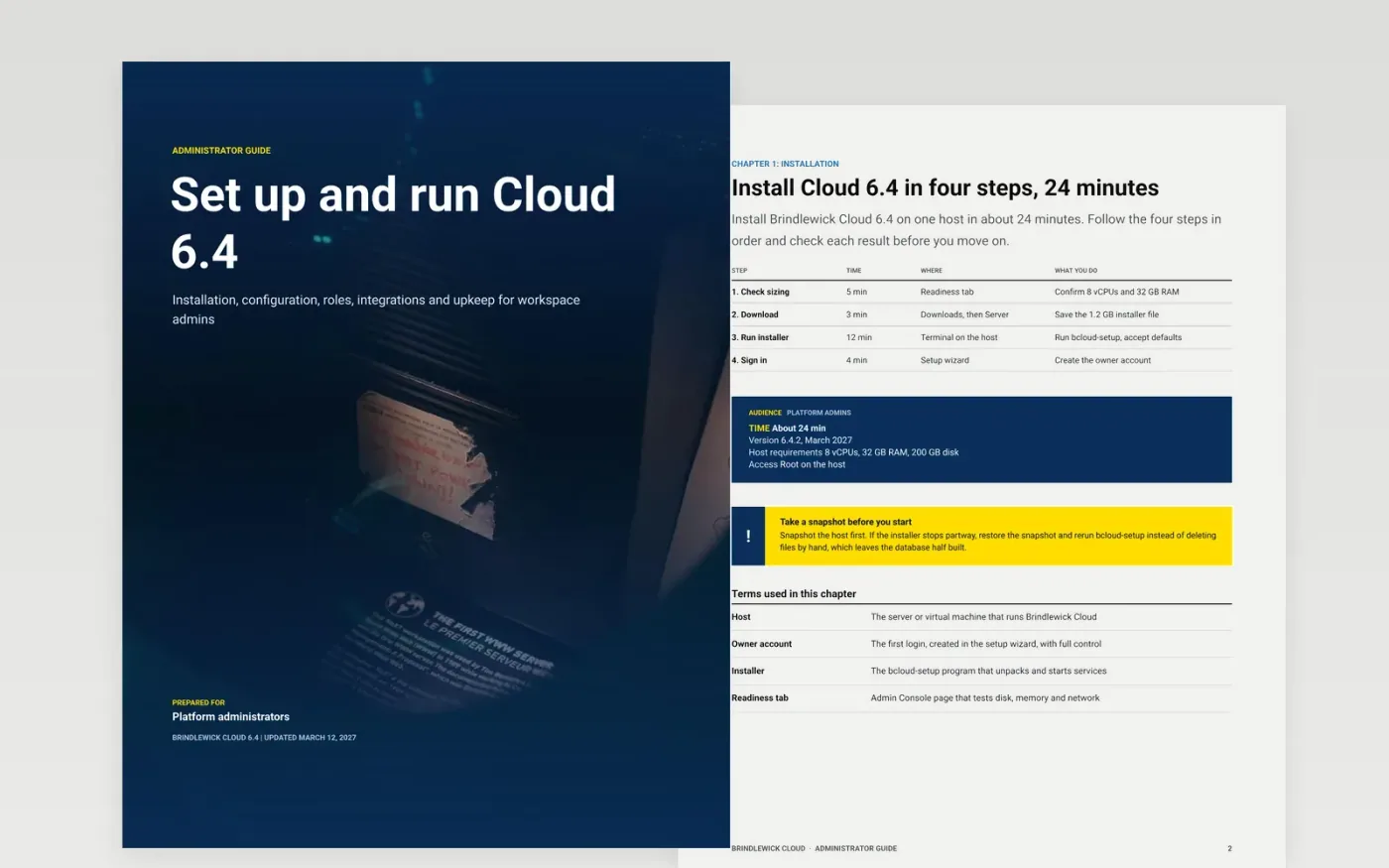
New administrators often get a feature tour when they need a path: install, configure, assign roles, connect other tools, keep it running. This guide is organized in that order, so an admin can finish setup in one sitting and return later for a single chapter.
The sample follows Brindlewick Cloud 6.4, a fictional enterprise product, with a 24-minute install table, an API reference for retention settings, a role breakdown of 1,260 seats, an integration diagram and a 45-minute monthly patch routine. Replace the product, version, steps, screen names and support link with your own.
Click Make a copy in Google Docs, then confirm on the Google page. The copy is saved to your own Google Drive.
Replace Brindlewick Cloud, the version number and the reader on the cover with your own product details.
Swap each table, step and screen name for yours, and retake screenshots from your current release.
Update the roles page with your real permission names, and replace the API example with one of your settings.
Delete the Make it yours guide page, then share the document or present it to your customers.
Yes. It is a free Google Docs template. Make a copy to your own Drive and edit the text, tables and diagrams as you like.
No. Brindlewick Cloud, the people, the email addresses and every figure in it are fictional. They show what good content looks like, so replace them.
Yes. The structure works for either reader. Change the chapters to your users' first tasks and keep the roles and troubleshooting ideas as they are.
More Google Docs templatesMore developer workflows templates
Docs + Word14 pages
Free
Slides + PowerPoint12 slides
Free
Docs + Word9 pages
Free
Slides + PowerPoint11 slides
Free
Slides + PowerPoint11 slides
Free
Docs + Word8 pages
Free
Docs + Word8 pages
Free










