
Admin Training Deck
Slides + PowerPoint11 slides
Free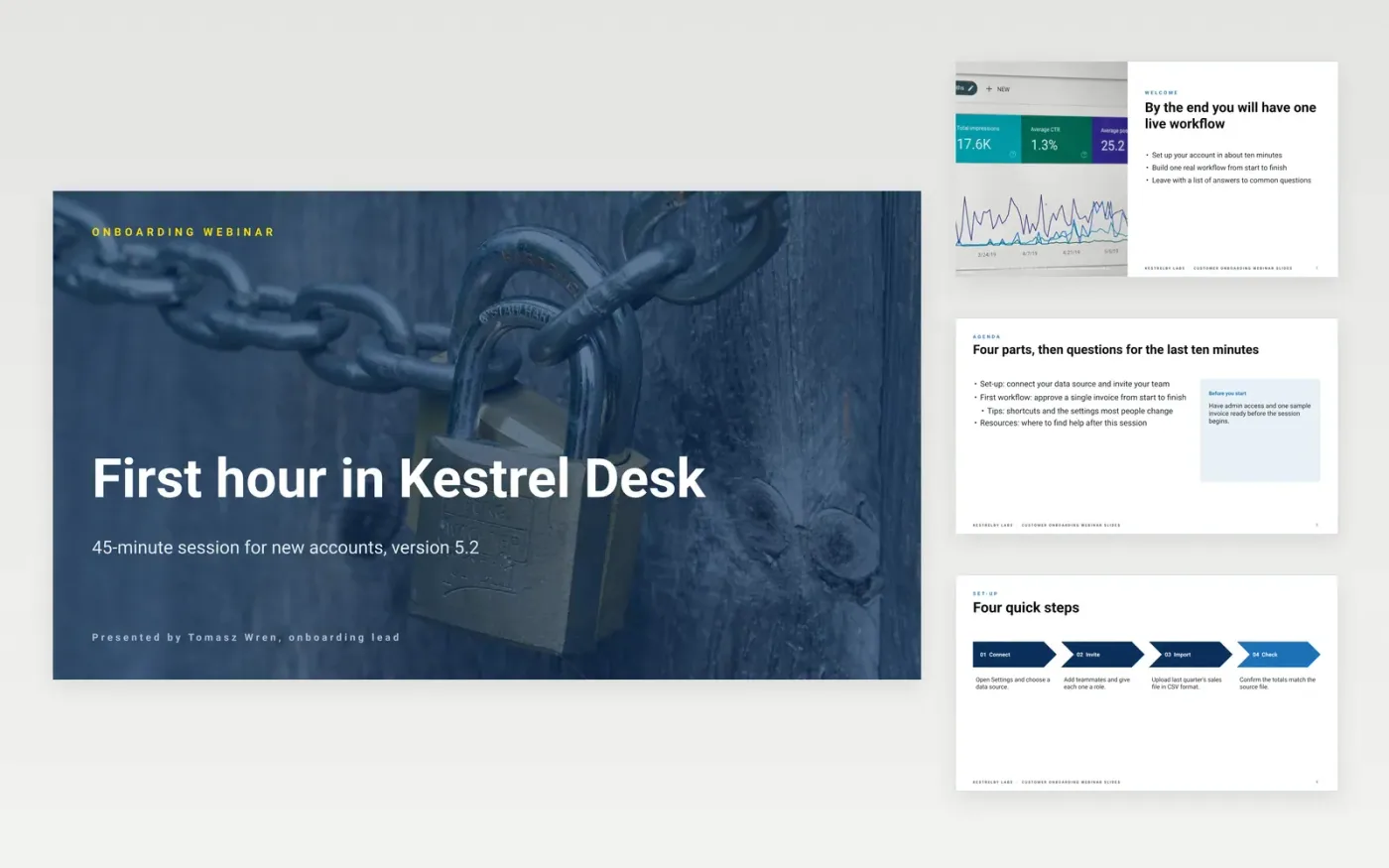
This onboarding session template is a ready-made Google Slides deck for product specialists who run live sessions for new accounts. It walks people through the welcome, set-up, a first workflow, practical tips and resources in eleven slides, in the order users meet the product.
Each slide uses sample content for Kestrelby Labs, a fictional software company, including the Kestrel Desk product and a sample invoice. Make your own copy, replace the product name, screens and steps with your own, then rehearse the first workflow on a real account. Keep the Q and A slide so every session ends with time for questions.
Click Make a copy in Google Slides, then confirm on the Google page. The copy is saved to your own Google Drive.
Replace the product name, presenter and version on the cover slide.
Swap the sample invoice for one from your own process, then rehearse the first task.
Delete the guide slide, then present the deck or share the recording.
No. Kestrelby Labs, Kestrel Desk, its screens, presenters and sample invoices are fictional, written to show a finished onboarding session.
Yes. Keep the structure of welcome, set-up, first task and questions, then replace each step with the physical or service process your customers follow.
Plan for about 45 minutes, with the first workflow taking 15 of them, and leave the last ten minutes for questions from the group.
More Google Slides templatesMore developer workflows templates
Slides + PowerPoint11 slides
Free
Docs + Word7 pages
Free
Docs + Word7 pages
Free
Docs + Word8 pages
Free
Docs + Word8 pages
Free
Docs + Word8 pages
Free










