
Acceptable Use Policy
Docs + Word7 pages
Free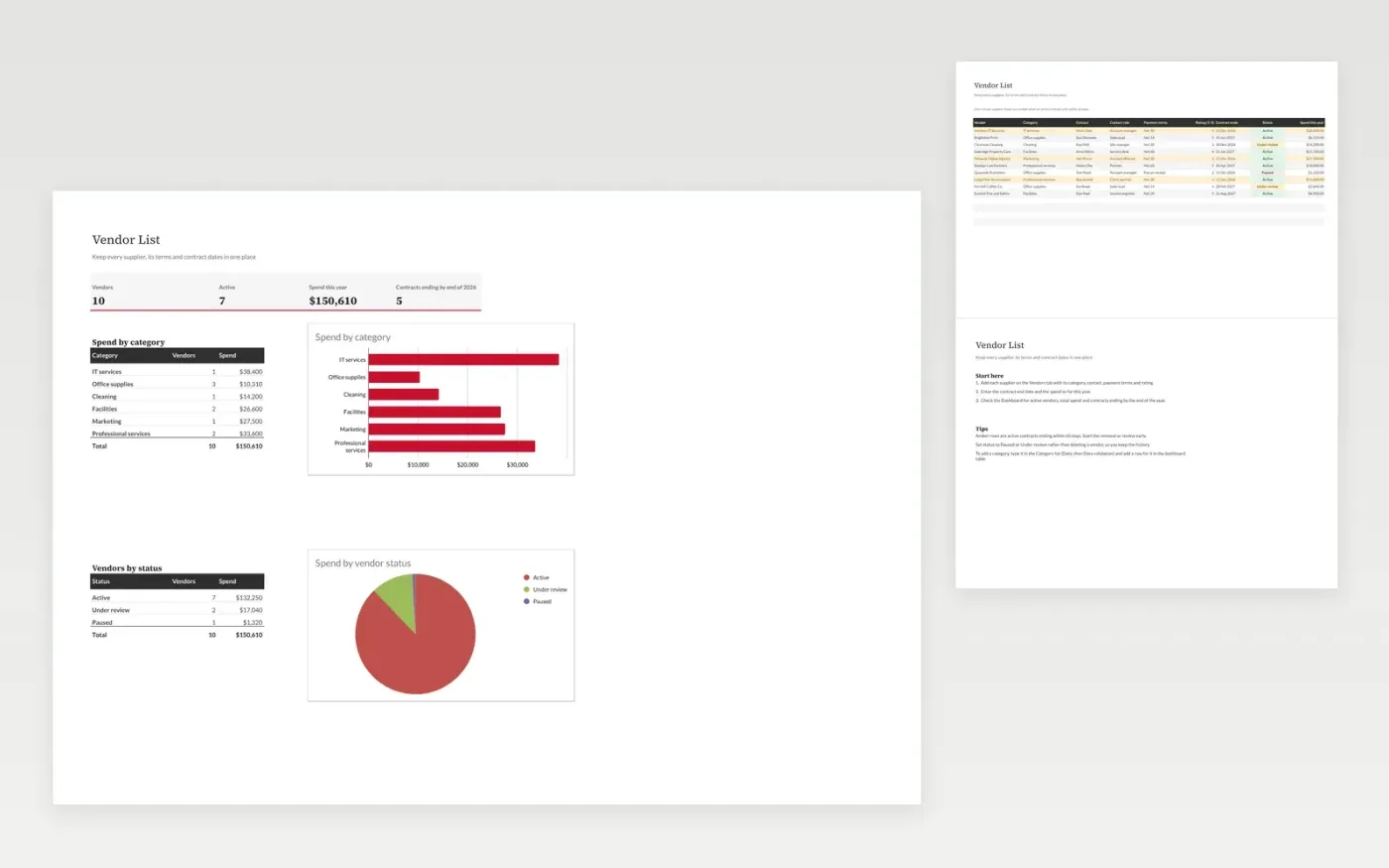
This template is a register of suppliers for a small business or team. The Vendors tab holds one row per supplier, with its category, contact, payment terms, rating, contract end date, status and spend for the year.
The Dashboard counts the vendors and the active ones, totals the spend, and counts contracts ending by the end of the year. It also shows spend by category and by status, with charts. Rows turn amber when an active contract is coming up for renewal.
It comes with sample data. Make a copy, then replace the sample rows with your own suppliers. Formulas, dropdowns and charts update on their own.
Click Make a copy in Google Sheets, then confirm on the Google page. The copy is saved to your own Google Drive.
Start on the Vendors tab: replace the sample rows with your own.
Keep the formula columns as they are; they fill in as you type.
Read the How to use tab for tips. For Excel, download the .xlsx file instead.
Yes. Download the template and use it in Google Sheets or Excel at no cost.
Yes. Download the .xlsx file to open it in Excel. The formulas, dropdowns and highlights work in both Excel and Google Sheets.
Yes. Change its status to Paused rather than deleting the row. It stays in the list and its spend still counts towards the totals for that year.
More Google Sheets templatesMore business operations templates
Docs + Word7 pages
Free
Docs + Word8 pages
Free
n8n
Free
Docs + Word9 pages
Free
Docs + Word8 pages
Free
Docs + Word7 pages
Free









