
Acceptable Use Policy
Docs + Word7 pages
Free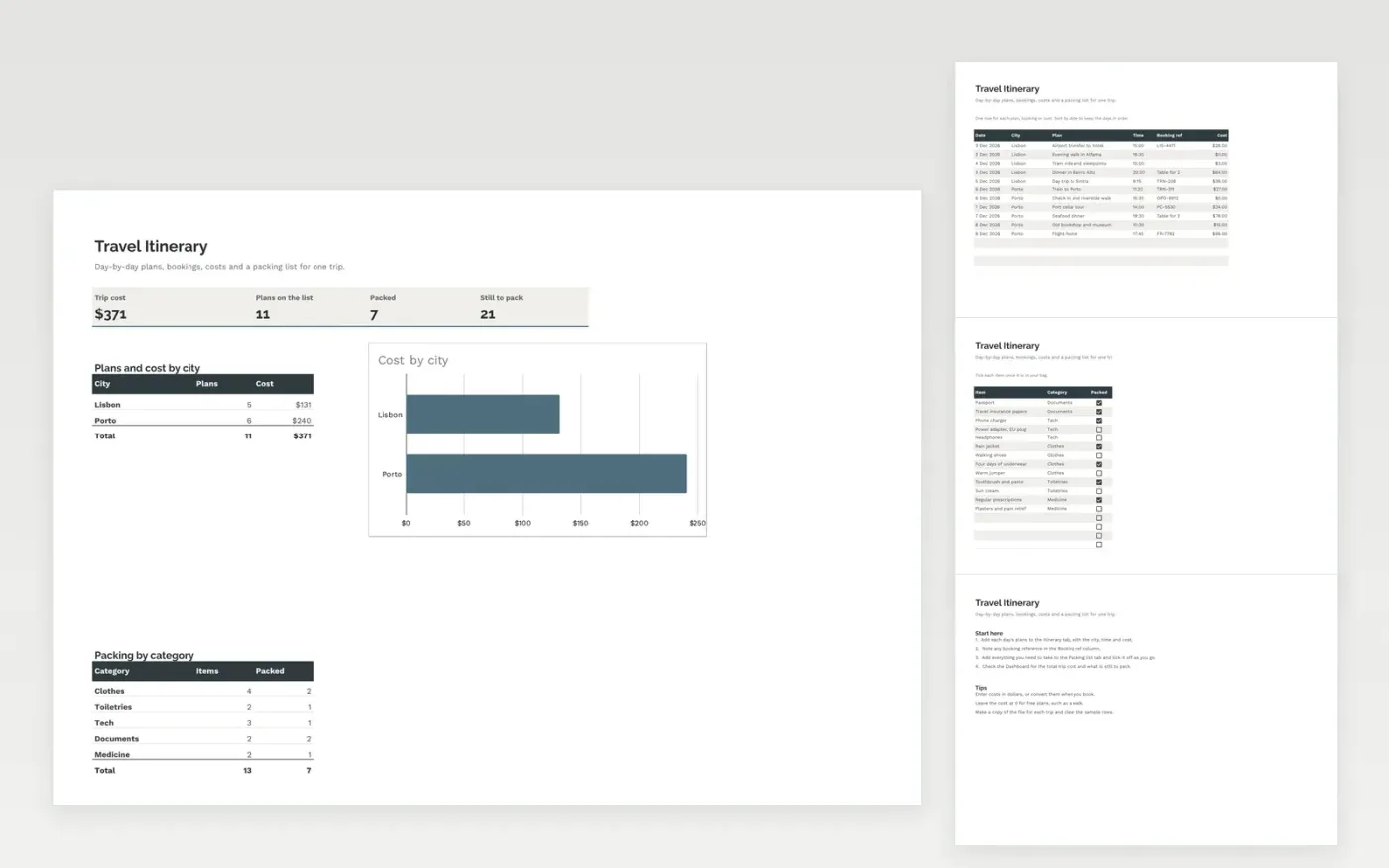
This template keeps a trip in one place. The Itinerary tab has one row for each plan, with the date, city, time, booking reference and cost. The Packing list tab has a tick box for each thing you need to take, grouped by category.
The Dashboard shows the total trip cost, the number of plans and what is still to pack, with a chart of cost by city. It comes with sample data. Make a copy, then replace the sample rows with your own trip. Formulas, dropdowns and charts update on their own.
Click Make a copy in Google Sheets, then confirm on the Google page. The copy is saved to your own Google Drive.
Start on the Itinerary tab: replace the sample rows with your own.
Keep the formula columns as they are; they fill in as you type.
Read the How to use tab for tips. For Excel, download the .xlsx file instead.
Yes. Download the template and use it in Google Sheets or Excel at no cost.
Yes. Download the .xlsx file to open it in Excel. The dropdowns, formulas and charts work in both Excel and Google Sheets.
Yes. Add one row for each plan and share the file with the group, so everyone sees the same times and bookings.
More Google Sheets templatesMore business operations templates
Docs + Word7 pages
Free
Docs + Word8 pages
Free
n8n
Free









