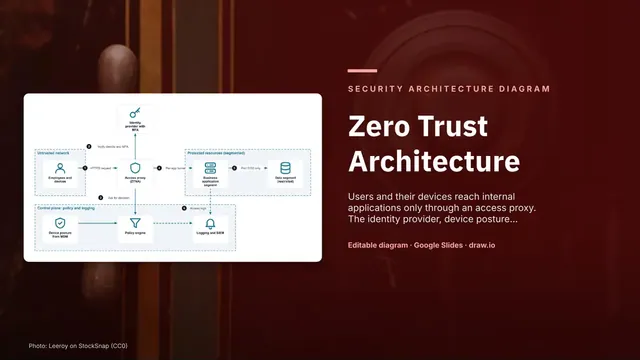
Zero Trust Architecture
Slides + PowerPoint5 slides
Free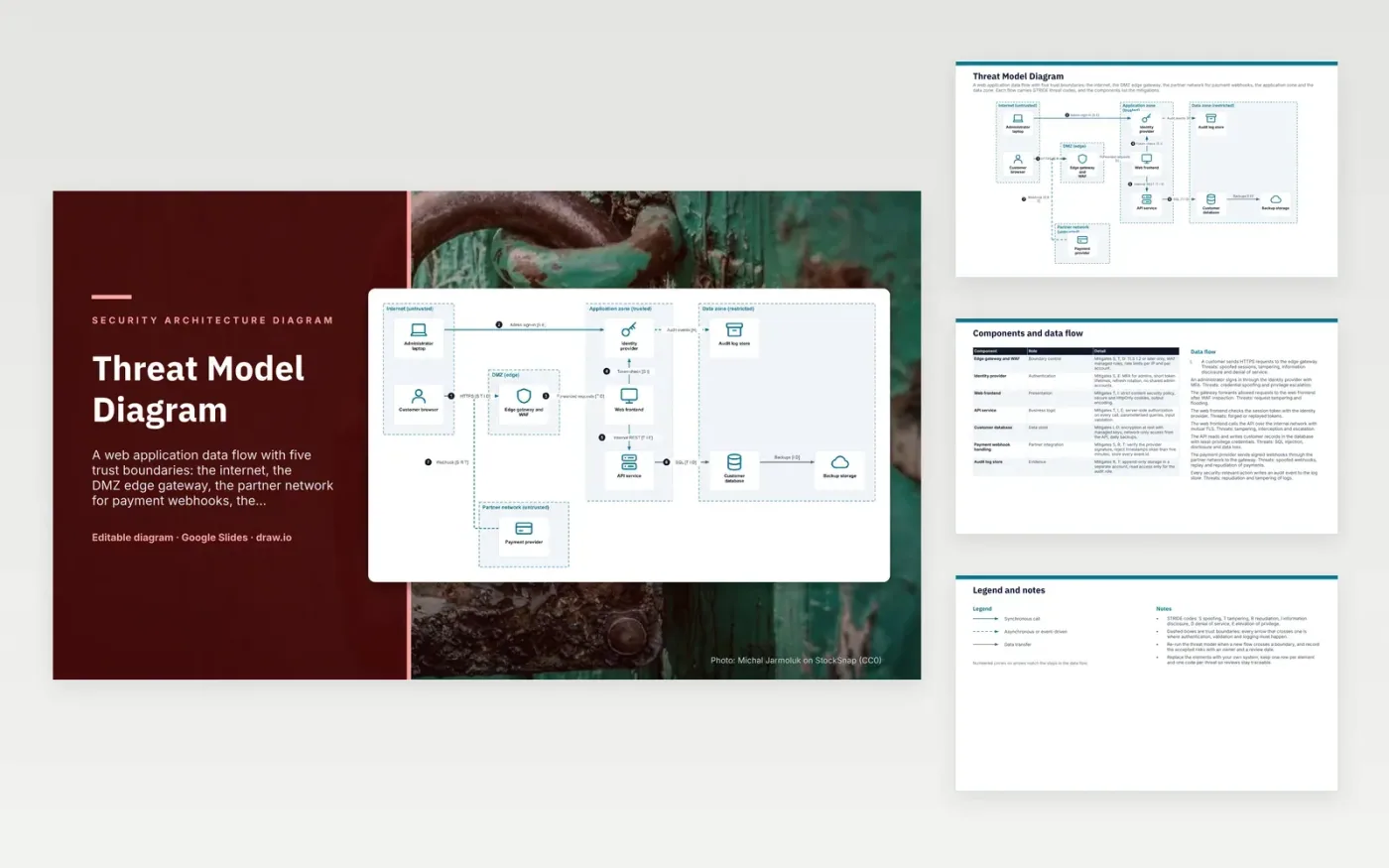
A customer's HTTPS request reaches the edge gateway and WAF, which terminates TLS and forwards allowed requests to the web frontend. The frontend checks the session token with the identity provider and calls the API over the internal network with mutual TLS. The API reads and writes customer records in the database with least-privilege credentials. Signed webhooks from the payment provider enter through the partner network to the gateway. Each security action writes an audit event to an append-only log store.
Each arrow that crosses a trust boundary is where authentication, validation and logging must happen, so every flow carries its STRIDE codes. The gateway covers spoofing, tampering and denial of service, and the API enforces authorisation on every call. Webhooks are checked against the provider signature and a five-minute timestamp window. To adapt it, replace the elements with your own system and record each accepted risk with an owner and a review date.
Click Make a copy in Google Slides, then confirm on the Google page. The copy is saved to your own Google Drive.
Rename Administrator laptop, Customer browser, Edge gateway and WAF and the other boxes inside Internet (untrusted) to your own components, and delete the ones your system does not have.
Rewrite the 8-step data flow and the 7-row components table so they match the arrows you keep.
For the draw.io version, download threat-model-diagram.drawio and open it at app.diagrams.net.
S is spoofing, T tampering, R repudiation, I information disclosure, D denial of service and E elevation of privilege. Each flow is tagged with the threats it can suffer, so the team can check a control for each one.
The handler checks the provider's signature, rejects timestamps older than five minutes and stores each event ID. Together these stop forged, replayed and duplicated webhooks.
A trust boundary is a line where the level of trust changes, such as the internet meeting the edge gateway. Data that crosses it should be authenticated, validated and logged.
More Google Slides templatesMore developer workflows templates
Slides + PowerPoint5 slides
Free
Slides + PowerPoint10 slides
Free
Docs + Word7 pages
Free










