
Tech Debt Reduction Plan
Slides + PowerPoint12 slides
Free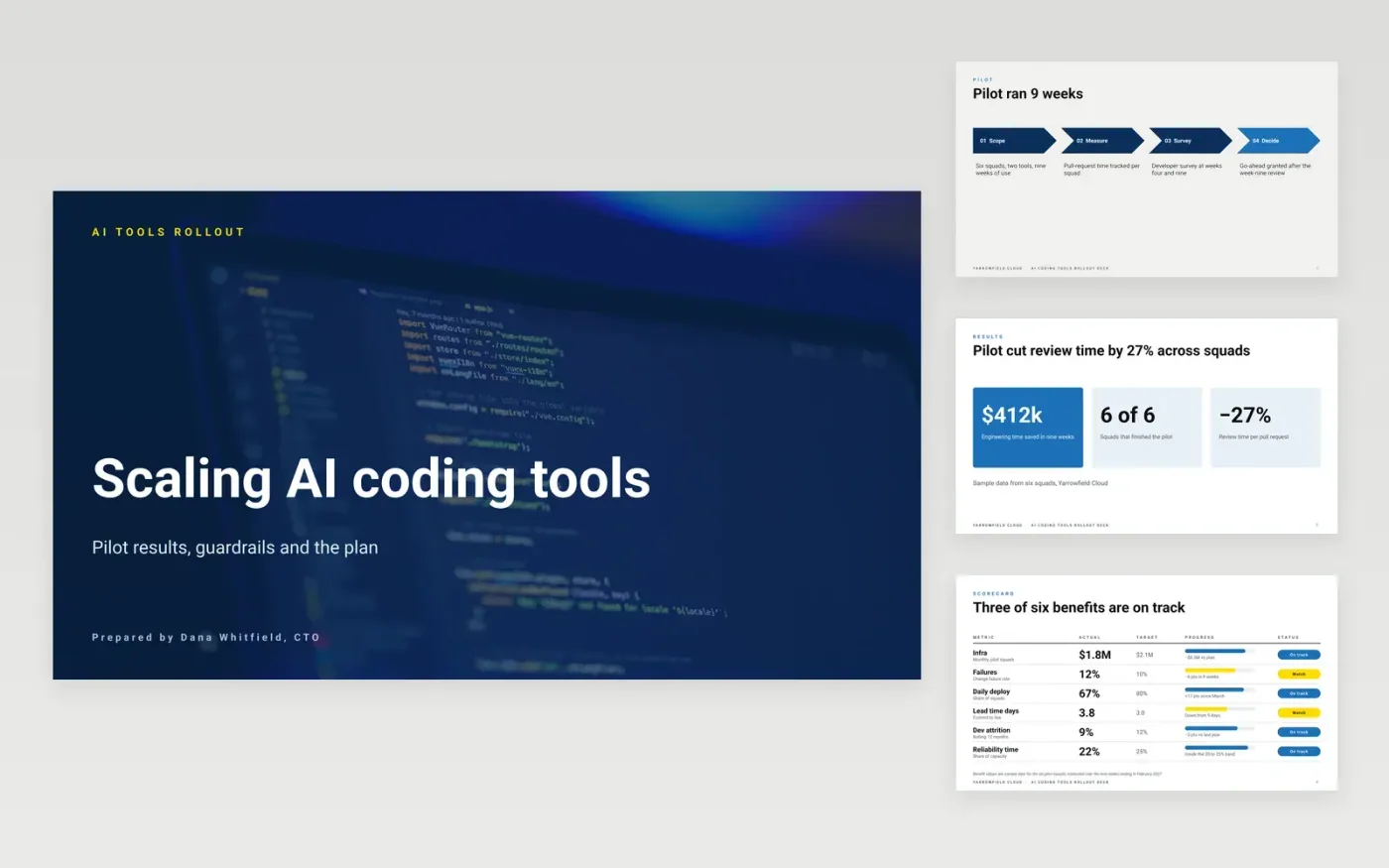
Engineering leaders are often asked to approve AI coding tools before anyone knows how they change review time, security or code quality. This Google Slides deck sets out a pilot's results, the benefits and risks it revealed, the guardrails that make a wider rollout safe, and a dated plan. Each slide answers one question that a CFO or a squad lead is likely to ask.
The sample follows Yarrowfield Cloud, a fictional company whose six-squad pilot cut review time by 27% over nine weeks. Its risk table, adoption dates and benefit figures are invented sample data. Replace them with your own pilot results, then edit the guardrails so they match the rules your security team will actually enforce.
Click Make a copy in Google Slides, then confirm on the Google page. The copy is saved to your own Google Drive.
Replace the sample pilot results with your own cycle time, review time and survey data from the trial.
Rewrite the risk table with the risks your security and legal teams have actually raised.
Set the guardrails and the rollout dates with the squads who will have to live with them.
Delete the guide slide, then share the deck with leadership or present it at the planning review.
The deck works best with real pilot data. Without one, leave the results slides out and present the guardrails and rollout plan as a proposal, with a clear measure for the first nine weeks.
No. Yarrowfield Cloud, Dana Whitfield, Ravi Menon, the squad names and every figure, date and risk are fictional sample data. Replace them before you share the deck with anyone.
Use measures your delivery data can prove: lead time, change failure rate, deployment frequency, attrition and time spent on reliability. Each needs a target, an owner and a source system.
More Google Slides templatesMore developer workflows templates
Slides + PowerPoint12 slides
Free
Slides + PowerPoint11 slides
Free
Slides + PowerPoint10 slides
Free
Docs + Word8 pages
Free
Slides + PowerPoint12 slides
Free
Slides + PowerPoint11 slides
Free
Docs + Word8 pages
Free
Docs + Word7 pages
Free
Docs + Word7 pages
Free
Docs + Word8 pages
Free










