
Employee Training Presentation
Slides + PowerPoint11 slides
Free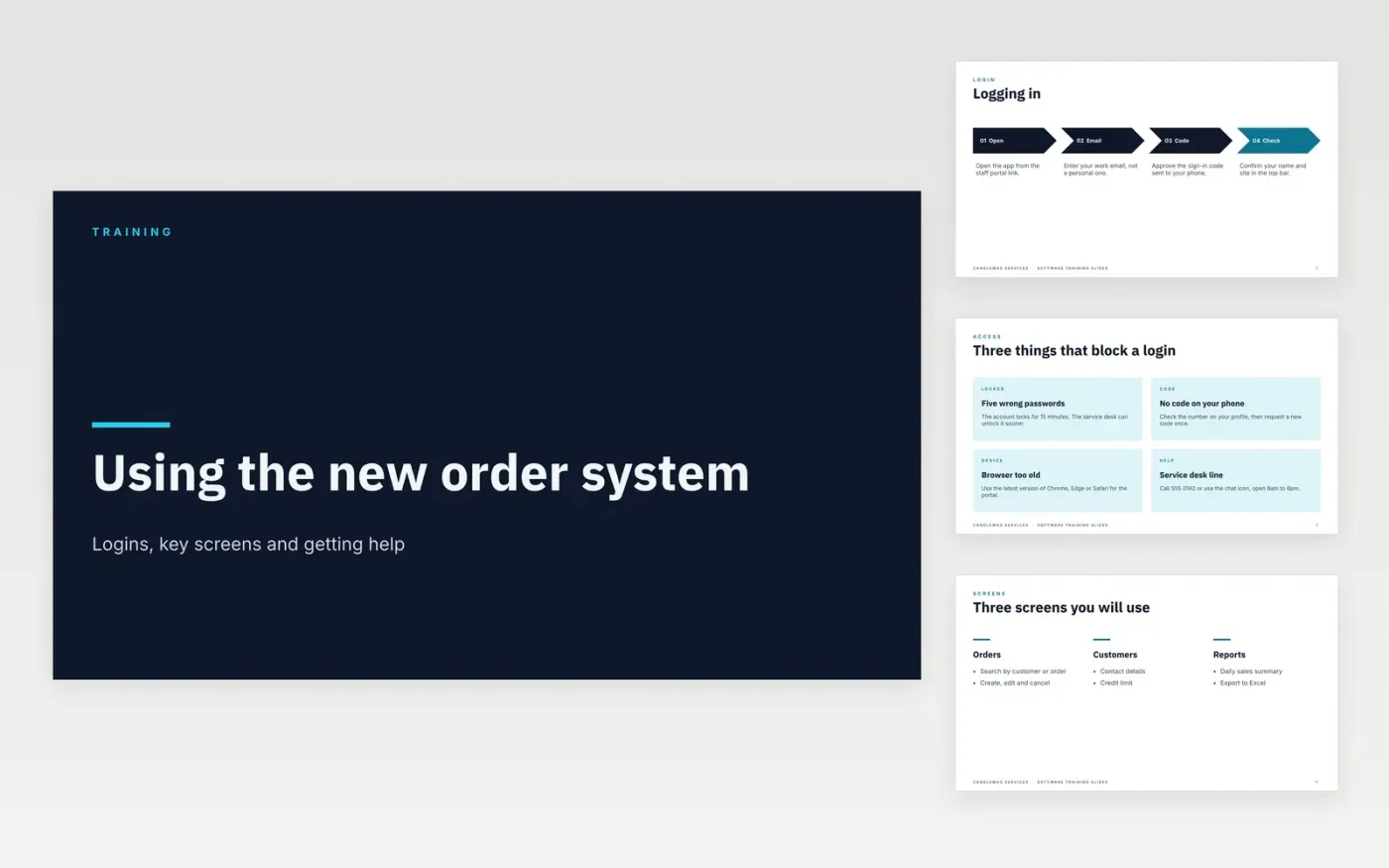
Training sessions drift when every trainer builds their own slides and skips the same common errors. This employee training slides template gives a session a fixed order: how to log in, the key screens, the common tasks, practical tips and where to get help. Each slide holds one idea, so a new user can follow it on a shared screen and then repeat the steps alone at their desk.
The sample shows Candlemas Services, a fictional company, training staff on a new order system, with login steps, three key screens and a short list of the errors people make most. Replace the screens, steps, tasks and contact names with your own, and test each step on a real login before the session runs.
Click Make a copy in Google Slides, then confirm on the Google page. The copy is saved to your own Google Drive.
Replace Candlemas Services, the sample names and the help contacts with your own.
Swap the screenshots for your own system, then check each step on a test login.
Rewrite the quiz so it tests the decisions staff face, and set the pass mark.
Delete the make-it-yours guide slide, then share the deck or run the session with your team.
Most sessions run 45 to 90 minutes, with one practice task for each core skill. If time runs short, shorten the tips and the screens slides first, and keep the logging in and common tasks slides.
Yes. Candlemas Services, the trainers named on the slides, the phone numbers, the email addresses and the order system screens are fictional sample data, so replace them with your own.
Yes. Keep a record of who attended and how each person scored on the knowledge check, because audit teams and managers often ask for it. Store it where your compliance lead can find it.
Slides + PowerPoint11 slides
Free
Slides + PowerPoint10 slides
Free
Slides + PowerPoint10 slides
Free
Slides + PowerPoint11 slides
Free
Slides + PowerPoint12 slides
Free
Slides + PowerPoint11 slides
Free
Slides + PowerPoint11 slides
Free
Slides + PowerPoint12 slides
Free
Slides + PowerPoint11 slides
Free
Slides + PowerPoint10 slides
Free
Slides + PowerPoint11 slides
Free
Slides + PowerPoint12 slides
Free










