
New Hire Orientation Deck
Slides + PowerPoint16 slides
Free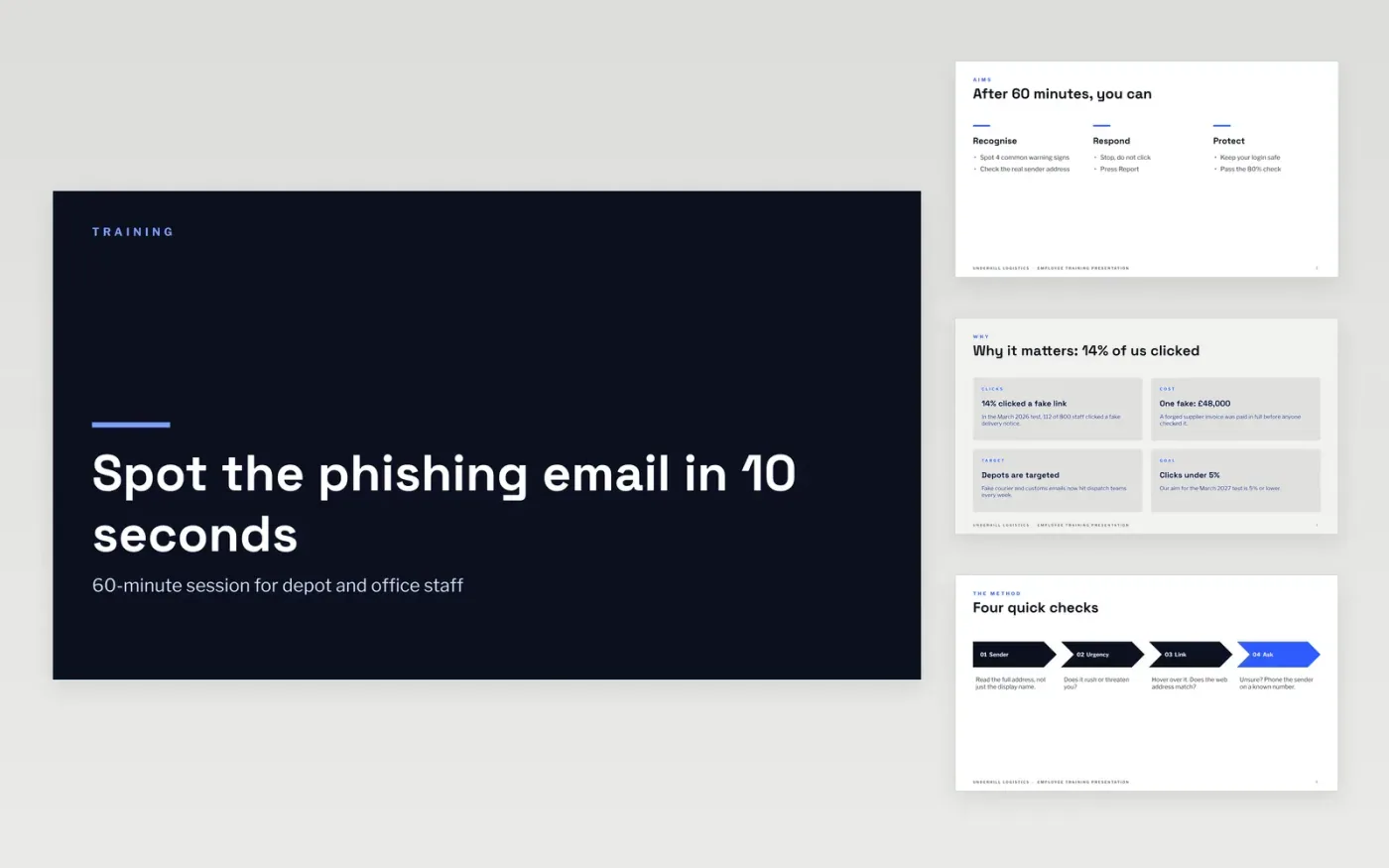
A good training session has a clear end point: something learners can do or avoid afterwards. This deck gives trainers and managers that structure in 11 slides: objectives, why it matters, a short method, a worked example, a knowledge check, a recap with the key number, and where to get help.
The sample teaches phishing awareness to depot and office staff at Underhill Logistics, with a click rate that fell from 14% to 5% as the target. Replace the topic, trainer, scenarios and quiz question with your own policy, tools and real situations, then set your pass mark.
Click Make a copy in Google Slides, then confirm on the Google page. The copy is saved to your own Google Drive.
Replace the topic, trainer name and audience on the cover, then rewrite the three objectives for your session.
Rewrite each content slide with your own policy, tools and screenshots, and swap the examples for real situations from your workplace.
Edit the quiz question and options, set your pass mark, and add your reporting route and contacts.
Delete the guide slide, then present, or share the deck with your learners.
About 60 minutes, with time for discussion and the knowledge check. Add content slides for a 90-minute session or remove the process slide for 45 minutes.
Yes. The structure works for fire safety, data protection, new manager skills or any single-topic session. Replace the text and keep the objectives, example, quiz and recap.
No. Underhill Logistics, its people and every figure, including the click rates and the loss, are fictional sample content. Use your own results and check the content against your policy.
Slides + PowerPoint16 slides
Free
Docs + Word7 pages
Free
Docs + Word21 pages
Free
Slides + PowerPoint10 slides
Free
Slides + PowerPoint12 slides
Free








