Data Protection Training Slides
Slides + PowerPoint12 slides
Free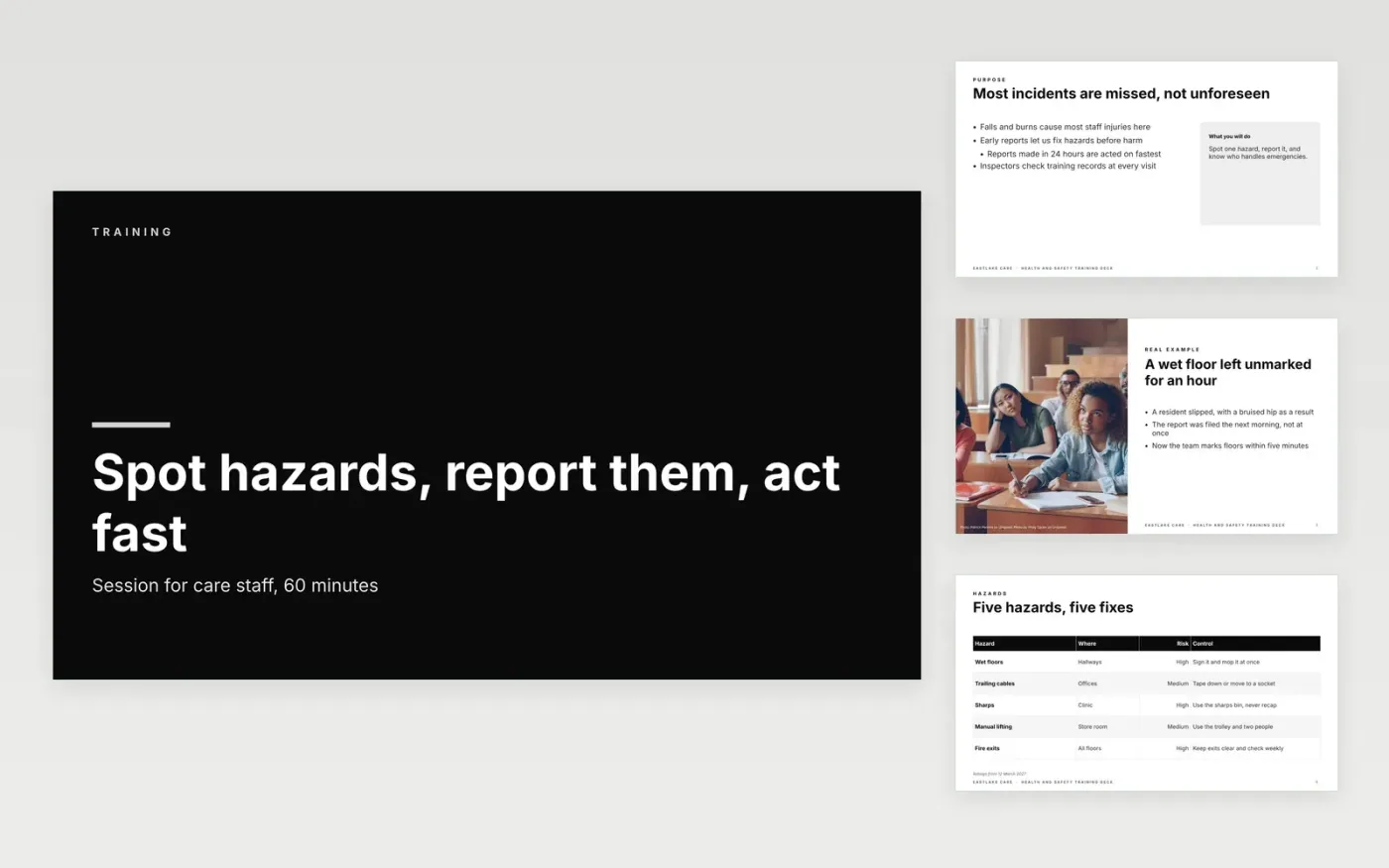
Safety training often fails in one of two ways: it reads policy aloud, or it covers everything without asking anyone to apply it. This deck runs a single session from purpose through hazards, reporting and emergencies to a short quiz. Each slide carries one idea and an example from everyday care work, so staff can see what to do and trainers can see what was learned.
The sample is for Eastlake Care, a fictional care provider in the UK, with invented staff, incident figures and a pass mark of 80%. Replace the hazards, the reporting route and the contacts with those used at your own site, and check every safety instruction against your local policy. Keep a record of attendance and quiz results, because inspectors ask to see it.
Click Make a copy in Google Slides, then confirm on the Google page. The copy is saved to your own Google Drive.
Replace the topic, trainer name and audience on the cover, then set the three objectives.
Rewrite each hazard and reporting slide with your own policy, tools and screenshots.
Edit the quiz questions and answers, and set the pass mark before the session.
Delete the guide slide, then share the deck with learners or present the session.
No. Eastlake Care, its staff, the incident figures, the quiz results and the contacts are fictional. Replace them with your own records before you run the session with real staff or share the deck.
Yes. A pass mark of 80% works well for most safety topics, and learners who fall short should repeat the session or the relevant slides before they continue. Record each result for audit.
Plan for 45 to 90 minutes with time for one practice scenario. If the group is large, split the hazards slides into two short sessions so people can ask questions as they go.
Slides + PowerPoint12 slides
Free
Slides + PowerPoint10 slides
Free
Slides + PowerPoint10 slides
Free
Slides + PowerPoint11 slides
Free
Slides + PowerPoint11 slides
Free
Slides + PowerPoint11 slides
Free
Slides + PowerPoint11 slides
Free
Slides + PowerPoint10 slides
Free
Slides + PowerPoint11 slides
Free
Slides + PowerPoint12 slides
Free
Slides + PowerPoint11 slides
Free
Slides + PowerPoint11 slides
Free










