
Employee Training Presentation
Slides + PowerPoint11 slides
Free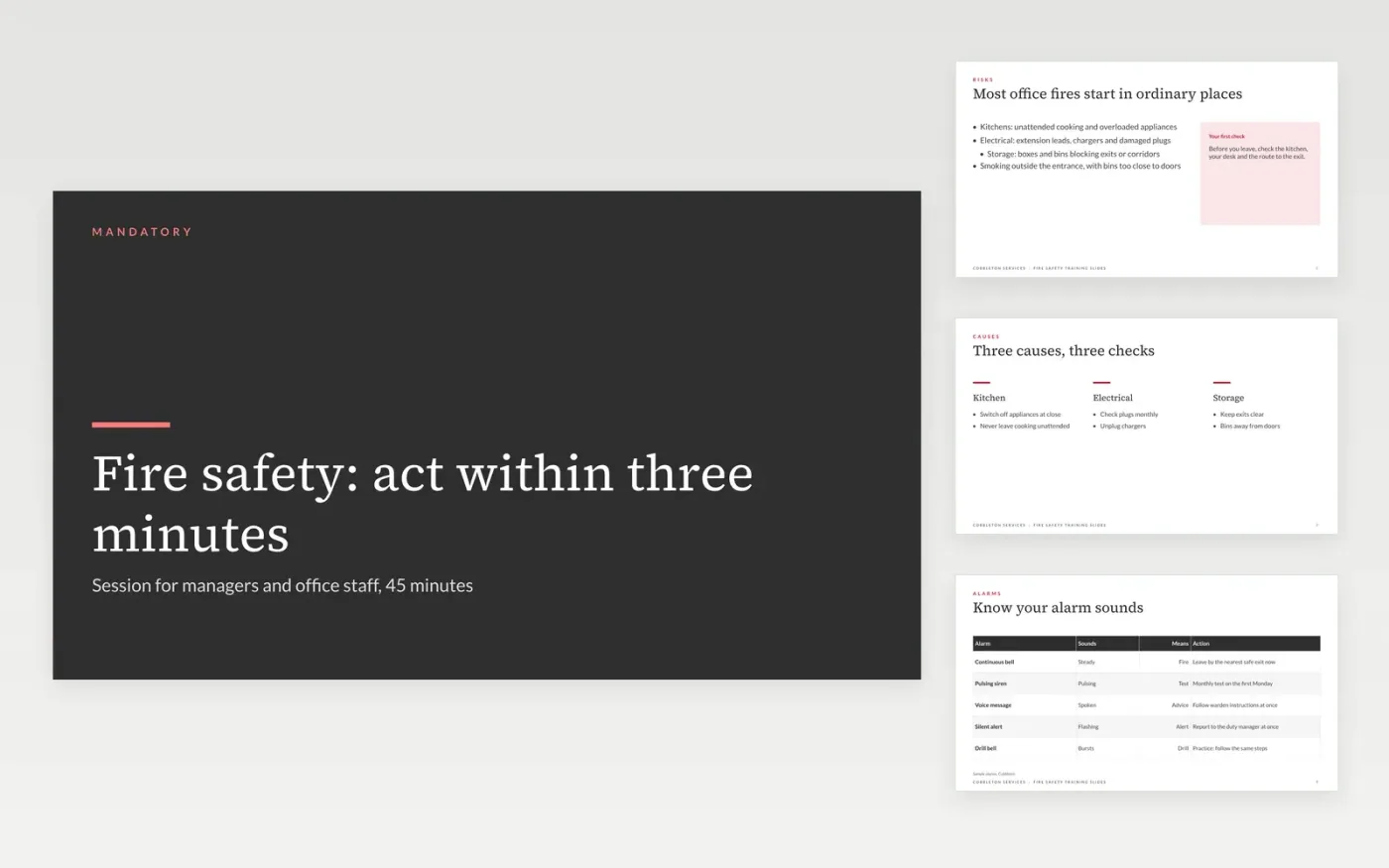
Fire safety training often fails when it reads out the policy and never shows people what to do. This deck gives a trainer a fixed sequence for one session: the common fire risks, what each alarm sound means, the evacuation routes, the warden duties and a quiz to check understanding. Each slide carries one action, and the scenarios come from everyday office life, so learners can picture themselves doing it.
The sample is a 45-minute session run by Cobbleton Services, with five alarm sounds explained, a pass mark of 80 percent and completion tracked within 30 days. Replace the policy wording, alarm sounds and assembly point with your own, and rewrite each scenario from your workplace. Add the quiz questions your compliance lead has approved, and record attendance so the session can be shown at audit.
Click Make a copy in Google Slides, then confirm on the Google page. The copy is saved to your own Google Drive.
Replace the topic, trainer name and audience on the cover before the session.
Swap the alarm sounds, policy wording and assembly point for your own.
Add your quiz questions and set the pass mark, then record each learner's result.
Delete the guide slide, then share the deck or present it to the group.
No. Cobbleton Services, its people, its alarm sounds, the assembly point and the completion figures are fictional sample data. Replace each one with your own details before the session runs.
No. It is a starting structure for a session. Check the content against your fire risk assessment and local rules, and have your safety lead approve the session and the quiz before staff attend.
Keep a sign-in list and the quiz result for each learner, with the date, and store them where an auditor can find them. Set a refresher every 12 months and track completion within 30 days.
Slides + PowerPoint11 slides
Free
Slides + PowerPoint10 slides
Free
Slides + PowerPoint12 slides
Free
Slides + PowerPoint11 slides
Free
Slides + PowerPoint11 slides
Free
Slides + PowerPoint12 slides
Free
Slides + PowerPoint11 slides
Free
Slides + PowerPoint10 slides
Free
Slides + PowerPoint11 slides
Free
Slides + PowerPoint12 slides
Free
Slides + PowerPoint11 slides
Free
Slides + PowerPoint10 slides
Free










