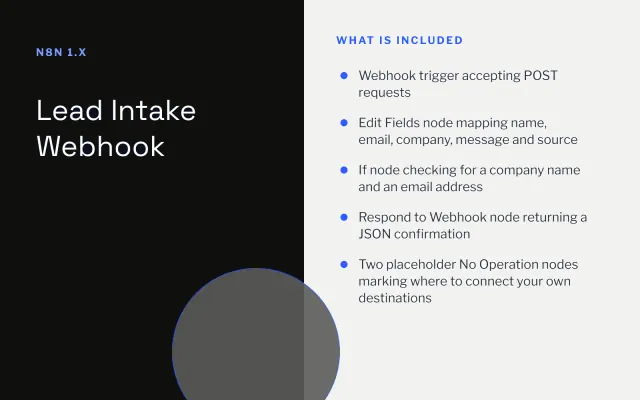
Lead Intake Webhook
n8n
FeaturedFree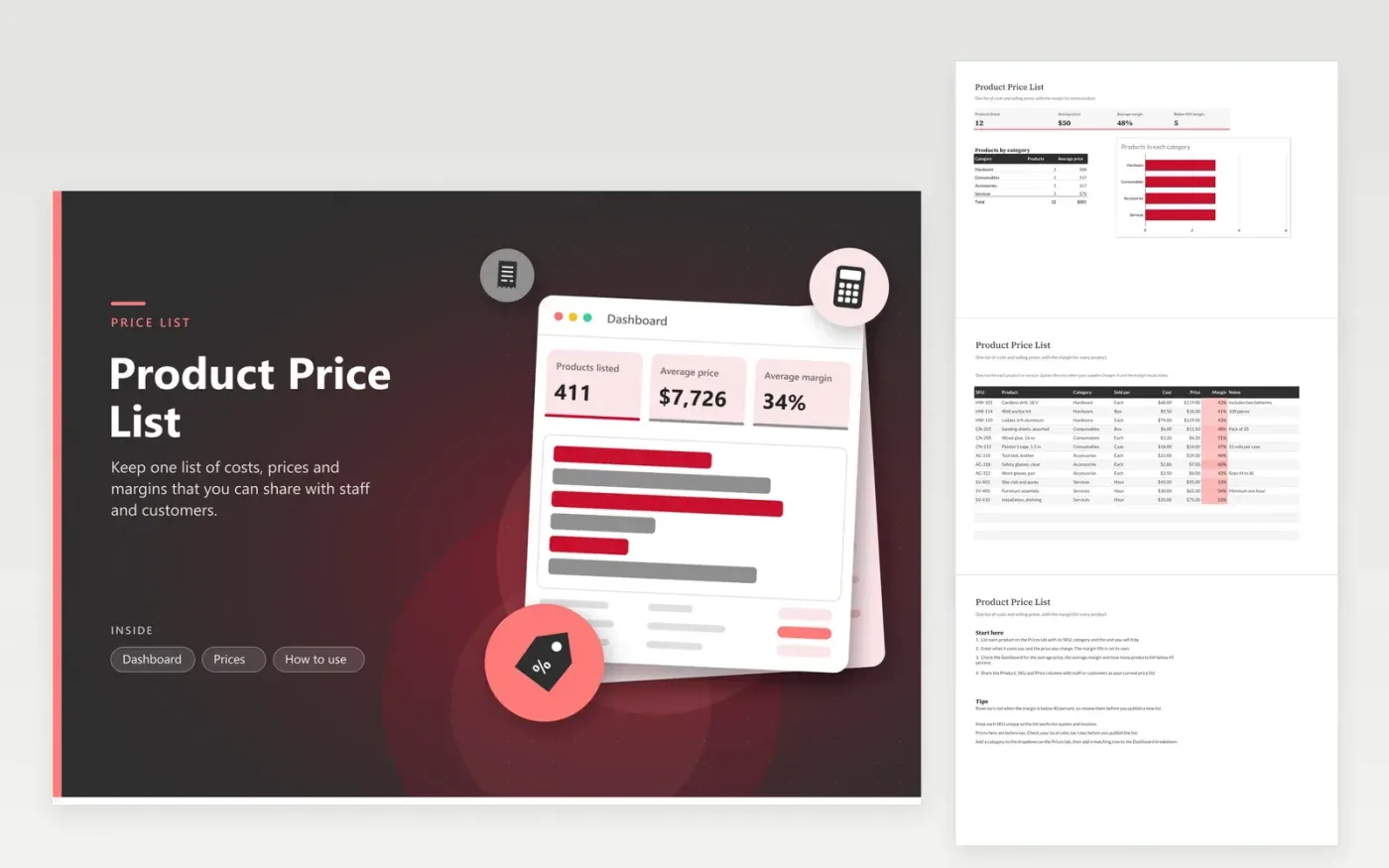
A product price list is for a shop, trade business or service company that needs one reliable list of what things cost and what they sell for. The Prices tab gives each product a row with its SKU, category, unit of sale, cost, price and notes. The margin for each product works itself out as a percentage on a colour scale. The Dashboard reports how many products you list, the average price and margin, and how many fall below a 45 percent margin.
Update the cost column when supplier prices change, and the margins recalculate straight away. Review the margin column before you publish a new price sheet, and fix any product that sits below your target. Use one unit of sale per row, such as each, box or hour, so customers compare like with like. Keep every SKU unique so the list works for quotes and invoices too.
Click Make a copy in Google Sheets, then confirm on the Google page. The copy is saved to your own Google Drive.
Start on the Prices tab: replace the sample rows with your own.
Keep the formula columns as they are; they fill in as you type.
Read the How to use tab for tips. For Excel, download the .xlsx file instead.
Margin is the price minus the cost, divided by the price. A product that costs 68 and sells for 119 has a margin of about 43 percent. Markup divides the same difference by the cost instead, so check which one your business uses before you set targets.
The template keeps prices before tax. If your published prices include tax, add a column for it and check your local sales tax rules before you publish. Rates vary by place and by product type, so confirm them with your accountant.
Yes. Extend the Category list on the Prices tab, then give the new category its own line in the Dashboard breakdown. Use exactly the same spelling so the count and average price pick it up.
n8n
FeaturedFree
Sheets + Excel4 tabs
Free
Sheets + Excel5 tabs
Free
Sheets + Excel4 tabs
Free
Sheets + Excel3 tabs
Free
Sheets + Excel3 tabs
Free








