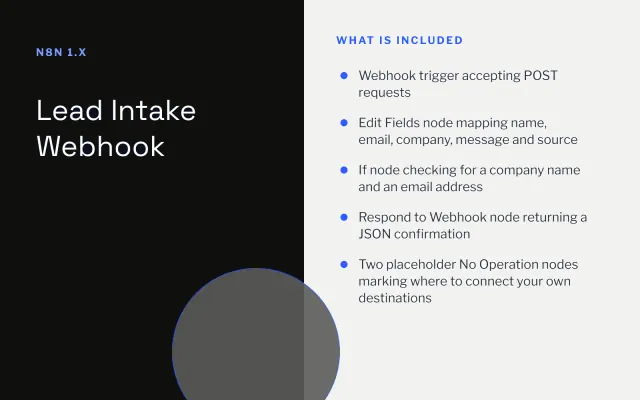
Lead Intake Webhook
n8n
FeaturedFree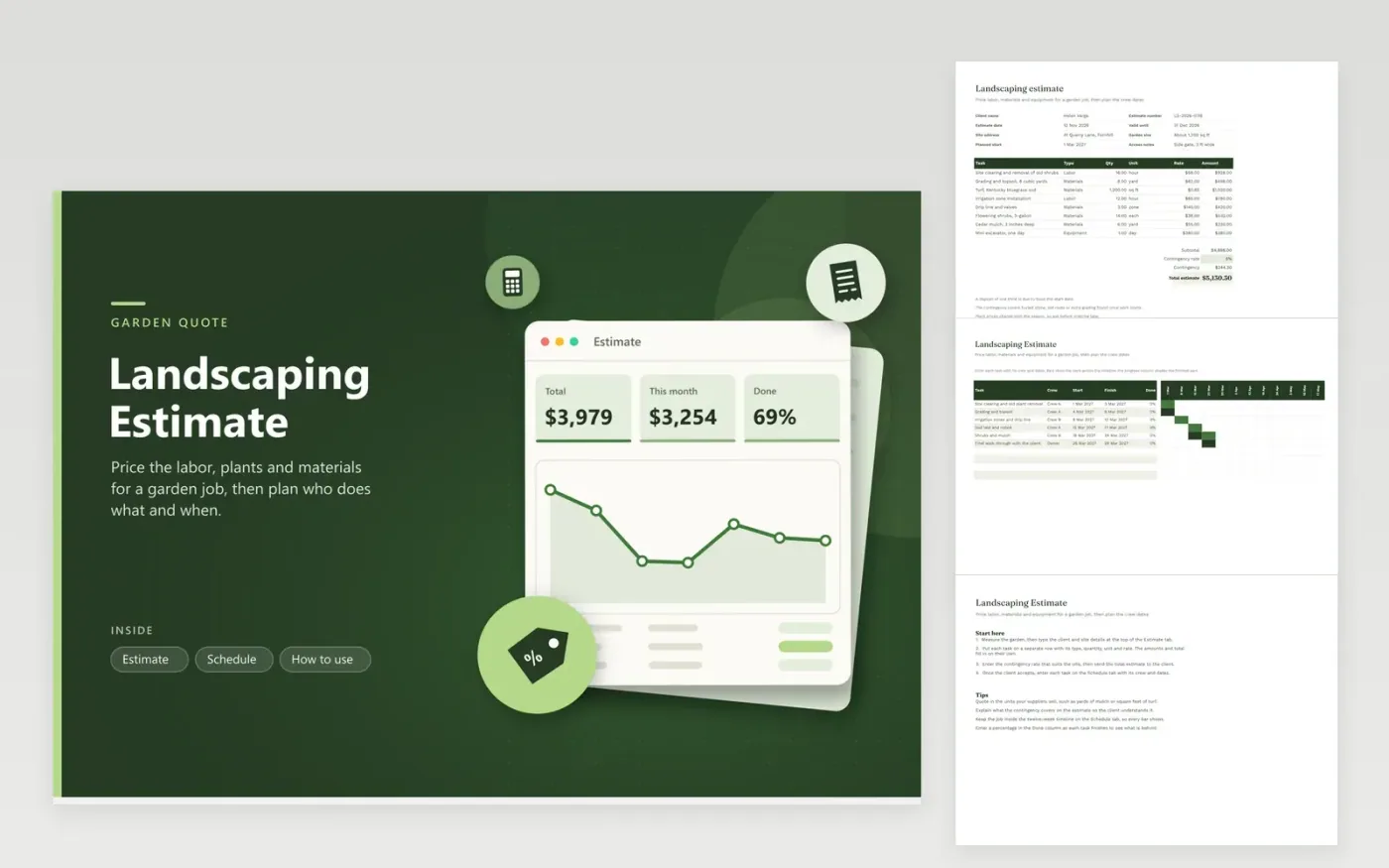
Landscapers, garden designers and handymen use this template to quote a garden job. The Estimate tab captures the client, the site and the planned start, then lists each task with its type, quantity, unit and rate. Subtotal, contingency and the total estimate calculate themselves. The Schedule tab turns the job into a timeline of crews and dates, with a Done column that shades each bar as work finishes.
Measure the site before you price it, and quote quantities in the units your suppliers use, such as yards of mulch or square feet of turf. Use the contingency line for unknowns such as buried stone or old roots, and say what it covers on the estimate. Plant prices and availability change with the season, so confirm them before you order and update the rates.
Click Make a copy in Google Sheets, then confirm on the Google page. The copy is saved to your own Google Drive.
Start on the Estimate tab: replace the sample rows with your own.
Keep the formula columns as they are; they fill in as you type.
Read the How to use tab for tips. For Excel, download the .xlsx file instead.
A contingency covers costs you cannot see until work starts, such as buried stone, old roots or extra grading. Many contractors set a percentage and explain it to the client. The rate is an input on the Estimate tab, so set it to match the site and your own experience.
Change the start and finish dates on the Schedule tab, and the bars move on their own within the twelve-week timeline. Keep the whole job inside that timeline so every bar shows. Copy the row above if you need to add a task.
Enter a percentage in the Done column as each task finishes. The darker part of each bar shows the completed share, making late tasks easy to spot at a glance.
n8n
FeaturedFree
Sheets + Excel4 tabs
Free
Sheets + Excel5 tabs
Free
Sheets + Excel4 tabs
Free
Sheets + Excel3 tabs
Free
Sheets + Excel3 tabs
Free








