
Inner Source Launch Deck
Slides + PowerPoint12 slides
Free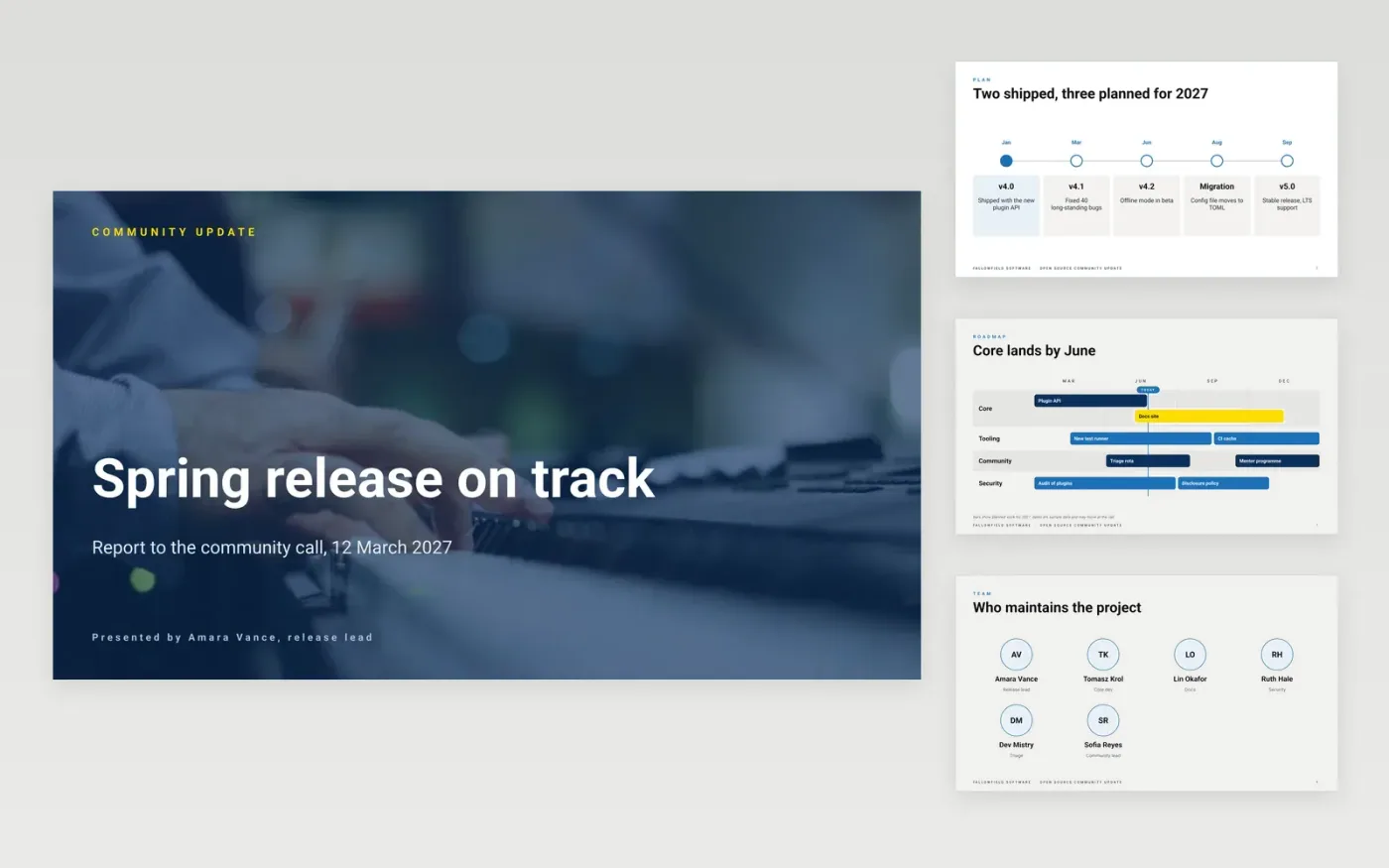
Maintainers repeat the same answers on every call: what shipped, who helped and how a newcomer can join in. This Google Slides deck gives the call a fixed shape, moving from releases and contributors through issues and the roadmap to specific calls for help. Each slide makes one claim, such as a release date or a triage turnaround, so the room can follow without a script and the questions can go to the people who own each item.
The sample reports on a fictional project run by Fallowfield Software, with release dates, issue counts, triage rules and roadmap lanes all shown as sample data. Replace the project name, the release history and the maintainers first, then check the set-up and test figures against a fresh run of your own project. Keep each call for help specific, because a named task gets a faster reply than a general request.
Click Make a copy in Google Slides, then confirm on the Google page. The copy is saved to your own Google Drive.
Replace the project name, licence and repository links on the first slide.
Update the timeline and roadmap with your real release dates and owners.
Check the issue table against your tracker and note the date the data was taken.
Delete the guide slide, then share the deck or present it on the call.
No. Fallowfield Software, the maintainers named, the .example email addresses, the release dates, issue counts and roadmap items are fictional sample data. Replace them with your own before the call.
Review the roadmap lanes at each call, moving finished bars out and adding new ones with a named owner. A roadmap with no date or owner is a wish list, so date each bar or remove it.
Yes. Keep the order of releases, contributors, issues, roadmap and asks, then swap the terms for your group's work, such as events, papers or grants. Tie each figure to a source and a date.
More Google Slides templatesMore developer workflows templates
Slides + PowerPoint12 slides
Free
Docs + Word8 pages
Free
Docs + Word7 pages
Free
Docs + Word7 pages
Free
Docs + Word7 pages
Free
Docs + Word8 pages
Free
Docs + Word7 pages
Free










