
Company Magazine
Docs + Word7 pages
Free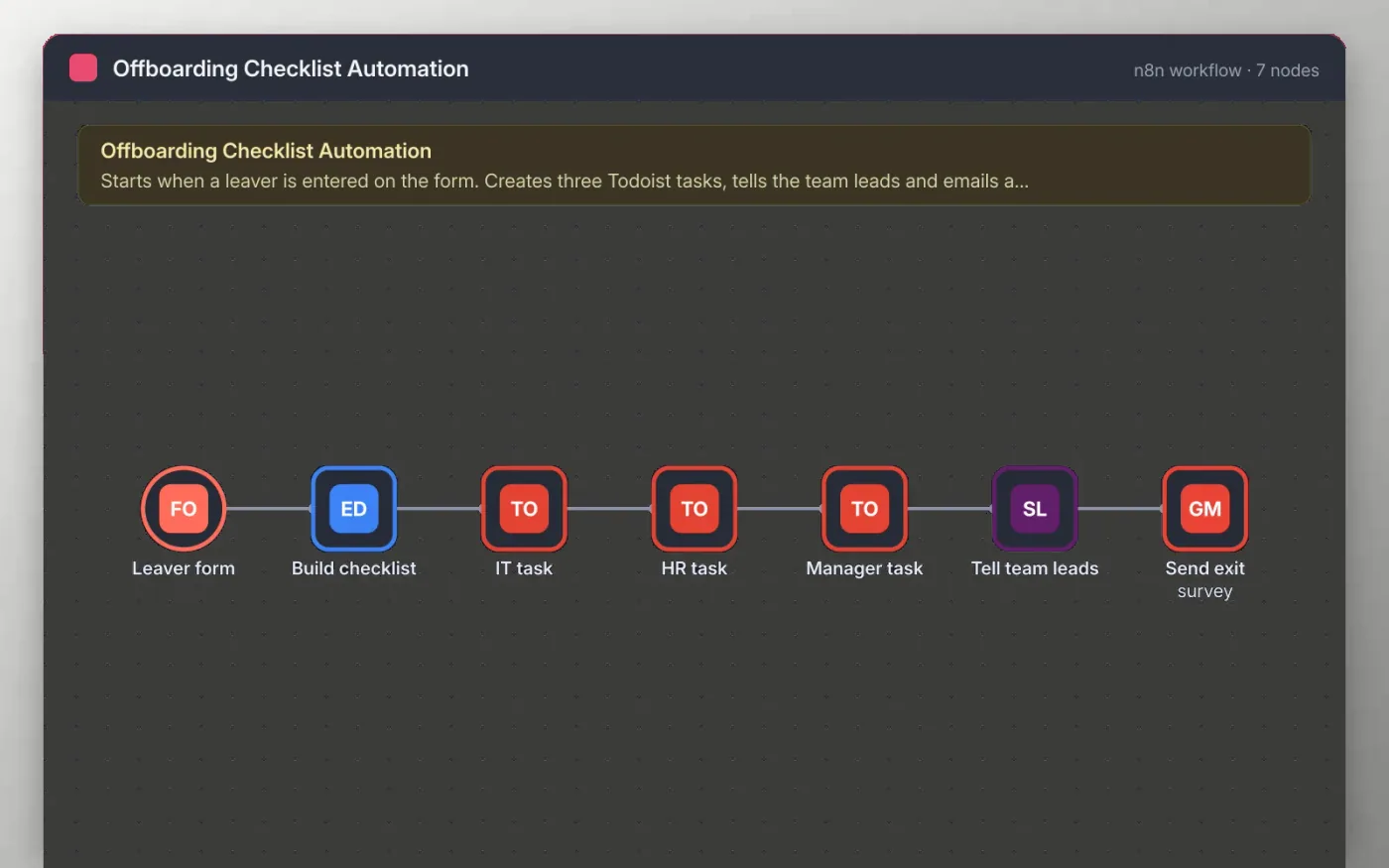
This workflow starts from a form that HR or a manager fills in on the leaver's last day. The answers become a checklist, and three Todoist tasks are created in order: revoke accounts and collect equipment for IT, process exit paperwork and final pay for HR, and hand over work for the manager.
When the tasks are in place, a message goes to your team leads in Slack and the leaver receives an exit survey by email. Nothing is sent until you connect your own Todoist, Slack and Gmail accounts and replace the placeholder channel and survey link.
Download the workflow JSON.
In n8n, create a workflow, open the … menu, choose Import from File and select the JSON.
Connect Todoist on the three task nodes, then pick your Slack and Gmail accounts.
Replace the placeholder channel and survey link on the nodes the sticky note names.
Open the Leaver form node, copy the test URL, submit a test leaver, then activate the workflow.
Yes. Download the JSON and import it into your own n8n. There is no sign-up and no cost.
No. The file has no keys or tokens. You connect your own Todoist, Slack and Gmail accounts after importing.
Yes. Add another Todoist node after the last task and read the fields you need from the Build checklist node.
Docs + Word7 pages
Free
Docs + Word21 pages
Free
Slides + PowerPoint16 slides
Free
n8n
Free
n8n
Free
n8n
Free
n8n
Free








