Annual Operating Budget
Docs + Word8 pages
Free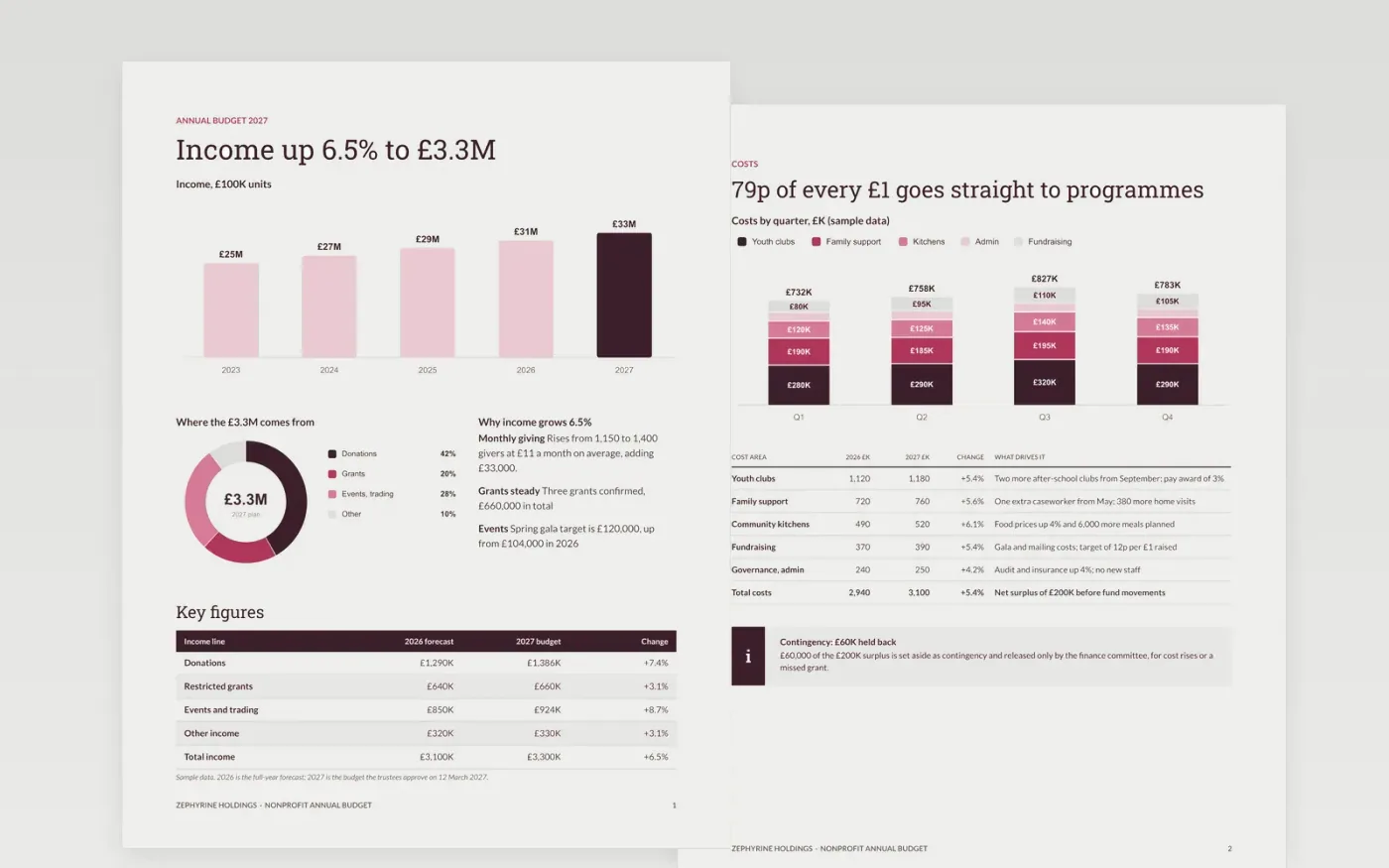
Charity budgets go wrong when they are copied from last year's spend, when restricted grants are treated as free money, or when reserves are left out. This template builds the year in order: income targets, programme costs by quarter, named budget holders, fund movements, reserves and a variance table that explains every material change.
The sample is a fictional £3.3M budget for Zephyrine Holdings, a charity running youth clubs, family support and community kitchens. Income grows 6.5%, costs 5.4%, and reserves reach 4.0 months of spending. Replace the income lines, cost areas, holders and fund movements with your own, then rephase by quarter.
Click Make a copy in Google Docs, then confirm on the Google page. The copy is saved to your own Google Drive.
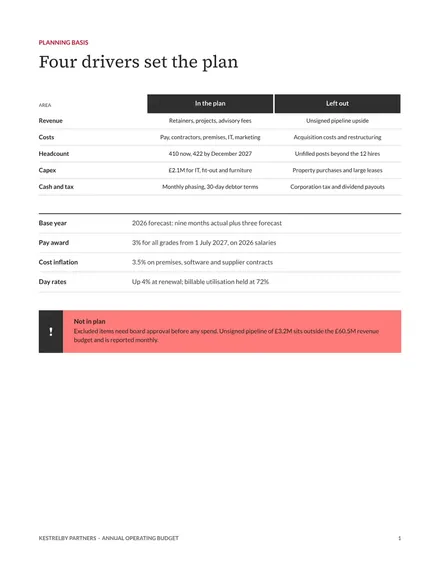
Replace the planning basis with your own pay award, price and volume assumptions, and enter your current-year forecast as the base.
Rebuild each income and cost line from drivers, then rephase the quarters for your seasonality and check cash never falls below your minimum.
Update the budget holders, the fund movements and the reserves target, keeping restricted grants separate from free money.
Delete the Make it yours guide page, then share the budget with your board or present it.
Yes. It is a free Google Docs template. Make a copy to your own Drive, replace the figures with your own and share it with your trustees.
No. The organisation, the people and every figure are fictional. They are set up so the totals add up and reserves match the target, so replace them with your own numbers.
Yes. Rename the income lines and cost areas, for example giving, staff and building, and keep the reserves and fund-movement pages to show restricted gifts separately.
Docs + Word8 pages
Free
Slides + PowerPoint10 slides
Free
Docs + Word17 pages
Free
Excel
Free
Slides + PowerPoint10 slides
Free
Docs + Word7 pages
Free
Slides + PowerPoint10 slides
Free










