Board Meeting Deck
Slides + PowerPoint20 slides
Free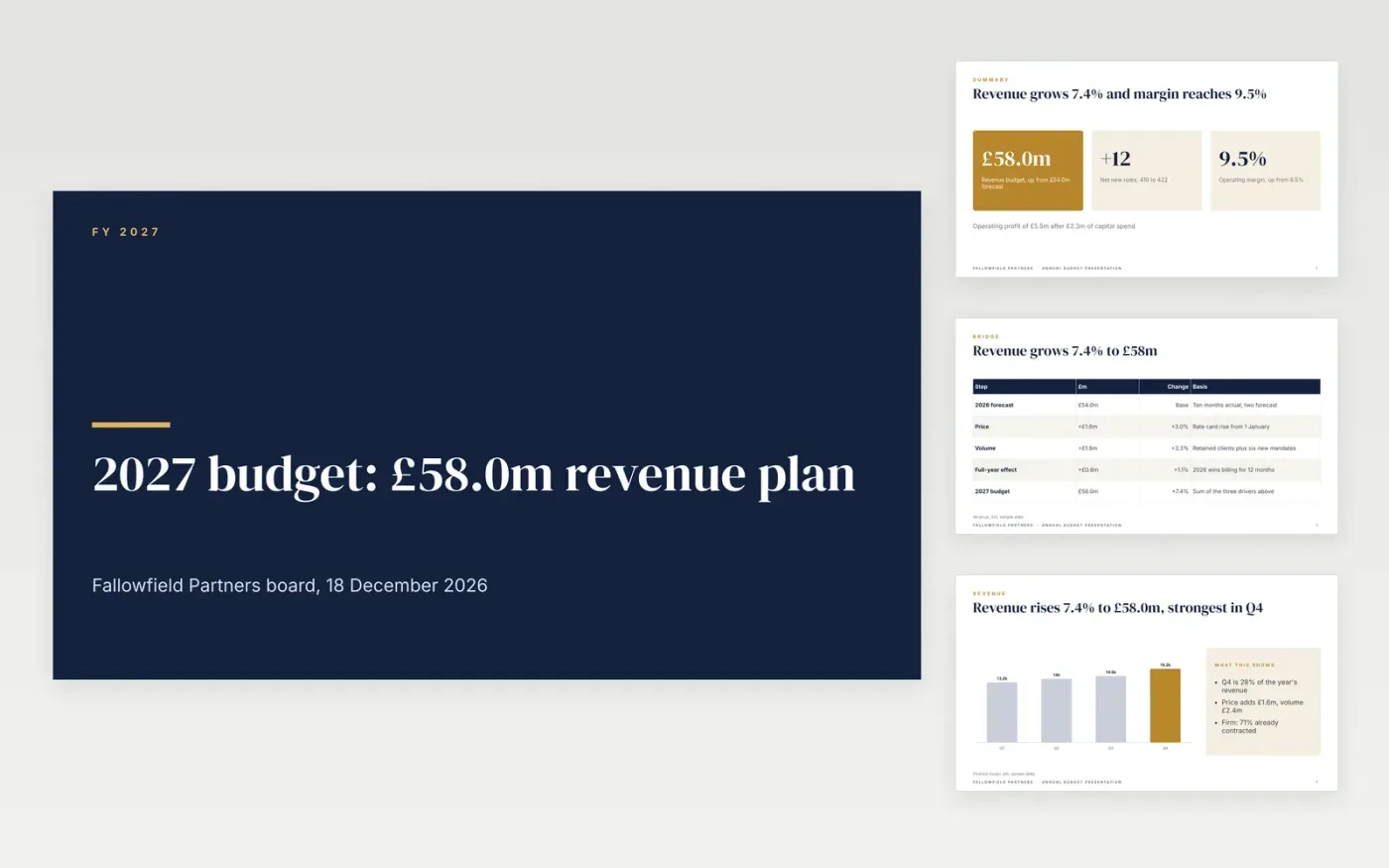
Boards approve a budget faster when they can see where the numbers came from. This deck opens with the headline figures, bridges from the current-year forecast to the new budget, then walks through revenue, costs, headcount and scenarios, and ends with a clear approval request.
The sample follows Fallowfield Partners as its finance director asks the board to approve a £58.0m revenue budget with a 9.5% operating margin. Replace the assumptions, the forecast base and the headcount plan with your own, rephase the months for your seasonality, and delete any slide you do not need.
Click Make a copy in Google Slides, then confirm on the Google page. The copy is saved to your own Google Drive.
Replace the sample assumptions with your own inflation, pay award, price and volume figures, and enter your current-year forecast as the base.
Rebuild each revenue and cost line from your drivers, update the headcount chart with real start dates, and rewrite the scenario boxes with your own sensitivities.
Change the chart values and bridge table, then check that every total matches across the summary, bridge, revenue and cost slides.
Delete the guide slide, then share the deck with the board or present it.
Yes. Keep the structure and swap the figures: income instead of revenue, restricted and unrestricted funds in the bridge, and giving or grants in the chart. Delete the slides you do not need.
A bridge shows the board which drivers move the number: price, volume and full-year effects. That is easier to challenge and approve than a total built from last year's spend.
No. Fallowfield Partners, its people and every figure are fictional sample data. Replace all of it with your own organisation's numbers before you share the deck.
Slides + PowerPoint20 slides
Free
Docs + Word6 pages
Free
Excel
Free
Slides + PowerPoint10 slides
Free
Docs + Word7 pages
Free
Slides + PowerPoint10 slides
Free
Docs + Word8 pages
Free
Docs + Word7 pages
Free









