
Annual Budget Presentation
Slides + PowerPoint10 slides
Free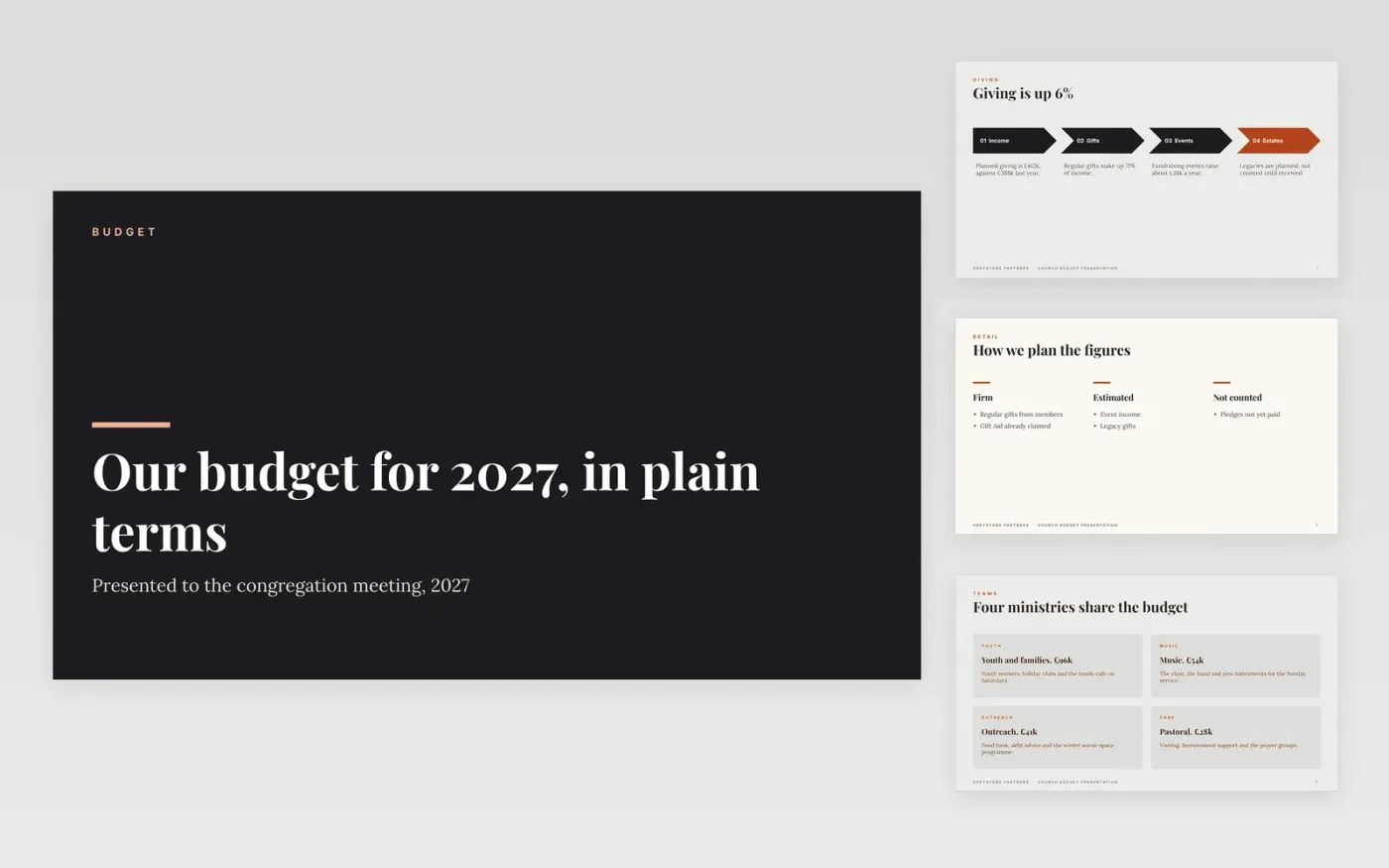
This annual budget template is a ready-made Google Slides deck for church treasurers who present the year's budget to a congregation meeting. It covers giving, the ministries, building needs, the wider mission and the decision asked of members across ten slides, with firm figures and estimates marked apart.
Each slide uses sample figures for Greystone Partners, a fictional parish, with planned giving of £412k and £89k of building repairs. Replace the figures, ministries and projects with your own, and show clearly which numbers are firm and which are estimates. Keep the ask slide, so members know exactly what they are voting on.
Click Make a copy in Google Slides, then confirm on the Google page. The copy is saved to your own Google Drive.
Replace the figures, ministries and building items with your own.
Mark each figure as firm or as an estimate before the meeting.
Delete the guide slide, then present the deck or share it with members.
No. Greystone Partners, its ministries, giving and building figures are fictional sample content, written to show a finished budget presentation.
No. Report giving in totals and by source only. Individual gifts are private, and members should never be identifiable from the budget slides.
State it plainly, show how it arises, set out the steps to close it, and ask members for a decision on the proposed next step, not for sympathy.
Slides + PowerPoint10 slides
Free
Slides + PowerPoint10 slides
Free
Docs + Word6 pages
Free
Excel
Free
Docs + Word7 pages
Free
Docs + Word8 pages
Free
Docs + Word7 pages
Free









