Acceptable Use Policy
Docs + Word7 pages
Free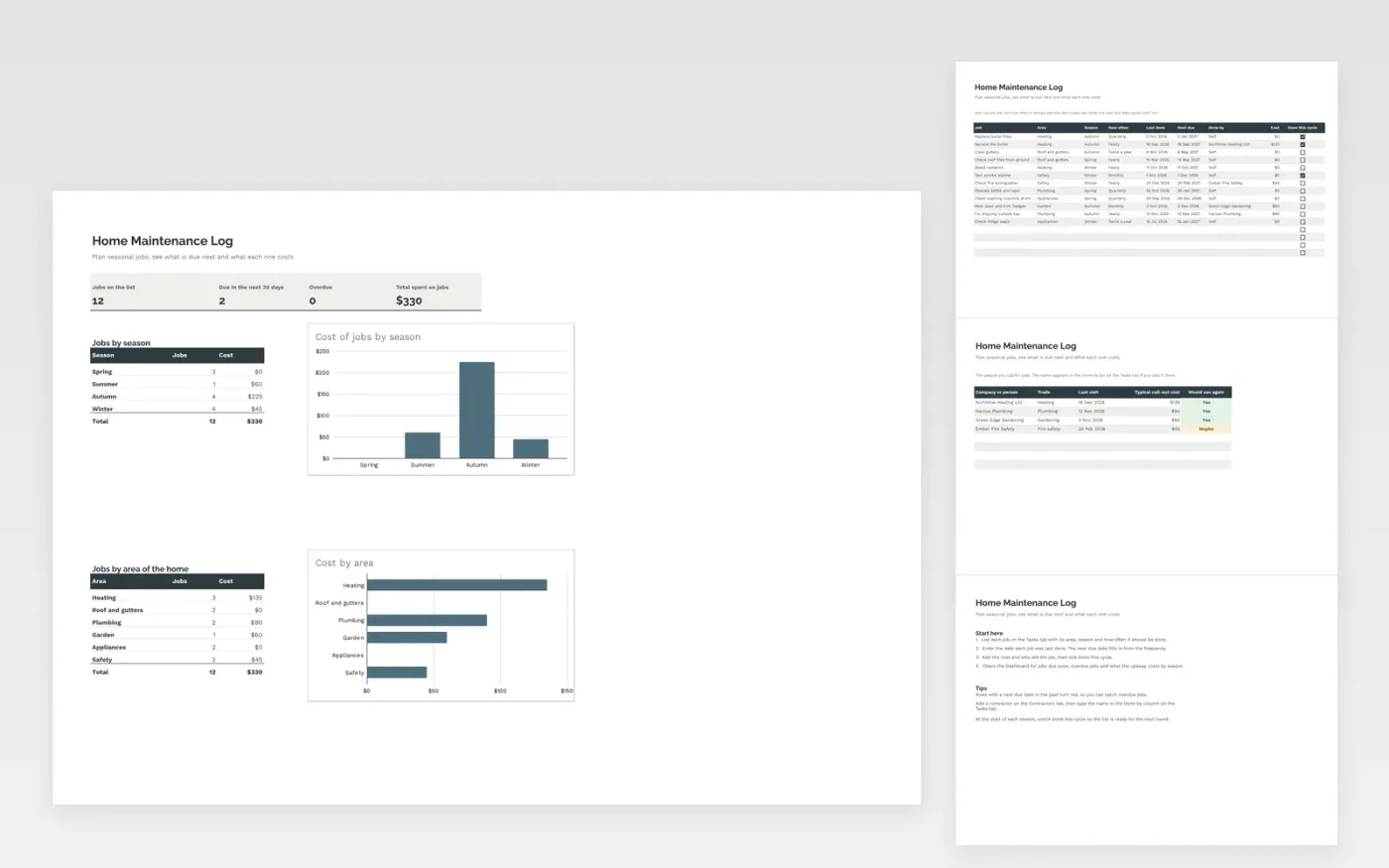
The Home Maintenance Log keeps the regular jobs for a house or flat in one list. The Tasks tab records each job with its area of the home, season, how often it should be done, the date it was last done and the cost. The next due date works itself out from the frequency. The Contractors tab keeps the people you call for work.
The Dashboard counts the jobs due in the next thirty days and the overdue jobs, and breaks the cost down by season and by area of the home. It comes with sample data for twelve jobs and four contractors. Make a copy, replace the sample rows and enter the dates you last did each job. Due dates, counts and charts update on their own.
Click Make a copy in Google Sheets, then confirm on the Google page. The copy is saved to your own Google Drive.
Start on the Tasks tab: replace the sample rows with your own.
Keep the formula columns as they are; they fill in as you type.
Read the How to use tab for tips. For Excel, download the .xlsx file instead.
Yes. Download the template and use it at no cost. No account is needed to open it.
Yes. Download the .xlsx file and open it in Microsoft Excel. The due dates, dropdowns and charts all work there.
It adds the frequency, monthly, quarterly, twice a year or yearly, to the last done date. Leave the last done date empty and no due date is shown.
More Google Sheets templatesMore business operations templates
Docs + Word7 pages
Free
Docs + Word8 pages
Free
n8n
Free
Sheets + Excel3 slides
Free
Docs + Word1 page
Free
Docs + Word1 page
Free
Docs + Word1 page
Free
Docs + Word1 page
Free
Docs + Word1 page
Free
Docs + Word1 page
Free
Docs + Word1 page
Free
Docs + Word1 page
Free