
Company Magazine
Docs + Word7 pages
Free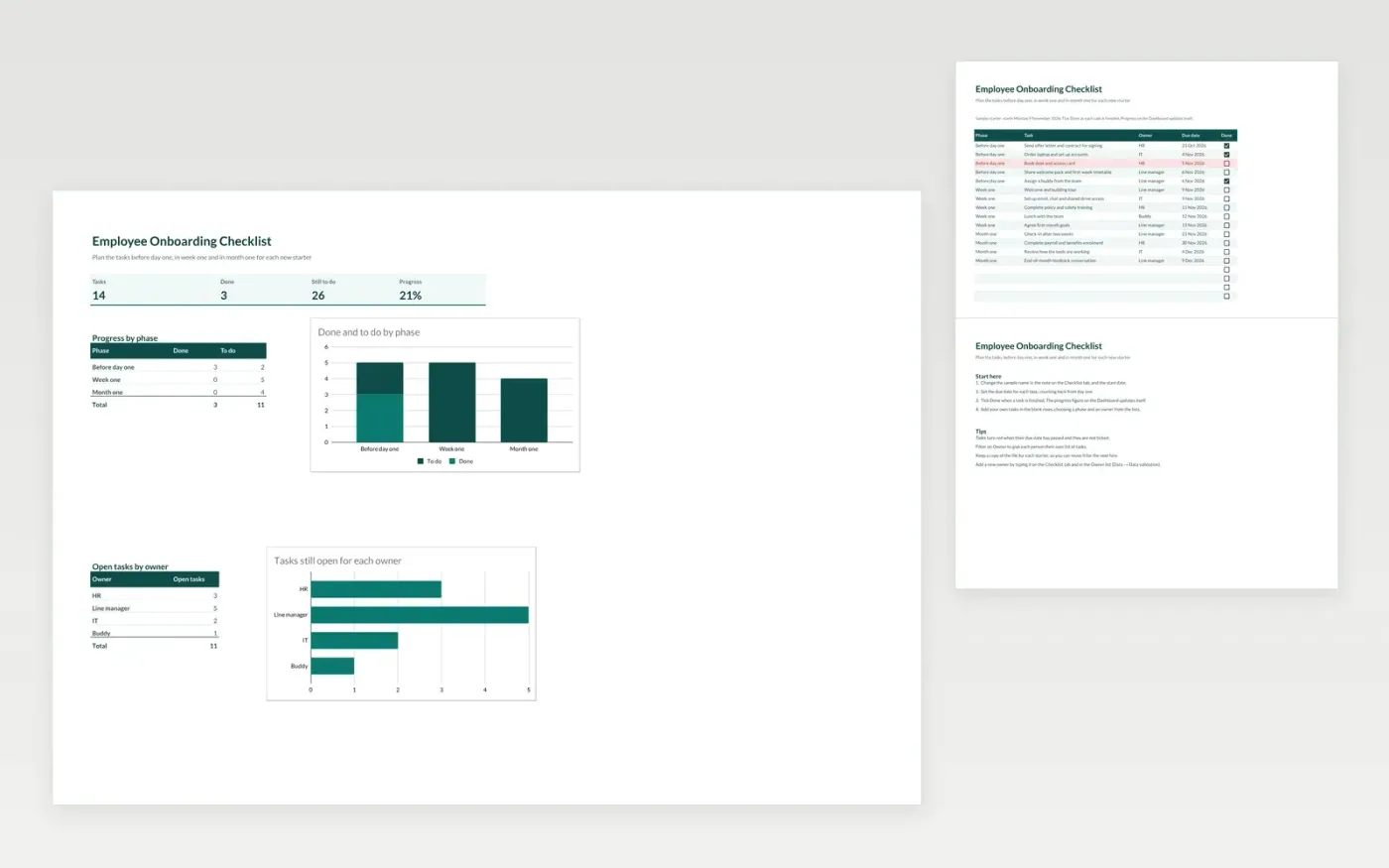
The Employee Onboarding Checklist sets out every task for a new starter, grouped into three phases: before day one, week one and month one. Each task has an owner such as HR, the line manager, IT or a buddy, a due date and a Done tick. The Dashboard shows overall progress, how much is left in each phase and how many open tasks each owner has.
The file comes with a sample checklist of fourteen tasks for a starter beginning on 9 November 2026. Make a copy, change the name and start date, and the progress figures and charts update as you tick tasks.
Click Make a copy in Google Sheets, then confirm on the Google page. The copy is saved to your own Google Drive.
Start on the Checklist tab: replace the sample rows with your own.
Keep the formula columns as they are; they fill in as you type.
Read the How to use tab for tips. For Excel, download the .xlsx file instead.
Yes. The Employee Onboarding Checklist template is free to download, copy and use for your own hiring.
Yes. Download the .xlsx file and open it in Microsoft Excel. The tick boxes, dropdowns, highlighting and charts work in Excel as well as in Google Sheets.
Yes. Make a copy of the file for each starter, change the sample name and start date, and clear the Done ticks. Your tasks and owners stay in place for the next hire.
Docs + Word7 pages
Free
Docs + Word21 pages
Free
Slides + PowerPoint16 slides
Free
Sheets + Excel4 slides
Free
Docs + Word1 page
Free
Docs + Word1 page
Free
Docs + Word1 page
Free
Docs + Word1 page
Free
Docs + Word1 page
Free
Docs + Word1 page
Free
Docs + Word1 page
Free
Docs + Word1 page
Free








