Partner Newsletter
Docs + Word6 pages
Free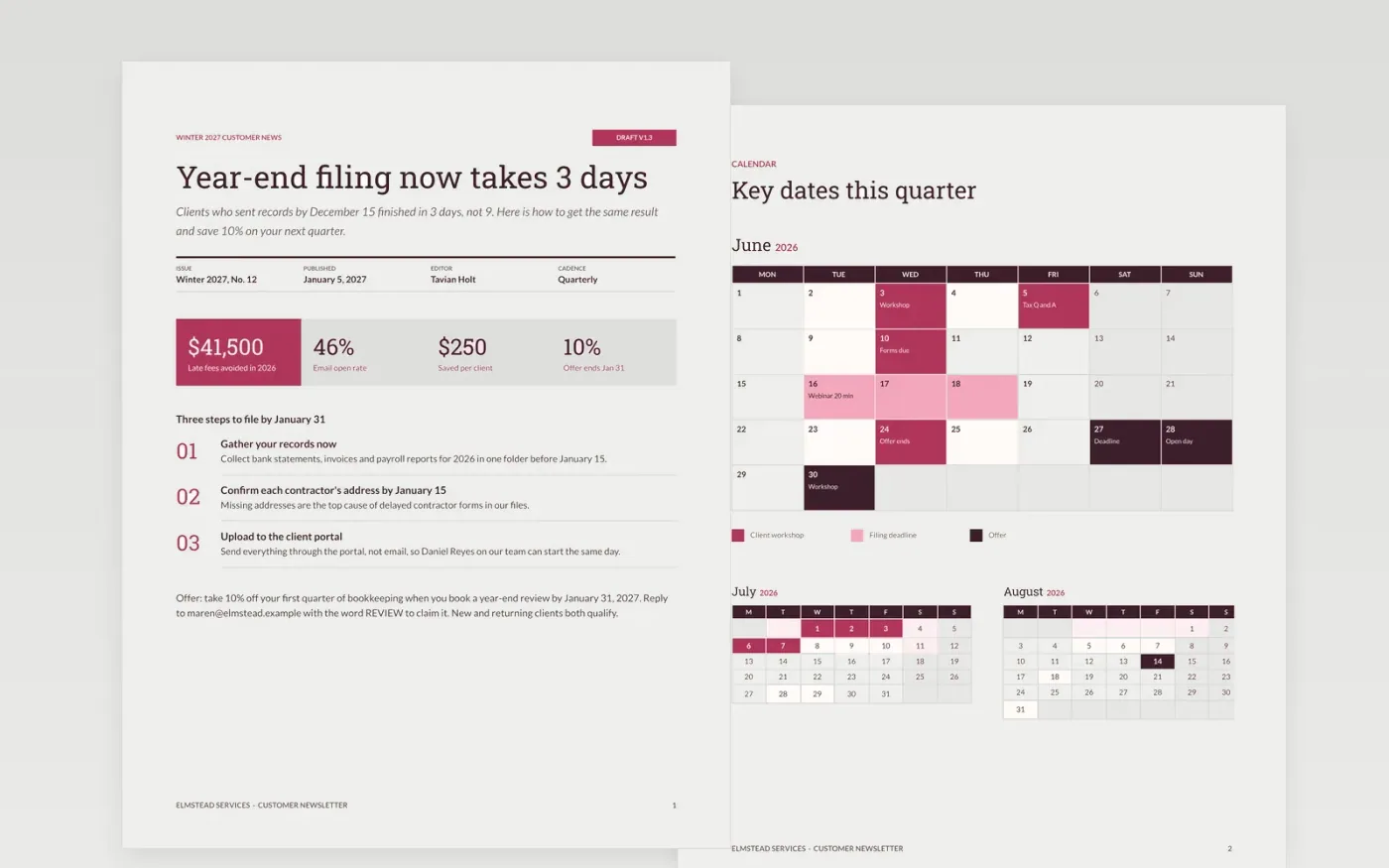
Many small businesses send news that is only about themselves, so customers skim it and move on. This company newsletter template fixes that with a clear order: a masthead with the issue date, one headline story, a short tip, an offer that ends on a set date, a calendar of events and a guide page for making it your own.
The sample shows Elmstead Services, a fictional bookkeeping and payroll firm, sending its winter issue to small-business clients. It covers a year-end filing story, three steps to follow, an offer of 10% off, and four dates in January. Replace the masthead, story, dates and contact details with yours before you send.
Click Make a copy in Google Docs, then confirm on the Google page. The copy is saved to your own Google Drive.
Replace the masthead, issue date, editor name and cadence with yours.
Swap the headline story for the one thing your readers most want to know this issue, then rewrite the tip.
Update the calendar with your next events and the offer expiry, and check the contact details.
Delete the guide page, then share the document or print it.
Yes. Make a copy in Google Docs and it is yours to edit, with no sign-up on this site and no cost.
Keep items short: about 60 to 150 words each, with a heading. Readers scan the headline story, tip and offer first.
No. Elmstead Services, the people and every figure are fictional. Replace them with your own before you share the newsletter.
More Google Docs templatesMore business operations templates
Docs + Word6 pages
Free
Docs + Word7 pages
Free
Docs + Word8 pages
Free
Docs + Word5 pages
Free
Docs + Word6 pages
Free










